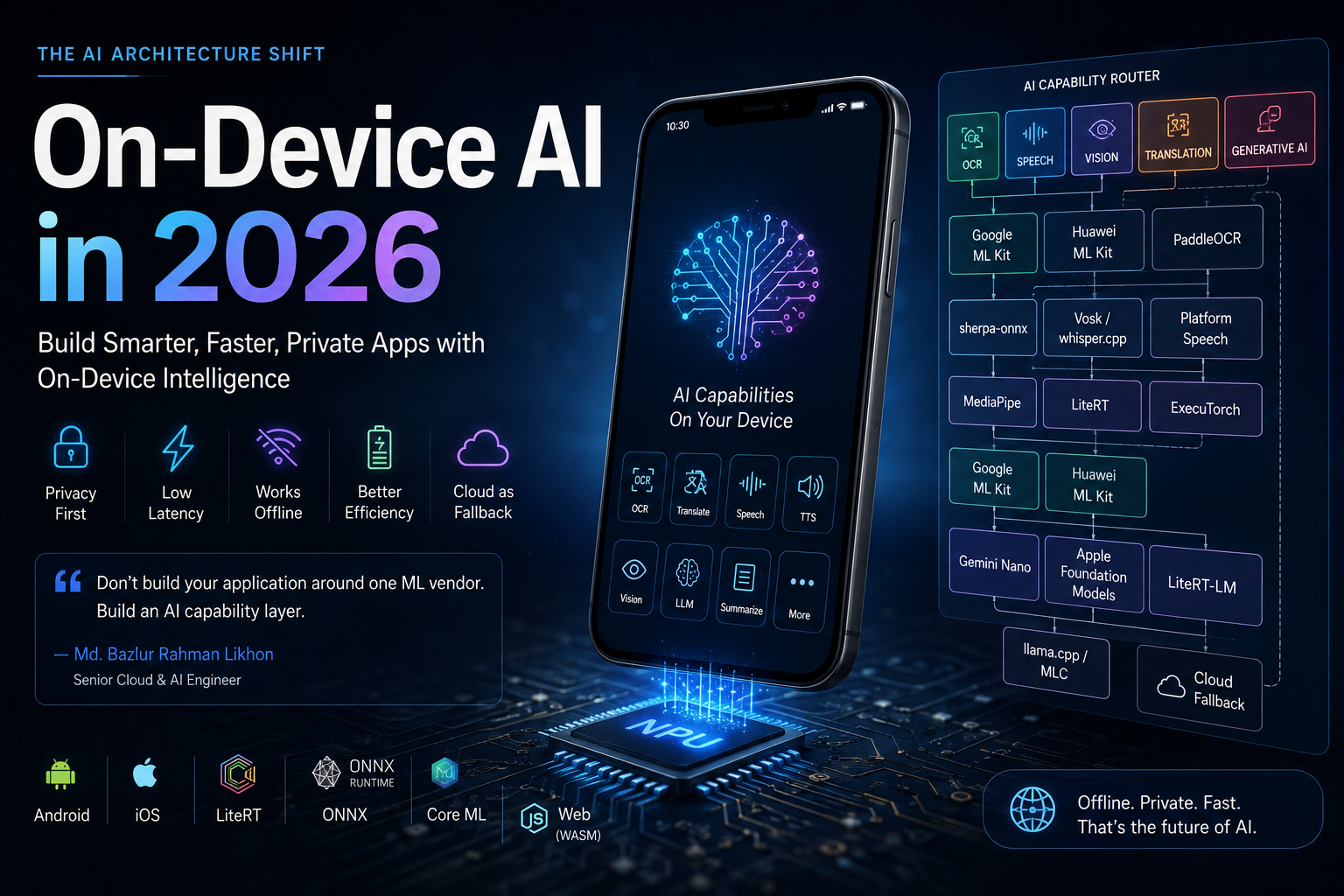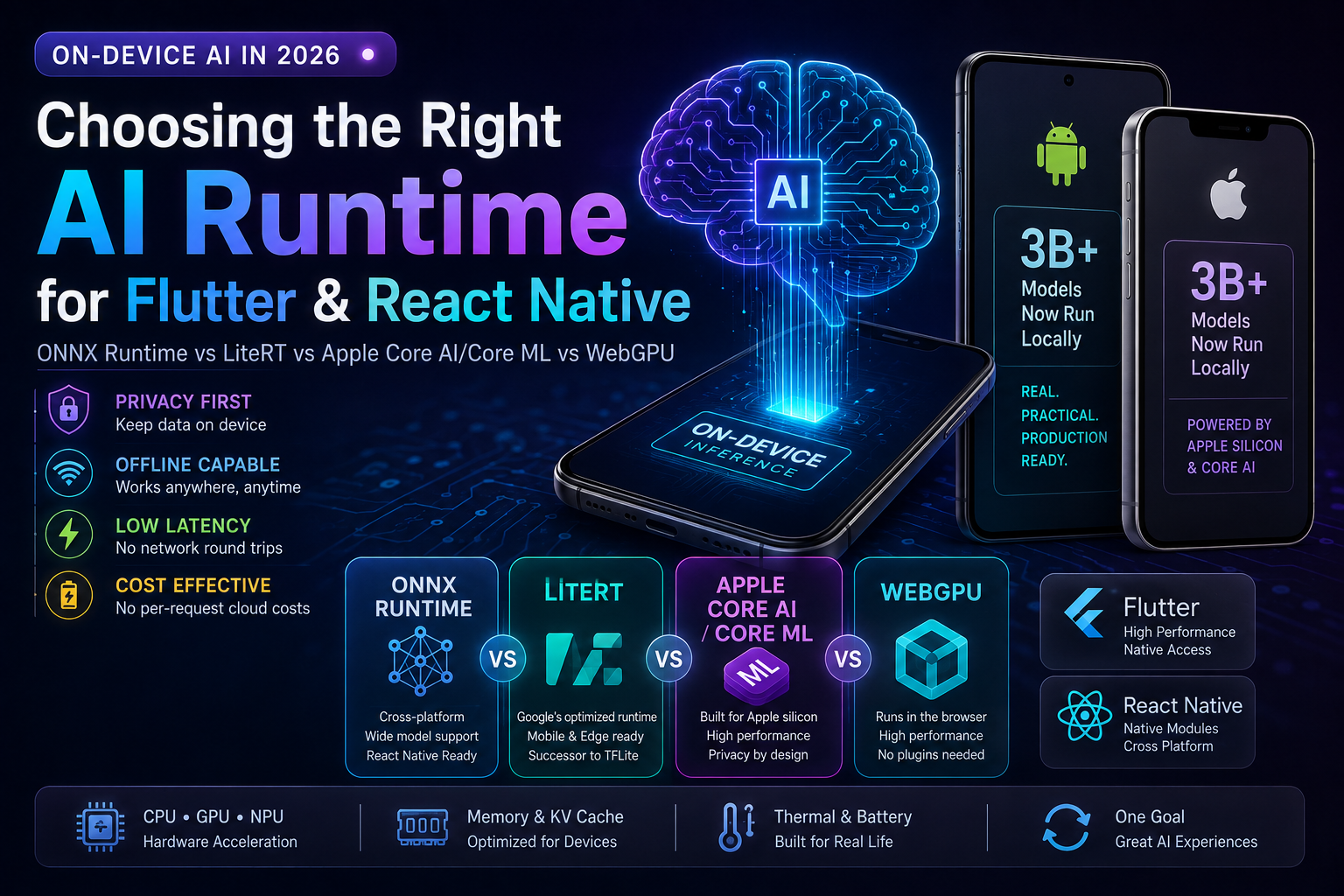
On-Device AI in 2026 Is No Longer Just TensorFlow Lite vs ONNX
Running AI locally inside a Flutter or React Native application has become a serious production architecture option.
But the technology landscape has changed substantially.
TensorFlow Lite is now LiteRT. Android has deprecated NNAPI. Apple introduced Core AI for bringing modern AI models onto Apple silicon. ONNX Runtime has an official React Native package. WebGPU is shipping on modern mobile browsers. And multi-billion-parameter models genuinely run on modern consumer devices.
That last statement needs an important qualification.
A 3-billion-parameter model running on a modern phone is technically real. It does not mean you can download any arbitrary 3B model, drop it into a Flutter asset directory, and expect production-quality inference on every iPhone and Android device.
Model architecture, quantization, available RAM, KV-cache size, accelerator support, thermal limits, runtime kernels, device generation, and integration strategy all matter.
That is the engineering problem this guide addresses.
The best on-device AI runtime is not the runtime with the most impressive benchmark. It is the runtime that executes your actual model reliably across the devices your users actually own.
This guide compares ONNX Runtime, LiteRT, Apple Core AI/Core ML, and WebGPU, explains where 3B-class local LLMs are realistic, and provides a production decision framework for Flutter and React Native teams.
Technical landscape reviewed: August 29, 2026.
Why I Evaluate Mobile AI as a Production AI Engineer
My perspective is not limited to running inference inside a notebook.
I work as a Senior Cloud & AI Engineer, with more than six years of experience designing and deploying production AI and cloud-native systems across Generative AI, LLM applications, RAG, computer vision, conversational AI, biometrics, intelligent document processing, and secure multi-cloud architectures.
My engineering work has included:
- Production LLM and RAG systems
- Computer vision and biometric inference
- Python, FastAPI, Node.js, REST APIs, WebSockets, and WebRTC
- Docker and Kubernetes
- AWS, Google Cloud, Microsoft Azure, Oracle Cloud, and other cloud platforms
- Performance and cost optimization
- Secure local, cloud, and hybrid AI deployments
- Production AI applications delivered to end users
I have also led delivery of an AI story-generation application released on Google Play, integrating text generation, image generation, and text-to-speech.
That experience reinforces an important architectural principle:
Model inference is only one layer of an AI product.
A successful on-device AI application must also solve:
- Model packaging
- Native integration
- Memory management
- Device compatibility
- Hardware acceleration
- UI responsiveness
- Model versioning
- Privacy
- Battery and thermal behavior
- Fallback execution
- Observability
- Release engineering
What Does On-Device AI Mean?
On-device AI means inference happens locally on the user's phone, tablet, laptop, or edge device rather than requiring every request to be processed by a remote inference server.
Conceptually:
Cloud AI

User
  |
  v
Mobile App
  |
  v
Internet
  |
  v
Cloud Model
  |
  v
Internet
  |
  v
Response
With local inference:
On-Device AI

User
  |
  v
Mobile App
  |
  v
Local Runtime
  |
  v
CPU / GPU / NPU
  |
  v
Response
This can provide several important advantages.
Privacy
Sensitive input can remain on the device instead of being transmitted to an inference service.
Offline Operation
Local models can continue operating when connectivity is unavailable.
Predictable Inference Cost
You are not paying a cloud inference charge for every local invocation.
Lower Network Latency
You remove the network round trip.
That does not automatically mean local inference is faster.
A small cloud model running on a powerful GPU can still outperform a large local model running on a phone.
The correct comparison is:
network latency + cloud inference
versus:
local preprocessing + local inference
Measure both.
The 2026 Mobile AI Landscape
The most important change since earlier on-device ML guides is that the ecosystem has fragmented into several increasingly specialized paths.
| Runtime / Platform | Best fit | Flutter path | React Native path | Major acceleration path |
|---|---|---|---|---|
| ONNX Runtime | Portable ONNX models | Community wrapper, FFI, or native bridge | Official ONNX Runtime package | CPU, XNNPACK, Core ML, platform EPs |
| LiteRT | Android/iOS edge ML | Community wrapper or native bridge | Community/native bridge | CPU, GPU, NPU/vendor delegates |
| LiteRT-LM | Local LLMs | Native integration | Native integration | CPU, GPU, NPU |
| Core AI | Bring-your-own AI on Apple devices | Swift bridge/plugin | Swift native module | Apple CPU, GPU, Neural Engine |
| Core ML | Established Apple ML deployment | Swift bridge/plugin | Swift native module | Apple compute units |
| Foundation Models | Apple system on-device LLM | Swift bridge/plugin | Swift bridge/module | Apple-managed |
| WebGPU | Browser/Flutter Web/React Web GPU compute | Flutter Web | React/Web | GPU |
Notice something important:
Flutter and React Native are UI/application frameworks. They are not the inference runtime.
For demanding local AI workloads, the application frequently needs a thin native layer underneath the cross-platform UI.
Can You Really Run a 3B LLM on a Phone?
Yes.
But parameter count alone tells you almost nothing about whether deployment will be practical.
Apple has publicly documented approximately 3-billion-parameter foundation models designed for on-device operation.
Its 2025 technical report described an approximately 3B on-device model optimized with techniques including 2-bit quantization-aware training for decoder weights and an 8-bit KV cache.
In June 2026, Apple announced its third generation of foundation models, including AFM 3 Core, described as the next generation of its 3-billion-parameter dense on-device model.
That is strong evidence that 3B-class on-device LLM inference is technically viable on modern high-end mobile hardware.
It is not evidence that every 3B model is viable everywhere.
Why Quantization Makes 3B Models Possible
Consider only the theoretical storage required by 3 billion parameters.
| Weight precision | Approximate raw weight size |
|---|---|
| FP32 | 12 GB |
| FP16 | 6 GB |
| INT8 | 3 GB |
| 4-bit | 1.5 GB |
| 2-bit | 0.75 GB |
That table represents raw weight storage only.
Real inference also requires memory for things such as:
- Quantization scales and metadata
- Model graph/runtime
- Activations
- KV cache
- Tokenizer
- Input/output buffers
- GPU resources
- Application UI
- Operating system
So a 1.5 GB 4-bit weight file does not mean the application requires only 1.5 GB of RAM.
This distinction is critical when evaluating mobile LLM claims.
A 3B Model Is Not the Same as a 3B Mobile Model
Two models with identical parameter counts can behave very differently on the same phone.
Performance depends on:
- Architecture
- Layer dimensions
- Attention implementation
- KV-cache requirements
- Context length
- Quantization format
- Operator support
- Memory bandwidth
- Runtime kernels
- Accelerator compatibility
A model explicitly designed and optimized for mobile execution can be dramatically easier to deploy than an arbitrary desktop-oriented checkpoint of the same size.
Therefore:
Never use parameter count as your mobile deployment specification.
Benchmark the actual exported model.
ONNX Runtime Mobile in 2026
ONNX Runtime remains one of the strongest choices when model portability is a primary requirement.
Microsoft's current mobile documentation supports inference on both Android and iOS.
ONNX Runtime Mobile can execute ONNX models originating from different training ecosystems, provided the model can be exported or converted correctly.
This is particularly useful when your ML organization trains models primarily in PyTorch but your product team needs deployment across different environments.
ONNX Runtime and React Native
React Native has an important advantage here.
Microsoft provides an official ONNX Runtime React Native package:
npm install onnxruntime-react-native
A simplified integration pattern looks like:
import * as ort from 'onnxruntime-react-native';

const session = await ort.InferenceSession.create(modelPath);

const feeds = {
  input: inputTensor
};

const results = await session.run(feeds);
The exact tensor construction and model path handling depend on your application.
The important architectural point is that React Native developers do not necessarily need to create their own ONNX native bridge from scratch.
ONNX Runtime and Flutter
The Flutter situation is different.
There are community-maintained ONNX Runtime packages for Flutter, including packages that expose ONNX Runtime through native wrappers or Dart FFI.
Some are actively maintained in 2026.
However, this is not the same support model as Microsoft's first-party React Native package.
For production Flutter projects, I would evaluate three approaches:
- A maintained community Flutter ONNX package
- A custom Dart FFI integration
- A thin Kotlin/Swift native plugin around ONNX Runtime
For a business-critical application, evaluate:
- Release activity
- Runtime version
- Android 16 KB page compatibility
- iOS support
- Hardware Execution Provider exposure
- Memory management
- Maintainer responsiveness
Do not choose a wrapper only because the demo works.
ONNX Runtime Hardware Acceleration
ONNX Runtime uses Execution Providers to target different acceleration backends.
Its current mobile guidance includes:
- CPU
- XNNPACK
- Core ML on iOS
- NNAPI on Android
However, there is an important 2026 caveat.
Android deprecated NNAPI in Android 15.
The Android documentation now recommends migrating performance-sensitive custom ML workloads toward newer runtime paths rather than building future architecture directly around NNAPI.
ONNX Runtime itself still exposes an NNAPI Execution Provider, but I would treat that as a compatibility option rather than the strategic basis for a new Android ML platform.
ONNX Runtime also supports other hardware integrations, including Qualcomm QNN in applicable Android builds.
CPU Is Not a Failure Mode
One of the most common mobile AI mistakes is assuming:
GPU/NPU = good
CPU = bad
That is too simplistic.
ONNX Runtime's own mobile guidance recommends beginning with predictable execution paths and benchmarking actual hardware acceleration because model partitioning and unsupported operators can make an accelerator slower.
Suppose only part of a graph can execute on an accelerator.
You may end up with:
CPU
  |
copy
  |
GPU
  |
copy
  |
CPU
  |
copy
  |
GPU
Those transitions have a cost.
A highly optimized CPU backend can outperform a poorly partitioned hardware-accelerated graph.
ONNX Runtime Custom Builds Matter on Mobile
Runtime binary size matters more on mobile than it does on a cloud server.
ONNX Runtime supports model-specific custom builds that include only the operators required by your models.
That can substantially reduce runtime binary size compared with bundling the complete operator set.
For mobile deployment, consider optimizing all three independently:
Model size
Runtime size
Application size
They are different problems.
LiteRT: TensorFlow Lite Has Evolved
One of the most important terminology updates is:
TensorFlow Lite is now LiteRT.
Google introduced the LiteRT name to reflect an on-device runtime that is no longer conceptually restricted to TensorFlow-origin models.
The ecosystem now targets deployment workflows involving models authored across modern ML frameworks.
If you are beginning a new project in 2026, I would refer to the current runtime as LiteRT, while mentioning TensorFlow Lite or TFLite where necessary for compatibility and searchability.
LiteRT Is Especially Important on Android
Google's current Android direction makes LiteRT particularly important.
NNAPI was deprecated because the pace of modern on-device ML—including transformers and diffusion architectures—requires runtime infrastructure that can evolve more rapidly than an Android platform API.
LiteRT can use different execution backends and delegates depending on device and model.
Potential acceleration includes:
- CPU
- GPU
- Vendor NPU paths
- Apple Core ML integration on supported iOS workflows
The exact acceleration available varies by device.
Do Not Assume Every Android NPU Is Accessible the Same Way
Android hardware is fragmented.
Two phones marketed as having an "AI NPU" may expose very different capabilities to third-party applications.
Factors include:
- Chip vendor
- Driver
- Supported operators
- Quantization formats
- Runtime version
- Vendor delegate availability
This is why real-device benchmarking remains mandatory.
Do not write your architecture around this assumption:
Android phone has NPU
therefore
my model will run on NPU
That conclusion is not guaranteed.
LiteRT-LM Changes the Mobile LLM Discussion
For conventional mobile ML workloads, LiteRT is the general runtime.
For local large language models, Google now documents LiteRT-LM as its dedicated on-device LLM framework.
Current Google documentation describes LiteRT-LM as supporting on-device LLM execution across Android and iOS with CPU, GPU, and NPU acceleration paths.
This matters because local LLM execution has requirements that are different from a small image classifier.
LLMs need specialized handling for:
- Tokenization
- Prefill
- Decoding
- KV cache
- Stateful execution
- Sampling
- Memory pressure
- Long-running generation
A generic tensor runner can execute transformer operators.
A specialized LLM runtime can optimize the complete generation loop.
Should Flutter Use LiteRT Directly?
For lightweight ML, a maintained Flutter LiteRT wrapper can be perfectly reasonable.
For more demanding production workloads, I prefer a clean abstraction around the native runtime.
Conceptually:
abstract class LocalModelRunner {
  Future load(String modelPath);

  Future run(ModelInput input);

  Future capabilities();

  Future dispose();
}
Your Flutter application talks to that interface.
Underneath it:
Flutter
   |
   v
Dart API
   |
   v
Native bridge / FFI
   |
   +-------- Android -> LiteRT / ONNX
   |
   +-------- iOS -> Core AI / Core ML / ONNX
That allows the UI architecture to remain cross-platform even when inference is platform-specific.
Apple Core ML Is No Longer the Entire Apple AI Story
For years, the standard recommendation for bringing an ML model to an iPhone was:
Use Core ML.
Core ML remains an active Apple framework.
But Apple's 2026 AI stack now contains additional layers.
Two of the most important are:
- Core AI
- Foundation Models framework
That makes an updated comparison essential.
Core AI: Apple's New Bring-Your-Own-Model Path
Apple introduced Core AI as a modern framework for running your own AI models on Apple silicon.
Apple describes Core AI as supporting fully on-device execution with a memory-safe Swift API and hardware-aware model specialization.
Its tooling includes capabilities around:
- Model conversion
- Quantization
- Palettization
- Hardware-aware optimization
- Model debugging
- Performance profiling
- Stateful execution
- Zero-copy data paths
For new applications involving large modern architectures, Apple's documentation explicitly points developers toward Core AI.
Where Does Core ML Fit Now?
Core ML is not obsolete.
It remains Apple's established machine-learning framework for model integration.
Apple's own Core ML documentation now directs developers working with the latest architectures and inference techniques to also consider Core AI.
A practical 2026 mental model is:
Established Apple ML integration
        ->
      Core ML

Modern bring-your-own AI / generative models
        ->
      Core AI

Apple-provided on-device foundation model
        ->
Foundation Models framework
These categories overlap, but they solve different product problems.
Apple Foundation Models: An Alternative to Shipping Your Own 3B Model
If your iOS feature needs generative language capabilities, another question should come before packaging your own LLM:
Do I need to ship a model at all?
Apple's Foundation Models framework provides native Swift access to the on-device foundation model used by Apple Intelligence on supported systems.
As of 2026, Apple describes the framework as supporting capabilities including:
- Text generation
- Summarization
- Entity extraction
- Text understanding
- Structured generation
- Tool calling
- Multimodal workflows on current platforms
This can eliminate the need to package a multi-gigabyte custom model for some use cases.
For Flutter or React Native, you can expose the required functionality through a narrow Swift bridge.
Core AI and Flutter / React Native
Core AI is a native Apple technology.
That does not prevent Flutter or React Native from using it.
It means your integration architecture should look like:
flowchart LR
    A[Flutter or React Native UI] --> B[Cross-Platform AI Interface]
    B --> C[Swift Native Module]
    C --> D[Core AI / Foundation Models]
    D --> E[Apple Silicon]
Do not force cross-platform symmetry where it creates worse engineering.
Your Android implementation can use LiteRT while iOS uses Core AI.
The JavaScript or Dart layer can still expose the same application-level interface.
WebGPU in 2026: No Longer Merely an Experiment
Older articles often describe WebGPU as experimental.
That wording is increasingly outdated.
Chrome enabled WebGPU by default on supported Android configurations starting with Chrome 121, initially targeting Android 12+ devices with supported Qualcomm and ARM GPUs.
In 2026, Chrome added compatibility-mode work to broaden WebGPU operation onto older graphics stacks such as OpenGL ES 3.1.
Safari 26 also added WebGPU support.
Therefore:
WebGPU is now a real production web capability on modern devices—but it still requires capability detection and device testing.
Support does not imply identical features or performance across browsers.
WebGPU Is Primarily a Web Strategy
This is another important correction.
WebGPU should not be presented as equivalent to ONNX Runtime Mobile or Core AI for a native Flutter/React Native app.
WebGPU is most naturally relevant when you are building:
- Flutter Web
- React web applications
- PWAs
- Browser-based AI
- WebView-based workloads where that architecture is intentional
For a normal native Flutter or React Native mobile application, a native inference runtime is usually the more direct architecture.
WebGPU and ML Runtimes
You generally do not want to manually rewrite a neural network into WGSL shaders.
Instead, use a higher-level runtime that can target WebGPU.
For example:
Application
    |
    v
ML Runtime
    |
    v
WebGPU Backend
    |
    v
Browser GPU implementation
This allows the runtime to manage:
- Graph execution
- Tensor layouts
- Kernel selection
- Shader generation
- Memory reuse
That is significantly more maintainable than hand-building an inference engine.
ONNX Runtime vs LiteRT vs Core AI vs WebGPU
Here is the decision matrix I would use in 2026.
| Requirement | ONNX Runtime | LiteRT | Core AI | WebGPU |
|---|---|---|---|---|
| Android native | Excellent | Excellent | No | Browser |
| iOS native | Excellent | Good | Excellent | Browser |
| React Native integration | Excellent | Moderate | Native bridge | Web-oriented |
| Flutter integration | Good with wrapper/FFI | Good with wrapper/bridge | Native bridge | Flutter Web |
| PyTorch portability | Excellent | Good/current tooling | Strong Apple conversion path | Runtime-dependent |
| Native Apple optimization | Good via Core ML EP | Available through relevant paths | Excellent | Browser abstraction |
| Android hardware flexibility | Good | Excellent | No | Browser-dependent |
| Small classic ML | Excellent | Excellent | Excellent | Good |
| Local generative AI | Possible/model-dependent | LiteRT-LM preferred path | Excellent | Increasingly capable |
| Browser deployment | ONNX Runtime Web | LiteRT.js available | No | Native web API |
| Single model format across mobile | Strong | Strong where supported | Apple-specific | Runtime-dependent |
| Lowest native integration effort in React Native | Strong | Depends on wrapper | Requires bridge | Depends on web architecture |
There is no universal winner.
My Runtime Recommendations by Use Case
React Native + Portable ONNX Model
Start with ONNX Runtime React Native.
It has a first-party React Native package and avoids building unnecessary native infrastructure.
Flutter + Existing ONNX Pipeline
Evaluate a currently maintained Flutter wrapper first.
For a critical product, keep the inference layer behind your own Dart interface so you can replace the wrapper with FFI or a native plugin later.
Android-First Mobile ML
Start by evaluating LiteRT.
Google's current Android direction makes it a strategically strong choice.
Android/iOS Local LLM
Evaluate LiteRT-LM if you are bringing your own supported LLM.
Do not treat a generic classifier runtime configuration as an LLM-serving architecture.
Apple-Only Custom AI Model
Evaluate Core AI first for a new 2026 project involving modern models.
Apple Application Needing General Generative AI
Evaluate the Foundation Models framework before deciding to ship your own model.
Flutter Web or Browser AI
Evaluate WebGPU-backed inference.
Maximum Cross-Platform Model Portability
ONNX remains a strong starting point.
The Architecture I Prefer for Cross-Platform On-Device AI
Do not expose runtime details throughout the application.
Create one model-service contract.
flowchart TD
    A[Flutter / React Native UI] --> B[Local AI Service]

    B --> C{Platform}

    C -->|Android| D[Android AI Adapter]
    C -->|iOS| E[iOS AI Adapter]
    C -->|Web| F[Web AI Adapter]

    D --> G[LiteRT / ONNX Runtime]
    E --> H[Core AI / Core ML / ONNX]
    F --> I[WebGPU-backed Runtime]

    G --> J[CPU / GPU / NPU]
    H --> K[CPU / GPU / Neural Engine]
    I --> L[Browser GPU]
Your business logic should request:
classify()
embed()
transcribe()
generate()
detect()
not:
callCoreMLExecutionProvider()
The runtime is an implementation detail.
Native Bridge vs FFI
Flutter and React Native teams typically have two implementation choices for native inference.
Native Bridge
Create:
- Kotlin implementation for Android
- Swift implementation for iOS
Expose a small API to Flutter or React Native.
Advantages:
- Straightforward platform API access
- Easier hardware integration
- Easier native debugging
- Better access to first-party SDKs
Disadvantages:
- Two platform implementations
- Some bridge overhead
- Native expertise required
FFI / JSI / C++ Integration
Use a shared native library where appropriate.
Advantages:
- Lower overhead for high-frequency operations
- More shared low-level code
- Direct buffer management
Disadvantages:
- More complicated builds
- ABI complexity
- Native crashes become possible
- Harder memory ownership
- Platform packaging becomes more difficult
For most applications:
Keep the cross-platform/native boundary coarse-grained.
Do not send millions of individual tensor values through a high-overhead bridge call one by one.
Do Not Run Heavy Inference on the UI Thread
Regardless of framework:
UI Thread
    |
    X heavy inference
is a poor design.
Your architecture should instead look like:
UI
 |
 v
Inference request
 |
 v
Background worker / native queue
 |
 v
Runtime
 |
 v
Result
 |
 v
UI update
For Flutter, isolates may be useful depending on where preprocessing occurs.
For React Native, avoid blocking the JavaScript thread with preprocessing or repeated synchronous bridge work.
The native inference engine should own the heavy computation.
Quantization Strategy: Do Not Use One Rule for Every Model
The old advice of “start with INT8” is reasonable for many conventional models but is too simplistic for the 2026 mobile AI landscape.
Different workloads need different baselines.
Quantization for Vision and Conventional Neural Networks
For classifiers, detectors, embedding models, and other relatively compact networks, INT8 post-training quantization is often an excellent experiment.
Compare:
FP32 baseline
vs
FP16
vs
INT8
Measure:
- Accuracy
- Model size
- Latency
- Accelerator compatibility
Do not assume the smallest model is the fastest model.
Hardware support matters.
Quantization for Mobile LLMs
For multi-billion-parameter language models, INT8 weights may still be too large.
A 3B INT8 model requires roughly 3 GB for raw weights alone.
Therefore local LLM deployment frequently pushes toward lower-bit representations such as:
- 4-bit
- Mixed precision
- Specialized low-bit quantization
- Architecture-specific compression
Apple's published on-device model work demonstrates just how aggressive this optimization can become: its 2025 approximately 3B model used 2-bit quantization-aware training for decoder weights, among additional optimizations.
That is not a universal recommendation to use 2-bit weights.
It demonstrates that production mobile LLMs are heavily co-designed around the hardware.
Quantization Can Reduce Quality
Never optimize the model without rerunning evaluation.
A valid deployment process is:
Original Model
      |
      v
Baseline Accuracy
      |
      v
Quantize
      |
      v
Accuracy Evaluation
      |
      v
Device Performance Evaluation
      |
      v
Accept / Reject
Quantization is successful only when the resulting model satisfies both:
quality target + device target
Model Conversion Is an Evaluation Stage
Another common mistake is assuming:
PyTorch model
     |
 export
     v
ONNX / LiteRT / Core AI
     |
 identical model
Model conversion can introduce differences.
Potential causes include:
- Operator implementation
- Precision
- Unsupported layers
- Graph transformations
- Quantization
- Different preprocessing
- Numerical tolerances
Always maintain reference inputs and expected outputs.
Example:
test_cases = [
    "reference_001",
    "reference_002",
    "edge_case_001",
    "edge_case_002",
]
Run the same test set against:
training-framework model
exported model
quantized model
actual mobile runtime
That catches conversion regressions early.
The Device Benchmark Matrix You Actually Need
Do not benchmark one flagship phone and call the system production-ready.
Build a representative device matrix.
For Android:
Entry-level supported device
Mid-range device
Current flagship
Older supported flagship
Different SoC vendor where relevant
For iOS:
Oldest supported iPhone
Typical installed-base iPhone
Current high-end iPhone
iPad if supported
Measure the same metrics on every device.
Metrics I Collect for On-Device AI
Model Initialization
Measure:
- Cold model load
- Warm model load
- Compilation time
- First-inference latency
Inference
Measure:
- p50 latency
- p95 latency
- Throughput
- Tokens/second for LLMs
- Time to first token
Memory
Measure:
- Peak resident memory
- Model memory
- KV-cache growth
- GPU allocation
Device Behavior
Measure:
- Battery impact
- Thermal throttling
- Sustained performance
- Application responsiveness
Product
Measure:
- Accuracy
- Failure rate
- Crash-free sessions
- Fallback frequency
- Device coverage
The runtime benchmark is only one part of the product benchmark.
Cold Start Matters
A model can have excellent warm inference latency but terrible startup behavior.
Suppose:
Model load: 4.2 seconds
Inference: 90 ms
For a feature used once per session, the user experiences roughly:
4.29 seconds
not 90 milliseconds.
Measure:
time to usable intelligence
not merely inference duration.
Thermal Throttling Changes the Result
Mobile accelerators operate under power and thermal limits.
A model that runs quickly once may slow down after sustained inference.
This matters for:
- Live camera processing
- Speech recognition
- Generative AI
- Continuous embeddings
- Real-time monitoring
Benchmark sustained workloads.
Example:
Inference 1
Inference 10
Inference 100
Inference after 5 minutes
Inference after 15 minutes
A production benchmark should reveal degradation.
Local LLM Evaluation Needs Different Metrics
For a mobile LLM, include:
- Model load time
- Prompt processing speed
- Time to first token
- Decode tokens/second
- Maximum stable context
- KV-cache memory growth
- Peak RAM
- Thermal stability
- Output quality
Do not report only:
12 tokens/sec
without saying:
- Which device?
- Which model?
- Which quantization?
- Which context?
- Which runtime?
- Which backend?
- Which sampling configuration?
Without those details, the benchmark has little engineering value.
Build Hardware Fallbacks
Mobile hardware is heterogeneous.
A robust runtime strategy may look like:
flowchart TD
    A[Load Model] --> B{Preferred Accelerator Available?}

    B -->|Yes| C[Test Initialization]
    B -->|No| F[CPU Fallback]

    C --> D{Model Fully Supported?}

    D -->|Yes| E[Run Accelerated]
    D -->|No| F

    E --> G{Runtime Failure?}
    G -->|No| H[Continue]
    G -->|Yes| F

    F --> I[Run CPU / Compatible Backend]
The application should degrade gracefully.
A runtime initialization failure should not necessarily become an application crash.
Privacy: Local Inference Helps, but It Is Not Automatically Secure
Moving inference onto the device reduces the need to transmit sensitive input to an external server.
That is valuable.
But on-device deployment introduces different security questions:
- Can another application access cached inputs?
- Are generated files encrypted?
- Are logs storing sensitive text?
- Are embeddings stored securely?
- Can the bundled model be extracted?
- Are local databases protected?
- Does telemetry upload sensitive data afterward?
On-device inference is a privacy architecture advantage, not a complete security policy.
Model Intellectual Property Also Matters
If you ship model weights inside the application package, assume a determined user may be able to obtain them.
Obfuscation is not the same as strong model protection.
If the model itself is highly sensitive intellectual property, consider whether it should be distributed at all.
This creates an architectural tradeoff:
| Goal | Local model | Server model |
|---|---|---|
| Offline inference | Excellent | Poor |
| User-data locality | Excellent | Requires transmission |
| Per-request cloud cost | None/low | Ongoing |
| Protect model weights | Difficult | Stronger |
| Upgrade instantly | Harder | Easier |
| Use massive models | Difficult | Excellent |
Hybrid architecture often wins.
Hybrid On-Device + Cloud AI
The decision does not have to be:
100% local
or
100% cloud
You can route requests.
flowchart TD
    A[AI Request] --> B{Local model capable?}

    B -->|Yes| C[Run On Device]
    B -->|No| D{Cloud Allowed?}

    D -->|Yes| E[Cloud AI]
    D -->|No| F[Graceful Limitation]

    C --> G[Response]
    E --> G
This can provide:
- Fast local classification
- Local privacy-sensitive preprocessing
- Cloud escalation for difficult reasoning
- Offline fallback
- Lower cloud cost
For many products, this is more practical than forcing one model to solve every task.
When I Would Choose ONNX Runtime
Choose ONNX Runtime when:
- Your models already export well to ONNX
- You want strong portability
- Your pipeline is PyTorch-centric
- React Native is your application framework
- You need Android and iOS support
- You want control over runtime builds
- You need multiple Execution Providers
Before committing, verify operator support and actual device performance.
When I Would Choose LiteRT
Choose LiteRT when:
- Android is important
- You want Google's current edge ML stack
- You have compatible
.tflite/LiteRT models - GPU/NPU delegation is important
- Your organization already has TensorFlow Lite experience
- You want a current migration path away from older NNAPI-centric designs
For new Android work, use current LiteRT guidance rather than building around deprecated NNAPI APIs.
When I Would Choose LiteRT-LM
Evaluate LiteRT-LM when:
- The model is a local LLM
- Android and/or iOS deployment matters
- You need specialized generation infrastructure
- You need CPU/GPU/NPU options
- Your model is supported by the toolchain
Local LLMs deserve LLM-specific infrastructure.
When I Would Choose Core AI
Choose Core AI when:
- Apple platforms are the priority
- You bring your own modern AI model
- You want tight Apple silicon optimization
- Swift/native integration is acceptable
- On-device generative AI is central to the product
For Flutter or React Native, expose it behind a thin native bridge.
When I Would Use Apple's Foundation Models Framework
Use the Foundation Models framework when:
- The built-in Apple model can solve the product task
- You do not need complete control over model weights
- You want to avoid shipping a large model
- Privacy and offline operation matter
- Supported Apple devices are acceptable
Do not ship a custom 3B model merely because it sounds more technically impressive.
If the system model meets the requirement, it can dramatically simplify operations.
When I Would Choose WebGPU
Choose WebGPU when:
- The product runs in a browser
- Flutter Web or React Web matters
- Browser-side privacy is valuable
- GPU acceleration is required
- You can maintain CPU/WASM fallbacks where needed
Do not treat WebGPU as a universal native-mobile abstraction.
The 2026 Decision Tree
flowchart TD
    A[Need On-Device AI] --> B{Native or Web?}

    B -->|Web| C[Evaluate WebGPU-backed Runtime]

    B -->|Native| D{Local LLM?}

    D -->|Yes| E{Apple only?}

    E -->|Yes| F{Built-in Apple model sufficient?}
    F -->|Yes| G[Foundation Models]
    F -->|No| H[Core AI]

    E -->|No| I[Evaluate LiteRT-LM / Platform-Specific Runtimes]

    D -->|No| J{Need ONNX portability?}

    J -->|Yes| K[ONNX Runtime]
    J -->|No| L{Android-first?}

    L -->|Yes| M[LiteRT]
    L -->|No / Apple-first| N[Core AI / Core ML]
That is a more useful architecture framework than declaring one runtime the winner.
A Production Integration Checklist
Model
- Baseline accuracy measured
- Export validated
- Quantized version validated
- Operator compatibility verified
- Model license reviewed
- Model version recorded
Runtime
- Runtime version pinned
- Preferred accelerator tested
- CPU fallback tested
- Initialization failure handled
- Runtime binary size measured
Performance
- Cold load measured
- Warm inference measured
- p50 measured
- p95 measured
- Peak RAM measured
- Sustained thermal test completed
- Battery impact evaluated
Devices
- Oldest supported device tested
- Typical mid-range device tested
- Flagship tested
- Multiple Android SoCs tested
- Real hardware used
Application
- UI thread remains responsive
- Model loading has progress state
- Cancellation implemented where relevant
- Model update strategy exists
- Offline state tested
- Cloud fallback tested if supported
Security
- Sensitive logs disabled
- Local files protected
- Telemetry reviewed
- Model extraction risk accepted
- User-data lifecycle documented
Common On-Device AI Mistakes
Mistake 1: "The Phone Has an NPU, So My Model Will Be Fast"
Hardware existence does not guarantee runtime compatibility.
Mistake 2: Choosing the Flutter/React Native Plugin Before Choosing the Runtime
Choose the correct inference architecture first.
Then integrate it.
Mistake 3: Treating NNAPI as the Future Android Strategy
NNAPI was deprecated in Android 15.
Use current runtime guidance.
Mistake 4: Calling LiteRT "TensorFlow-Only"
LiteRT represents Google's broader current on-device runtime direction.
Mistake 5: Calling WebGPU Experimental Everywhere
WebGPU is shipping on modern Chrome Android configurations and Safari 26.
Compatibility still needs testing.
Mistake 6: Assuming 3B Means 3 GB
Parameter memory depends on precision.
Runtime memory also includes far more than weights.
Mistake 7: Benchmarking on One Flagship Phone
That gives you a demo benchmark, not a product benchmark.
Mistake 8: Optimizing Latency but Ignoring Model Load
Users experience the complete feature lifecycle.
Mistake 9: Assuming GPU Is Always Faster
Unsupported operators and memory transfers can erase the benefit.
Mistake 10: Treating On-Device as Automatically Secure
Local processing improves data locality, but local storage, logging, telemetry, and model protection still require engineering.
What Changed Between the Old Mobile ML Stack and 2026?
| Earlier assumption | 2026 reality |
|---|---|
| TensorFlow Lite is the main Google name | LiteRT is the current name |
| NNAPI is the Android acceleration future | NNAPI is deprecated |
| Core ML is Apple's only main ML path | Core AI and Foundation Models now matter |
| WebGPU is experimental | WebGPU ships on major modern mobile browsers |
| Local LLMs are mostly demos | 3B-class models are deployed on modern devices |
| React Native needs custom ONNX bindings | Official ONNX Runtime React Native package exists |
| INT8 is always the obvious quantization starting point | Depends heavily on workload, especially for LLMs |
| Cross-platform means identical native implementation | Shared API + platform-specific inference is often better |
This is why older framework comparisons need to be rewritten rather than merely updated with a few version numbers.
What Should You Look for in an AI Engineer Building On-Device AI?
A production AI Engineer working on edge or mobile AI needs more than model-training knowledge.
The role crosses multiple engineering domains:
- Machine learning
- Model export
- Quantization
- Mobile architecture
- Native integration
- Memory management
- GPU/NPU acceleration
- Benchmarking
- APIs
- Security
- DevOps
- Cloud fallback architecture
- Product evaluation
A strong engineer should be able to explain not only:
"Which model produces the best benchmark?"
but:
"Which model-runtime-device combination delivers the required quality within the application's memory, latency, power, privacy, and maintenance constraints?"
My own work spans production AI, LLM systems, computer vision, cloud-native architecture, APIs, security, MLOps, and customer-facing AI applications.
That systems perspective is essential because reliable mobile AI is not created by a model file alone.
FAQ
What Is the Best On-Device AI Runtime for Flutter in 2026?
There is no universal winner.
For Flutter:
- ONNX Runtime is strong when ONNX portability matters.
- LiteRT is a strong option for general mobile ML, particularly Android-oriented development.
- Core AI is highly relevant for advanced Apple-specific deployments.
- WebGPU is primarily relevant to Flutter Web.
- LiteRT-LM deserves evaluation for local LLMs.
Keep the runtime behind an application-level interface so the backend can differ by platform.
What Is the Best On-Device AI Runtime for React Native?
ONNX Runtime has a significant integration advantage because Microsoft provides an official onnxruntime-react-native package.
That does not automatically make it the fastest runtime for every model.
Benchmark it against platform-specific alternatives where performance justifies the extra engineering.
Can Flutter Run AI Models Completely Offline?
Yes.
A Flutter application can execute a model through an embedded native runtime without contacting a server.
The exact implementation depends on the runtime and platform.
Can React Native Run ONNX Models Locally?
Yes.
ONNX Runtime provides an official React Native package for running ONNX models inside Android and iOS React Native applications.
Can a Phone Run a 3B LLM Locally?
Yes, on appropriate hardware with appropriately optimized models.
Apple has publicly deployed approximately 3B-parameter models on-device.
However, practical deployment depends heavily on quantization, architecture, memory, runtime support, context length, and hardware.
How Much Memory Does a 3B Model Need?
Raw weight storage is approximately:
- FP16: 6 GB
- INT8: 3 GB
- 4-bit: 1.5 GB
- 2-bit: 0.75 GB
Actual runtime memory is higher because inference also requires activations, caches, runtime buffers, and other application memory.
Is TensorFlow Lite Deprecated?
The runtime has been renamed and evolved into LiteRT.
Existing TensorFlow Lite deployments did not suddenly stop functioning, but new development should evaluate current LiteRT tooling and documentation.
Is NNAPI Still Recommended for New Android AI Applications?
NNAPI is deprecated as of Android 15.
Do not make direct NNAPI dependence the foundation of a new long-term Android AI architecture.
Use current on-device ML runtime strategies.
Is Core ML Deprecated?
No.
Core ML remains supported.
Apple has added Core AI for modern bring-your-own-model AI workloads and the Foundation Models framework for access to Apple foundation models.
Core AI vs Core ML: Which Should I Use?
For established traditional ML workflows, Core ML remains relevant.
For newer large or generative architectures where you are bringing your own model to Apple silicon, Core AI should be evaluated.
Always follow the requirements of the actual model and target OS.
Is WebGPU Ready for Production?
For appropriate web applications, yes—but with capability detection and fallbacks.
Modern Chrome on Android and Safari support WebGPU, although hardware and feature availability still varies.
Should I Use GPU or CPU for Mobile AI?
Benchmark both.
GPU acceleration is not automatically faster.
A CPU backend can win when a model is small, heavily optimized for CPU, or poorly supported by the GPU backend.
What Quantization Is Best for Mobile AI?
It depends on the model.
For conventional ML, compare FP16 and INT8 against the floating-point baseline.
For multi-billion-parameter LLMs, lower-bit weight quantization may be required simply to fit the model within realistic device memory.
Always measure quality after quantization.
Should I Use One Runtime on Android and iOS?
Not necessarily.
A strong cross-platform application can share:
- UI
- Business logic
- Model-service interface
- Evaluation contracts
while using:
Android -> LiteRT
iOS -> Core AI
underneath.
Cross-platform product development does not require cross-platform inference implementation.
Key Takeaways
- On-device AI is a production architecture, not simply a model export step.
- TensorFlow Lite has evolved into LiteRT.
- NNAPI is deprecated in Android 15.
- ONNX Runtime remains a strong cross-platform inference option.
- React Native has an official ONNX Runtime package.
- Flutter has viable ONNX/LiteRT community integrations, but production teams should evaluate maintenance carefully.
- Core AI is now a major Apple bring-your-own-model path.
- Apple's Foundation Models framework can remove the need to bundle your own LLM for some use cases.
- 3B-class on-device LLMs are technically real.
- Parameter count alone does not determine whether a mobile model is practical.
- Quantization, memory bandwidth, KV cache, runtime kernels, and accelerators matter.
- WebGPU is now a serious browser inference technology, not merely a research experiment.
- GPU/NPU acceleration should always be benchmarked against CPU.
- Test real phones across your supported device range.
- Measure cold start, sustained performance, memory, thermals, and battery—not only inference latency.
- Platform-specific inference behind a shared Flutter/React Native interface is often the cleanest production architecture.
Conclusion
The on-device AI question in 2026 is no longer:
"Should I use TensorFlow Lite or ONNX?"
The real question is:
"Which model, runtime, quantization strategy, accelerator, and platform integration deliver the required AI quality within the memory, latency, power, privacy, and maintainability constraints of my product?"
For React Native, ONNX Runtime deserves serious consideration because of its official integration.
For Android-first mobile ML, LiteRT aligns strongly with Google's current direction.
For local mobile LLMs, evaluate specialized infrastructure such as LiteRT-LM instead of treating generation like ordinary tensor inference.
For Apple platforms, Core AI and the Foundation Models framework have materially changed the architecture discussion.
For browser-based AI, WebGPU is now a genuine production option on a growing range of modern mobile devices.
And yes—3-billion-parameter models can run on modern phones.
But the interesting engineering achievement is not getting the model to launch once.
It is making that model:
- Fast enough
- Small enough
- Accurate enough
- Cool enough
- Battery-efficient enough
- Private enough
- Stable enough
- Maintainable enough
to ship to real users.
That is the difference between an on-device AI demo and production mobile AI engineering.
References
[1] Microsoft — ONNX Runtime: Deploy on Mobile, current documentation reviewed August 2026.
[2] Microsoft — ONNX Runtime for React Native, current documentation reviewed August 2026.
[3] Google AI Edge — LiteRT, formerly TensorFlow Lite, current platform documentation.
[4] Android Developers — Neural Networks API and NNAPI Migration Guide, updated March 2026.
[5] Google AI for Developers — LiteRT-LM and Gemma Mobile Deployment, current documentation reviewed August 2026.
[6] Apple Developer — Core AI, introduced as part of Apple's 2026 AI and machine-learning platform updates.
[7] Apple Developer — Foundation Models Framework, current 2026 documentation.
[8] Apple Machine Learning Research — Apple Intelligence Foundation Language Models Tech Report 2025.
[9] Apple Machine Learning Research — Introducing the Third Generation of Apple's Foundation Models, June 2026.
[10] Apple Machine Learning Research — On Device Llama 3.1 with Core ML.
[11] WebKit — WebKit Features in Safari 26.0: WebGPU.
[12] Chrome for Developers — WebGPU on Android and WebGPU Compatibility Mode, current documentation through 2026.