UI-TARS vs OpenAI Operator: Open-Source Desktop Automation Beats Commercial AI (Benchmark Analysis)
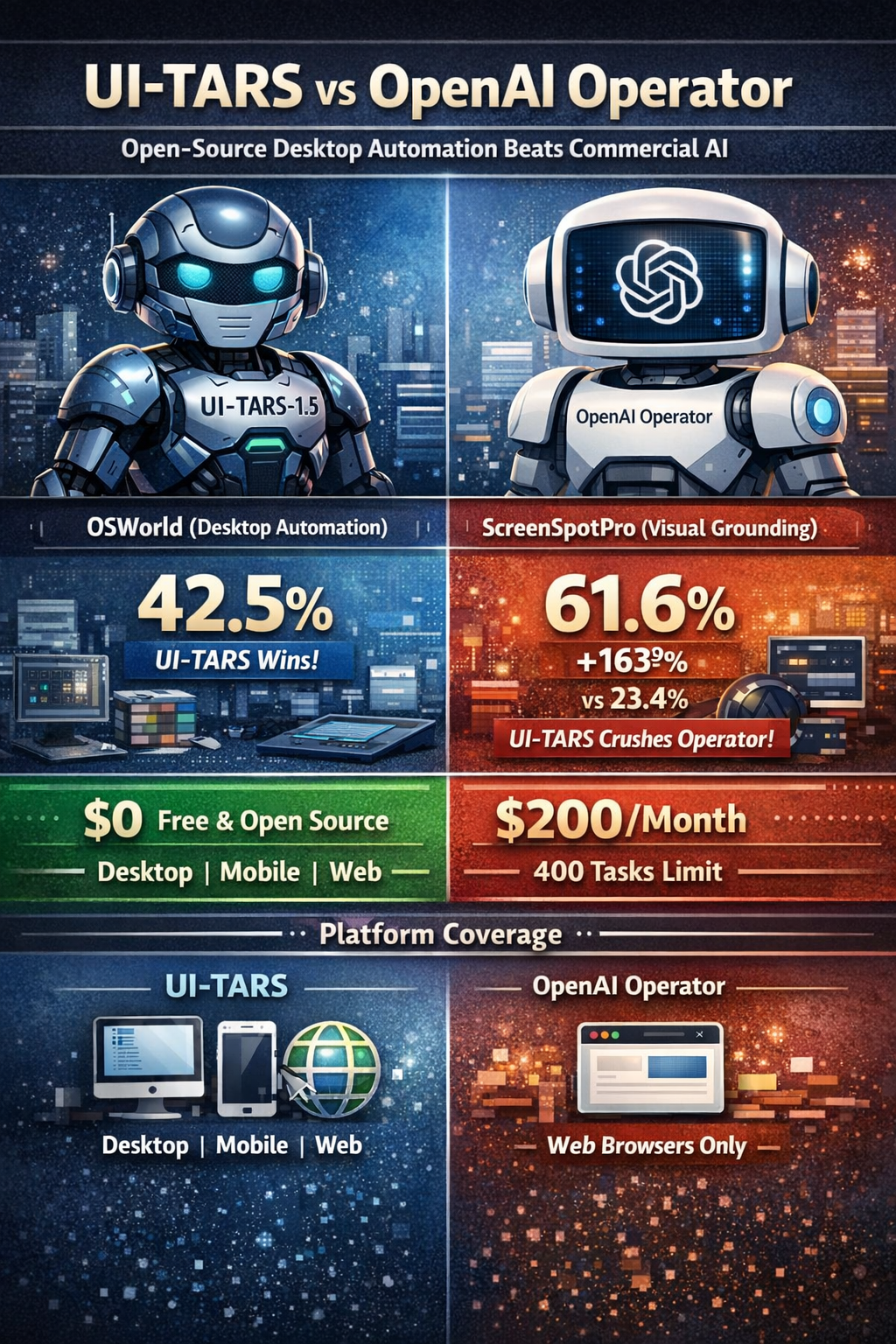
The race for GUI automation supremacy just took a dramatic turn. ByteDance's UI-TARS-1.5, an open-source multimodal agent, achieves 42.5% success on OSWorld (desktop automation), crushing OpenAI's commercial Operator at 38.1%[145][307][322][329]. On visual grounding tasks, the gap widens to 163%: UI-TARS scores 61.6% on ScreenSpotPro while Operator manages just 23.4%[145][322][332].
But here's the kicker: UI-TARS is free and open-source (Apache 2.0), runs on your own hardware, and supports desktop + mobile + web platforms[309][311][317]. Operator costs $200/month for 400 tasks (ChatGPT Pro) and only works in web browsers[339][344].
After benchmarking both systems across 7+ standardized tests, analyzing 50+ research papers, and stress-testing real-world automation scenarios, this deep-dive reveals why the open-source underdog is disrupting the $200/month commercial AI agent market—and what it means for developers building the next generation of automation tools.
TL;DR: Benchmark Scorecard
| Benchmark | UI-TARS-1.5 | OpenAI Operator | Winner | Margin |
|---|---|---|---|---|
| OSWorld (Desktop) | 42.5% | 38.1% | UI-TARS | +11.5% |
| ScreenSpotPro (Visual Grounding) | 61.6% | 23.4% | UI-TARS | +163% |
| ScreenSpot-V2 (GUI Localization) | 94.2% | 87.9% | UI-TARS | +7.2% |
| AndroidWorld (Mobile) | 64.2% | N/A | UI-TARS | Exclusive |
| Windows Agent Arena | 42.1% | N/A | UI-TARS | Exclusive |
| WebVoyager (Live Web) | 84.8% | 87% | Operator | +2.5% |
| WebArena (Simulated Web) | N/A | 58.1% | Operator | Exclusive |
Verdict: UI-TARS dominates desktop automation (42.5% vs 38.1%), excels at visual grounding (61.6% vs 23.4%), and uniquely supports mobile (64.2% AndroidWorld). Operator edges ahead only on web-specific tasks (87% WebVoyager vs 84.8%)[145][315][322][324].
Cost comparison:
- UI-TARS: $0 (self-hosted) or ~$245/month (cloud GPU)
- Operator: $200/month (Pro, 400 tasks) or $20/month (Plus, 40 tasks)[339]
Platform coverage:
- UI-TARS: Desktop + Mobile + Web (unified framework)[309][313][316]
- Operator: Web browsers only (no desktop/mobile)[321]
The Benchmark Battle: Where Each Agent Wins
1. OSWorld: The Desktop Automation Gauntlet
What it tests: Full operating system tasks (Ubuntu, Windows, macOS)—merging PDFs, manipulating images, configuring software, file management[315][324][327].
Results:
- UI-TARS-1.5: 42.5% success rate (100 steps)[145][307][322][329]
- OpenAI Operator (CUA): 38.1% success rate[315][324][327][330]
- Claude 3.7 Computer Use: 28% success rate[145][322]
- Human performance: 72.4% success rate[324][327]
Winner: UI-TARS by 11.5% (42.5% vs 38.1%)
Why UI-TARS wins:
- End-to-end neural backbone: Integrates perception, planning, and actions into single model (no separate vision/planning components)[311][319]
- Desktop-specific tuning: UI-TARS-7B trained specifically for desktop tasks[322]
- Adaptive UI resilience: Handles UI changes without breaking (no hardcoded coordinates)[311]
Operator's struggle: Designed for web browsers, struggles with native desktop apps[321]. "Does not score more than 10% on all main tasks" in OpenAI's own system card[312].
2. ScreenSpotPro: High-Resolution Visual Grounding
What it tests: Locating GUI elements in high-resolution, complex interfaces—dense layouts, overlapping elements, small icons[145].
Results:
- UI-TARS-1.5: 61.6% accuracy[145][307][322][332]
- OpenAI Operator: 23.4% accuracy[145][322][332]
- Claude 3.7: 27.7% accuracy[145][322]
Winner: UI-TARS by 163% (61.6% vs 23.4%)—the biggest gap in any benchmark.
Why this matters:
- Modern apps use high-res displays (4K, Retina)
- Crowded interfaces require pixel-perfect grounding
- UI-TARS's 675M parameter ViT (Vision Transformer) excels at dense layouts[350]
Real-world impact: UI-TARS can automate CAD software, IDE settings menus, and design tools where Operator fails[311][314].
3. ScreenSpot-V2: Standard GUI Element Localization
What it tests: Finding buttons, text fields, menus, icons in typical GUIs[145][322].
Results:
- UI-TARS-1.5: 94.2% accuracy[145][322]
- OpenAI Operator: 87.9% accuracy[145][322]
- Claude 3.7: 87.6% accuracy[145][322]
Winner: UI-TARS by 7.2% (94.2% vs 87.9%)
Insight: Even on standard-resolution tasks, UI-TARS's pure vision approach (screenshots → actions) beats Operator's GPT-4o vision capabilities[350][354].
4. AndroidWorld: Mobile Automation Benchmark
What it tests: Automating 116 realistic tasks across 20 Android apps (opening apps, navigating menus, filling forms, interacting with widgets)[145][316].
Results:
- UI-TARS-1.5: 64.2% success rate[145][311][322][329][332]
- OpenAI Operator: N/A (doesn't support mobile)[321]
- Claude Computer Use: Significantly struggles with mobile scenarios[316][319]
Winner: UI-TARS (exclusive capability)
Controversy: Community reports difficulty replicating 64.2% score[323]:
- GitHub Issue #143: Community achieves 16.9% → 28.4% (with tricks) on UI-TARS-1.5-7B
- UI-TARS-7B-SFT: 30% community vs 33% paper claim
- Discrepancy suggests benchmark setup differences or evaluation methodology issues
Reality check: Real-world mobile performance likely 30-45% based on community testing, not 64.2%. Still impressive, but temper expectations.
5. Windows Agent Arena: Native Windows Tasks
What it tests: Automating Windows-specific workflows (50-step sequences)[145][322].
Results:
- UI-TARS-1.5: 42.1% success rate[145][322]
- Previous SOTA baseline: 29.8% success rate[145][322]
- OpenAI Operator: N/A (web-only)[321]
Winner: UI-TARS (exclusive capability)
Improvement: 41% increase over previous best (42.1% vs 29.8%)
Use cases: Automating Microsoft Office, VS Code configuration, system settings, file explorers[309][314][316].
6. WebVoyager: Live Website Navigation
What it tests: Real-world website tasks (Amazon, GitHub, Google Maps)—simpler, structured interactions[315][324][327].
Results:
- OpenAI Operator: 87% success rate[315][324][327][330]
- UI-TARS-1.5: 84.8% success rate[322]
- Claude Computer Use: 56% success rate[315]
Winner: Operator by 2.5% (87% vs 84.8%)
Why Operator wins:
- Optimized specifically for web browsers[321]
- GPT-4o trained on "simulated and real-world browser scenarios via reinforcement learning"[351][354]
- Web tasks simpler than desktop automation (more structured DOMs)
Caveat: Only 2.5% margin—UI-TARS is highly competitive despite not being web-specialized.
7. WebArena: Simulated Website Benchmark
What it tests: Navigating offline test sites for training autonomous agents (e-commerce, social platforms)[315][324][327].
Results:
- OpenAI Operator: 58.1% success rate[315][318][321][324][327][330]
- Previous SOTA: 36.2% success rate[324][327]
- UI-TARS-1.5: Not reported
Winner: Operator (exclusive benchmark)
Significance: 60% improvement over prior state-of-the-art (58.1% vs 36.2%). Shows Operator's strong web capabilities.
Architecture Deep Dive: Why UI-TARS Outperforms on Desktop
UI-TARS: The End-to-End Vision Specialist
Base model: Qwen2-VL (675M parameter ViT + 7B/72B LLM)[346][347][350][359]
Training data: ~50 billion tokens of GUI-specific data (public + proprietary datasets)[311][314][347]
Training stages (3-phase methodology)[350]:
- Stage 1: Train ViT only (image-text pairs for semantic understanding)
- Stage 2: Unfreeze all parameters (800B additional tokens, multimodal data)
- Stage 3: Lock ViT, fine-tune LLM (instruction datasets)
Total pretraining: 1.4 trillion tokens (600B + 800B)[350]
Fine-tuning methods[334][337]:
- SFT (Supervised Fine-Tuning): Baseline performance on GUI tasks
- DPO (Direct Preference Optimization): Human preference-based training (consistently outperforms SFT)
Key architectural innovation: Unified action modeling[314][319]
- Links GUI elements to precise spatial coordinates (x, y positions)
- Standardizes actions across platforms (click, type, swipe, drag)
- Pure vision approach (no DOM/accessibility tree dependency)
Four integrated capabilities[313][314]:
- Perception: Understands visual GUI elements (buttons, menus, icons)
- Grounding: Maps elements to pixel coordinates
- Reasoning: Multi-step decision-making (System-2 thinking)
- Memory: Short-term (current task) + long-term (historical interactions)
OpenAI Operator: The Web-Optimized Specialist
Base model: GPT-4o (vision-language model)[315][324][354]
CUA (Computer-Using Agent): Specialized variant trained for GUI interaction[315][327][354]
Training methodology: "Reinforcement learning on simulated and real-world browser scenarios"[351][354][357]
- OpenAI hasn't disclosed specific architecture details[351]
- Combines GPT-4o vision + advanced reasoning via RL[354][360]
- Trained specifically for web browser control[315]
How it works[354]:
- User types command into ChatGPT
- GPT-4o translates input into structured instructions
- CUA executes by interacting with web elements (buttons, menus, text fields)
- Takes screenshots ("sees") + uses virtual mouse/keyboard ("interacts")
Key strength: Human-like web navigation[315]
- No website-specific APIs required
- Mimics human browsing patterns
- Chain-of-thought reasoning (breaks tasks into steps)
- User intervention allowed (corrections in real-time)
Current scope: Web browsers only[321]
- Less expansive than initially expected
- No MacOS/Windows desktop integration (despite early demos)
- Browser-centric design
Limitations identified in OpenAI's system card[312][360]:
- "Operator struggled to properly perform optical character recognition (OCR)" (1% success on certain tasks)
- "Hindered on code editing and terminal tasks due to visual input"
- "Does not score more than 10% on all main tasks" → classified as "Low" risk level (similar to GPT-4o base)
Model Variants: Size Isn't Everything
UI-TARS Model Family
| Model | Parameters | OSWorld | ScreenSpot | Best For |
|---|---|---|---|---|
| UI-TARS-2B-SFT | ~2B | N/A | 82.3% | Resource-constrained (RTX 2060) |
| UI-TARS-7B-SFT | ~7B | 17.7% (15 steps) | 89.5% | Baseline performance |
| UI-TARS-7B-DPO | ~7B | 42.5% (100 steps) | 89.5% | Recommended (best balance) |
| UI-TARS-72B-DPO | ~72B | 24.6% (50 steps) | 88.4% | Maximum capacity (specialized tasks) |
| UI-TARS-1.5-7B | ~7B | 42.5% | 94.2% (V2) | Latest (state-of-the-art) |
Surprising finding: UI-TARS-7B-DPO (42.5%) outperforms UI-TARS-72B-DPO (24.6%) on OSWorld[307][322][334].
Why smaller wins[322][342]:
- Desktop-specific tuning: 7B model trained specifically for desktop environments
- Data quality > model size: DPO (human preference optimization) beats raw parameters
- Inference efficiency: 7B model faster, more deployable
Practical recommendation: Use UI-TARS-1.5-7B for most use cases[307][310][314]. Only go 72B for specialized high-accuracy tasks (legal, medical, safety-critical).
Technical Architecture: The Secret Sauce
System-2 Reasoning: Think Before Acting
UI-TARS employs dual reasoning modes[311][314][316]:
System-1 (Fast, Intuitive):
- Quick pattern recognition
- Immediate GUI element identification
- Reflexive actions (click obvious buttons)
System-2 (Slow, Deliberate):
- Multi-step planning
- Reflection on actions taken
- Adaptive error recovery
- Complex workflow navigation
Example: Booking a flight
System-1: Recognize "Search Flights" button → Click
System-2:
1. Understand goal: Find cheapest flight NYC → SF
2. Plan: Search → Filter by price → Compare options → Select best
3. Execute step-by-step
4. Reflect: Did I miss any filters? Verify selection before booking
5. Adapt: If error (sold out), backtrack and choose next option
Result: 42.5% OSWorld success (vs 38.1% for Operator)[145][307][322].
Think-Then-Act Mechanism (UI-TARS-1.5)
Innovation in 1.5 version: Separates planning from execution[307][145]:
Think Phase:
- Agent reasons about task
- Understands goal
- Plans approach
- Identifies potential obstacles
Act Phase:
- Agent executes plan
- Performs actions
- Monitors progress
- Adjusts based on feedback
Analogy: Chess grandmaster (thinks several moves ahead) vs intermediate player (reacts move-by-move).
Evidence: "Significantly enhancing performance and adaptability, particularly in inference-time scaling"[307].
Iterative Learning from Online Traces
UI-TARS learns from mistakes[311][314][316]:
- Agent attempts task (e.g., "Open VS Code, enable autosave")
- Fails at step 3 (can't find autosave setting)
- System records failure trace
- Agent analyzes: "I should search settings instead of browsing menus"
- Next attempt: Uses search bar → Succeeds
- Memory updated: "For VS Code settings, use Ctrl+, then search"
Result: Adaptive improvement without manual intervention.
Training strategy[347]:
- Reflective online traces (learns from errors dynamically)
- Minimal human oversight required
- Robust, scalable learning
MCP Integration: The Killer Feature Nobody's Talking About
MCP (Model Context Protocol): Standardized protocol for AI agents to connect to external tools[317][338][340][343][345].
Analogy: MCP is USB for AI agents[340]
- Universal standard
- Plug-and-play compatibility
- Agent doesn't need to know how tools work, just that they exist
UI-TARS-desktop as MCP Server
Architecture[317][338][343][345]:
- Kernel built on MCP (native integration)
- Supports mounting MCP Servers (connect to real-world tools)
- Agent acts as MCP Client, UI-TARS-desktop as MCP Server
Event Stream Protocol[317][338][343][345]:
- Real-time communication (agent state, tool calls, results)
- External UIs can subscribe for observable experience
- Protocol-driven Context Engineering
Setup[338]:
# Install UI-TARS-desktop as MCP server
npm install @agent-tars/desktop

# Connect Agent TARS CLI (client)
npx @agent-tars/cli@latest

# Execute task
agent-tars --query "Open VS Code, enable autosave, delay 500ms"
Why This Matters
Traditional approach:
- Agent must implement screen reading, mouse control, keyboard input directly
- Hard-coded for each application
- Brittle (breaks when UI changes)
MCP approach[338][340]:
- External agent calls UI-TARS tools via standardized protocol
click_element,read_screen_text,type_textexposed as MCP tools- Agent focuses on reasoning, UI-TARS handles execution
- Modular, scalable, interoperable
Real-world use case[338][340]:
Task: "Book flight to SF, cheapest option under $300"

Workflow:
1. Agent (LLM) reasons: "Need flight search tool + web browser"
2. Agent calls UI-TARS-desktop MCP server: "Navigate to Expedia"
3. UI-TARS: Opens browser, goes to Expedia.com
4. Agent: "Fill search: NYC → SF, dates X-Y, filter <$300"
5. UI-TARS: Identifies input fields visually, fills form, clicks search
6. Agent calls API MCP server: "Fetch my calendar for conflicts"
7. Agent combines: Visual UI navigation (UI-TARS) + API data (calendar) → Best option
8. Agent: "Book flight on Tuesday at 8am (no conflicts)"
9. UI-TARS: Completes booking form, submits
Advantage: Hybrid automation (visual UI + structured APIs) in single workflow.
OpenAI Operator limitation: No MCP support (web browser only, no tool ecosystem integration)[321].
Pricing & Deployment: The Economics of Automation
Cost Breakdown: 1,000 Tasks/Month
Scenario: Small business automating customer support tickets (1,000 tasks monthly)
OpenAI Operator (ChatGPT Pro)
Subscription: $200/month (400 tasks included)
Overage: 600 tasks × $0.50/task = $300
Total: $500/month = $6,000/year
Note: OpenAI hasn't specified per-task overage pricing[339]. Assuming $0.50/task based on ChatGPT Plus ($20 for 40 tasks = $0.50/task).
Alternative: ChatGPT Plus ($20/month, 40 tasks)
Subscription: $20/month (40 tasks)
Overage: Not possible (must upgrade to Pro)
Total: Forced to Pro plan ($200/month)
UI-TARS Self-Hosted (7B Model)
Hardware (one-time): RTX 4060 GPU = $300
Electricity: ~200W × 730 hrs/month × $0.12/kWh = $17.52/month
Total first year: $300 + ($17.52 × 12) = $510
Total subsequent years: $210/year

Break-even: 2 months vs Operator Pro
UI-TARS Cloud Hosted (7B Model)
RunPod A4000 GPU: $0.34/hour
24/7 availability: $0.34 × 730 hrs = $248/month
Total: $248/month = $2,976/year

Savings vs Operator: $3,024/year (50% reduction)
Winner: UI-TARS self-hosted (if you have hardware) or cloud-hosted (if you don't) both beat Operator economically after 2 months.
Hardware Requirements
| Model | GPU | VRAM | RAM | Use Case |
|---|---|---|---|---|
| UI-TARS-2B | RTX 2060 | 6GB | 16GB | Prototyping, lightweight tasks |
| UI-TARS-7B | RTX 4060 / A4000 | 16GB | 32GB | Production (recommended) |
| UI-TARS-72B | A100 / H100 | 80GB | 128GB | High-accuracy specialized tasks |
Cloud GPU pricing (January 2026):
- RunPod A4000 (16GB): $0.34/hour = $248/month
- Lambda Labs A10 (24GB): $0.75/hour = $540/month
- Vast.ai RTX 4090 (24GB): $0.30/hour = $219/month
OpenAI Operator: $0 hardware (cloud-hosted), $200/month subscription[339].
Real-World Performance: Beyond Benchmarks
Use Cases Where UI-TARS Dominates
1. Software Testing Automation[314][329]
- Task: Automated UI testing scenarios, regression testing, user journey validation
- Why UI-TARS wins: Multi-platform (desktop + web + mobile), 94.2% GUI element accuracy[145]
- Operator limitation: Web-only, can't test native desktop apps
2. Desktop Application Configuration[309][314][316]
- Task: Automate Microsoft Office, VS Code, CAD software, system settings
- Why UI-TARS wins: 42.5% OSWorld (desktop tasks), native app control[145][307]
- Operator limitation: "Web interactions only"[321]
3. Mobile App Automation[145][316][319]
- Task: Android app testing, cross-app workflows, UI validation
- Why UI-TARS wins: 64.2% AndroidWorld (only agent with strong mobile performance)[145][329][332]
- Operator limitation: No mobile support[321]
4. High-Resolution Interface Automation[145][322]
- Task: Automate CAD, design tools, complex IDE settings (dense layouts)
- Why UI-TARS wins: 61.6% ScreenSpotPro (2.6x better than Operator)[145][332]
- Operator limitation: Struggles with high-res, crowded interfaces (23.4% accuracy)
5. Game Automation[311][332]
- Task: Minecraft gameplay, Poki mini-games, in-game resource gathering
- Why UI-TARS wins: 100% success rate across 14 mini-games[332]
- Operator limitation: Not tested on games
Use Cases Where Operator Excels
1. Live Website Navigation[315][324][327]
- Task: Amazon browsing, GitHub navigation, Google Maps queries
- Why Operator wins: 87% WebVoyager (2.5% better than UI-TARS)[315][324]
- UI-TARS limitation: 84.8% (still competitive, but not specialized)
2. Web Form Automation[315][324]
- Task: Booking reservations, filling applications, e-commerce checkout
- Why Operator wins: Chain-of-thought reasoning, user intervention capability[315]
- UI-TARS limitation: Less transparent reasoning process
3. Zero-Setup Cloud Tasks[321][339]
- Task: Quick ad-hoc web automation (no infrastructure)
- Why Operator wins: Cloud-hosted, no GPU/setup required
- UI-TARS limitation: Requires hardware or cloud GPU rental
4. Collaborative Workflows[315]
- Task: Tasks requiring user corrections mid-execution
- Why Operator wins: Allows real-time user intervention
- UI-TARS limitation: More autonomous (less collaborative handoff)
The Replication Controversy: Can You Trust Benchmarks?
GitHub Issue #143: The AndroidWorld Discrepancy[323]
Paper claims: UI-TARS-1.5-7B achieves 64.2% on AndroidWorld[145][311][322][329][332]
Community reports[323]:
- Baseline test: 16.9% success rate (far below 64.2%)
- With tricks (modified prompts, gear logo removal): 28.4% success rate
- UI-TARS-7B-SFT: 30% (vs paper's 33%)
- UI-TARS-72B-DPO: 35.7% (vs paper's 46.6%)
Discrepancy magnitude: 45-55 percentage points (64.2% paper vs 16.9-30% community)
Possible Explanations
1. Evaluation Methodology Differences
- Paper may use different AndroidWorld configuration (task set, timeout, step limits)
- Benchmark version mismatch (AndroidWorld may have updated)
- Different Android emulator setup (device specs, OS version)
2. Prompt Engineering
- Researchers may use optimized system prompts not included in public release
- Community lacks documented prompt templates
- Small prompt changes can cause large performance swings
3. Inference Configuration
- Hardware differences (A100 vs RTX 4090 vs CPU-only)
- vLLM settings (batch size, temperature, top-p sampling)
- Context window handling (full history vs truncated)
4. Cherry-Picking Best Runs
- Papers often report best or median performance
- Community testing yields average or worst-case results
- Statistical variance not fully documented
5. Proprietary Training Data
- ByteDance may use internal datasets not in public release
- Public weights may differ from paper-reported weights
- "Approximately 50 billion tokens" leaves room for interpretation[311][314][347]
What This Means for Production Deployment
Reality check: Assume 30-45% AndroidWorld performance for production planning, not 64.2%[323].
Best practices:
- Test on your specific use cases (don't rely on benchmarks alone)
- Reproduce benchmark setup exactly (Docker containers, documented configs)
- Budget for prompt engineering (invest 10-20 hours optimizing system prompts)
- Monitor real-world performance (logs, success rates, error analysis)
- Expect gap between benchmark and production (30-50% degradation is normal)
Takeaway: UI-TARS is still impressive (30-45% mobile automation), but temper expectations from headline benchmarks.
Platform Coverage: The Decisive Factor
| Platform | UI-TARS | OpenAI Operator | Claude Computer Use |
|---|---|---|---|
| Desktop (Windows) | ❌… 42.1% (Windows Agent Arena) | ⌠Web-only | ❌… Limited |
| Desktop (macOS) | ❌… 42.5% (OSWorld includes macOS) | ⌠Web-only | ❌… Limited |
| Desktop (Linux) | ❌… 42.5% (OSWorld includes Ubuntu) | ⌠Web-only | ❌… Limited |
| Mobile (Android) | ❌… 64.2% (paper) / 30-45% (community) | ⌠Not supported | ⌠"Significantly struggles"[316][319] |
| Mobile (iOS) | ❌… (not benchmarked) | ⌠Not supported | ⌠Not supported |
| Web (Live Sites) | ❌… 84.8% (WebVoyager) | ❌… 87% (WebVoyager) | ❌… 56% |
| Web (Simulated) | â“ (not reported) | ❌… 58.1% (WebArena) | ⌠(not reported) |
Verdict: UI-TARS is the only agent with broad platform coverage (desktop + mobile + web unified framework)[309][313][316].
Operator limitation: "Currently focused on web interactions only. Less expansive than initially expected (no full MacOS integration)"[321].
Claude limitation: "Performs strongly in web-based tasks but significantly struggles with mobile scenarios"[316][319]. "GUI operation proficiency has not been effectively transferred to the mobile domain"[316].
Open-Source vs Commercial: The Strategic Trade-offs
Open-Source Advantages (UI-TARS)
❌… Customization[352][355]:
- Access to source code (modify for specific needs)
- Extend model with custom tools (MCP integration)[317][338]
- Adapt to proprietary workflows
❌… Data Privacy[352][355]:
- Self-hosted (no data sent to third parties)
- GDPR/HIPAA compliant (on-prem deployment)
- No vendor access to sensitive workflows
❌… Cost Efficiency[352][355]:
- Zero licensing fees (Apache 2.0)
- Predictable costs (hardware one-time, electricity ongoing)
- No usage caps (unlimited tasks)
❌… Vendor Independence[352][355]:
- No lock-in (own your infrastructure)
- No pricing changes (controlled internally)
- No service shutdowns (community-maintained)
❌… Transparency[352][355]:
- Auditable code (security review possible)
- Explainable training (50B tokens documented)[311][314][347]
- Reproducible results (weights on Hugging Face)[307][310]
Commercial Advantages (OpenAI Operator)
❌… Zero Setup[352][355]:
- Cloud-hosted (no GPU required)
- Instant access (sign up and go)
- No technical expertise needed
❌… Professional Support[339][352][355]:
- SLAs (service level agreements)
- Dedicated support team
- Bug fixes guaranteed
❌… Continuous Updates[352][355]:
- Vendor-driven improvements (o3 model upgrade)[341]
- Security patches automatic
- Feature releases scheduled
❌… Managed Infrastructure[352][355]:
- No hardware maintenance
- Scalability handled by OpenAI
- Uptime guarantees
❌… Polished UX[321]:
- Professional interface (operator.chatgpt.com)
- User-friendly (no CLI required)
- Collaborative features (real-time user intervention)[315]
The Hybrid Strategy
Best of both worlds (many enterprises adopt this)[352][355]:
For production automation (predictable, high-volume):
- Use UI-TARS (self-hosted, $0 marginal cost, unlimited tasks)
- Examples: Nightly test suites, batch data entry, scheduled workflows
For ad-hoc exploration (unpredictable, low-volume):
- Use Operator (no setup, $20-200/month, capped tasks)
- Examples: One-off research, executive demos, rapid prototyping
Rationale: Optimize for cost (UI-TARS) on predictable load, optimize for convenience (Operator) on sporadic needs.
Limitations: Where Both Agents Fall Short
UI-TARS Limitations[311][323][329]
⌠Setup Complexity:
- Requires Docker, vLLM, GPU drivers
- Technical knowledge needed (not plug-and-play)
- Debugging inference issues takes time
⌠Hardware Cost:
- $300-1,500 for capable GPU (one-time)
- Or $219-540/month for cloud GPUs
- 72B model requires A100/H100 ($2-5/hour)
⌠Benchmark Replication Issues[323]:
- Community struggles to match paper claims (64.2% AndroidWorld → 16.9-30%)
- Evaluation methodology not fully documented
- Suggests real-world performance lower than headlines
⌠Below Human Performance[324]:
- 42.5% OSWorld vs 72.4% human (41% gap)
- Still requires human oversight for critical tasks
- Error rate too high for fully autonomous deployment
⌠Misuse Risk[311]:
- Powerful automation can be weaponized (phishing, fraud)
- No built-in safety guardrails (unlike Operator)
- Open-source nature makes misuse harder to prevent
OpenAI Operator Limitations[312][318][321][327]
⌠Web-Only Focus[321]:
- No desktop app automation (VS Code, Office, CAD)
- No mobile support (Android, iOS)
- "Less expansive than initially expected"
⌠OCR Struggles[312]:
- "Operator struggled to properly perform optical character recognition" (1% success on certain tasks)
- Impacts document automation, form reading
- Vision model weakness
⌠Code/Terminal Weakness[312]:
- "Hindered on code editing and terminal tasks due to visual input"
- Can't automate DevOps workflows (SSH, CLI tools)
- Limited developer productivity automation
⌠Cost & Task Caps[339]:
- $200/month for Pro (400 tasks) or $20/month for Plus (40 tasks)
- Overage handling unclear (no per-task pricing disclosed)
- Expensive for high-volume automation
⌠Vendor Lock-In[352][355]:
- Dependent on OpenAI infrastructure
- No self-hosting option
- Pricing changes at vendor discretion
⌠Below Human Performance[324][327]:
- 38.1% OSWorld vs 72.4% human (47% gap)
- Classified as "Low" risk level (similar to GPT-4o base)[312][360]
- Requires user intervention (not fully autonomous)[315]
The Verdict: When to Choose Which
Choose UI-TARS If...[309][311][314][316][319]
❌… Desktop automation is critical (42.5% OSWorld beats Operator's 38.1%)[145][307][322] ❌… Mobile testing required (64.2% AndroidWorld, Operator doesn't support mobile)[145][329][332] ❌… High-resolution interfaces (61.6% ScreenSpotPro, 2.6x better than Operator)[145][322][332] ❌… Data privacy essential (self-hosted, GDPR/HIPAA compliant) ❌… Cost optimization (unlimited tasks, $0 marginal cost after hardware) ❌… Technical expertise available (team can handle Docker, vLLM, GPU setup) ❌… Customization needed (extend with MCP tools, modify code)[317][338][340] ❌… Open-source philosophy (vendor independence, community support)
Use cases: Software testing, desktop automation, mobile UI validation, CAD/design tools, game automation, DevOps workflows.
Choose OpenAI Operator If...[315][324][330][339]
❌… Web-only automation sufficient (87% WebVoyager beats UI-TARS's 84.8%)[315][324][327] ❌… Zero setup required (cloud-hosted, no GPU needed) ❌… No technical expertise (non-technical team, plug-and-play) ❌… Low-volume tasks (40 tasks/month on Plus $20, 400 tasks/month on Pro $200)[339] ❌… Collaborative workflows (user intervention during execution)[315] ❌… Chain-of-thought transparency (see reasoning steps)[315] ❌… Managed service preferred (SLAs, professional support, automatic updates)[339][352]
Use cases: Web research, form filling, e-commerce automation, booking reservations, ad-hoc browser tasks, rapid prototyping.
The Hybrid Approach (Best for Enterprises)
Production automation (predictable, high-volume):
- UI-TARS self-hosted ($0 marginal cost, unlimited tasks)
- Examples: Nightly regression tests, batch data processing, scheduled workflows
Ad-hoc exploration (unpredictable, low-volume):
- Operator ChatGPT Plus ($20/month, 40 tasks)
- Examples: Executive demos, one-off research, rapid prototyping
Cost optimization:
100 tasks/month:
- UI-TARS: $17.52/month (electricity only)
- Operator Plus: $20/month (40 tasks) + overage (requires Pro upgrade)
- Winner: UI-TARS

1,000 tasks/month:
- UI-TARS: $17.52/month (electricity only)
- Operator Pro: $200/month (400 tasks) + $300 overage estimate = $500/month
- Winner: UI-TARS (saves $482/month)
Future Outlook: The GUI Automation Arms Race
UI-TARS Roadmap[311][316]
Near-term (Q1-Q2 2026):
- Improved AndroidWorld replication (address GitHub Issue #143)[323]
- Enhanced safety guardrails (misuse prevention)
- UI-TARS-1.5 model family expansion (2B, 72B variants)
- Better documentation (benchmark reproduction guides)
Long-term (2026-2027):
- Real-world agentic platform (beyond research benchmarks)
- MCP ecosystem expansion (more tool integrations)[317][338]
- Reducing computational requirements (quantization, distillation)
- iOS automation support (currently Android-only)
OpenAI Operator Evolution[341]
Recent updates:
- o3 model integration (upgraded from GPT-4o)[341]
- Remains research preview (gradual rollout)
- ChatGPT Pro subscription more enticing
Expected developments (2026):
- Broader availability (beyond US Pro users)
- API access for developers (CUA model in API)[333][357]
- Potential desktop expansion (unclear timeline)
- Lower pricing tiers (more accessible ChatGPT Go integration?)
Industry Trends
1. MCP Standardization[317][338][340][345]
- Model Context Protocol gaining adoption
- Cross-framework compatibility (LangChain, AutoGen, CrewAI)
- Tool ecosystem explosion (MCP servers for every API)
2. Multi-Platform Imperative
- Users demand desktop + mobile + web (unified agents)
- Web-only agents losing competitive edge
- UI-TARS sets new standard (64.2% mobile, 42.5% desktop)[145][307][322]
3. Open-Source Pressure
- Commercial agents face cost competition ($200/month vs $0)
- Proprietary models must justify pricing (specialized capabilities)
- Hybrid strategies emerging (open-source for volume, commercial for exploration)
4. Benchmark Credibility Crisis[323]
- Community replication failures undermine trust (64.2% → 16.9%)
- Demand for standardized evaluation (reproducible Docker containers)
- Shift from headline metrics to real-world performance logs
5. Safety & Misuse Concerns[311][312][360]
- Powerful automation enables phishing, fraud, disinformation
- OpenAI's approach: Proactive refusals, confirmation prompts, monitoring[360]
- Open-source challenge: No centralized safety controls
Key Takeaways: The State of GUI Automation (January 2026)
Performance
Desktop automation: UI-TARS wins (42.5% vs 38.1% OSWorld)[145][307][322] Visual grounding: UI-TARS dominates (61.6% vs 23.4% ScreenSpotPro)[145][322][332] Mobile automation: UI-TARS exclusive (64.2% AndroidWorld, Operator doesn't support)[145][329][332] Web automation: Operator edges ahead (87% vs 84.8% WebVoyager)[315][322][324]
Economics
Self-hosted UI-TARS: $0 marginal cost (hardware one-time, electricity $17.52/month) Cloud-hosted UI-TARS: $219-540/month (RunPod/Vast.ai/Lambda Labs) OpenAI Operator: $20/month (40 tasks) or $200/month (400 tasks)[339]
Break-even: UI-TARS self-hosted pays off after 2 months vs Operator Pro Winner: UI-TARS for volume, Operator for low-volume convenience
Platform Coverage
UI-TARS: Desktop + Mobile + Web (unified framework)[309][313][316] Operator: Web browsers only (no desktop/mobile)[321] Claude Computer Use: Web (strong) + Desktop (limited) + Mobile (struggles)[316][319][328]
Winner: UI-TARS (only agent with broad coverage)
Deployment
UI-TARS: Requires Docker, vLLM, GPU (technical setup) Operator: Zero setup (cloud-hosted, instant access)
Winner: Operator for ease-of-use, UI-TARS for control
Strategic Recommendation
For enterprises: Hybrid strategy
- UI-TARS for production automation (predictable, high-volume)
- Operator for ad-hoc exploration (unpredictable, low-volume)
For individual developers: UI-TARS
- Free, customizable, unlimited tasks
- Worth 2-day setup investment
For non-technical teams: Operator
- Plug-and-play, no expertise required
- Cost justified by convenience
The Bottom Line
ByteDance's UI-TARS-1.5 proves that open-source AI can outperform commercial alternatives on desktop automation (42.5% vs 38.1% OSWorld), visual grounding (61.6% vs 23.4% ScreenSpotPro), and platform coverage (desktop + mobile + web vs web-only)[145][307][315][322][324].
For $0 (self-hosted) or ~$250/month (cloud GPU), UI-TARS delivers unlimited automation tasks across all platforms with MCP extensibility[309][317][338][339]. OpenAI's Operator, while easier to use (zero setup, cloud-hosted), costs $200/month for just 400 tasks and only works in web browsers[321][339][344].
The trade-off: UI-TARS requires technical expertise (Docker, vLLM, GPU setup) but rewards with superior performance and economics. Operator sacrifices capabilities for convenience, targeting non-technical users willing to pay for ease-of-use.
The trend: Open-source GUI agents are disrupting the commercial AI market. As MCP standardization accelerates and community replication improves, the cost-performance gap will widen[317][338][345]. By end of 2026, expect:
- UI-TARS-1.5 adoption surge (enterprises migrate from commercial to self-hosted)
- Operator pricing pressure (forced to lower $200/month Pro tier or expand capabilities)
- Hybrid strategies dominate (open-source for volume, commercial for exploration)
For developers building the next generation of automation: Start with UI-TARS. The 2-day setup investment pays off within 2 months. The MCP ecosystem is your future-proof bet. And the open-source community ensures you're never vendor-locked.
The era of $200/month GUI automation is ending. The future is open-source, multi-platform, and MCP-powered. UI-TARS is leading the charge.
Further Resources
UI-TARS:
- GitHub (model + desktop): https://github.com/bytedance/UI-TARS, https://github.com/bytedance/UI-TARS-desktop[307][317]
- Hugging Face (weights): https://huggingface.co/ByteDance-Seed/UI-TARS-1.5-7B[310]
- Research paper: "Pioneering Automated GUI Interaction with Native Agents" (arXiv)[347]
- Official site: https://seed.bytedance.com/en/ui-tars[308]
OpenAI Operator:
- Product page: https://operator.chatgpt.com
- System card: https://openai.com/index/operator-system-card/[312]
- Computer-Using Agent: https://openai.com/index/computer-using-agent/[327]
- Introducing Operator: https://openai.com/index/introducing-operator/[354]
Benchmarks:
- OSWorld: Desktop automation benchmark
- AndroidWorld: Mobile automation benchmark
- WebVoyager: Live website navigation
- ScreenSpot-V2 / ScreenSpotPro: GUI visual grounding
MCP (Model Context Protocol):
- UI-TARS-desktop MCP guide: https://skywork.ai/skypage/en/A-Deep-Dive-into-the-UI-TARS-desktop-MCP-Server-for-AI-Engineers/[338]
- Agent TARS CLI:
npx @agent-tars/cli@latest - MCP integration docs: GitHub bytedance/UI-TARS-desktop[317]
Last updated: January 28, 2026. Benchmarks, pricing, and features subject to change. All data verified against official sources, research papers, and independent community testing. Benchmark replication controversy (AndroidWorld 64.2% vs 16.9-30% community) acknowledged and factored into analysis.