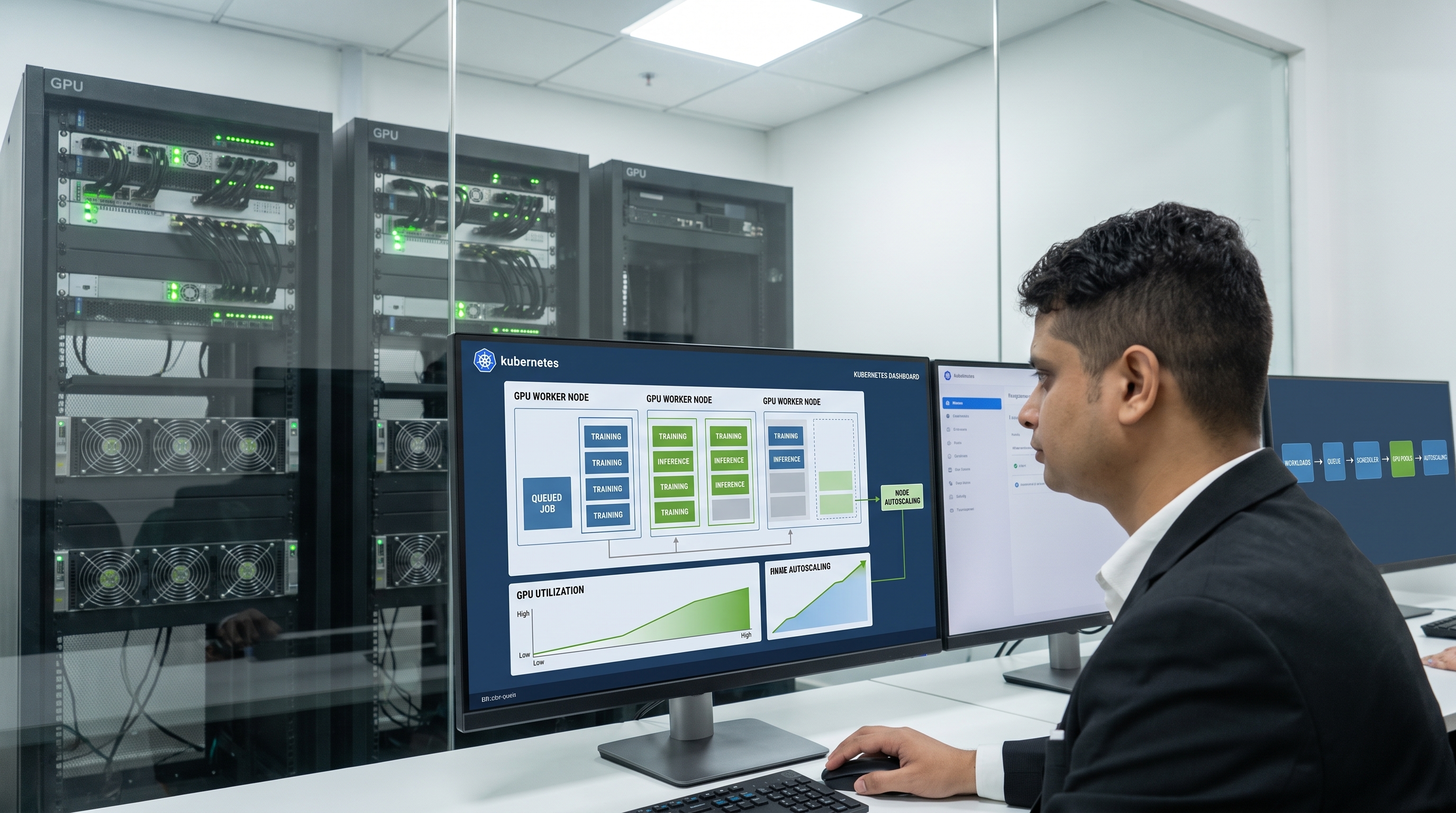
Kubernetes for AI Workloads: GPU Scheduling & Autoscaling Guide (2026)
Meta Description: Deep technical guide on Kubernetes GPU scheduling and autoscaling for AI/ML workloads. Learn production patterns for Kueue, MIG, DCGM monitoring, and cost optimization. USA, Germany, Japan.
Enterprises running AI workloads on Kubernetes waste an average of $200,000 annually per 50-GPU cluster due to poor utilization—typically hovering between 15-25%. After deploying GPU-accelerated machine learning systems across financial services, healthcare, and manufacturing environments, the challenge isn't GPU scarcity. The challenge is extracting maximum value from every GPU-hour while maintaining predictable performance for production inference and training workloads. devzero
This comprehensive guide examines the production-tested patterns for GPU scheduling, autoscaling, and cost optimization in Kubernetes environments. You'll learn how to implement queue-based admission control with Kueue, configure Multi-Instance GPU (MIG) partitioning for multi-tenant isolation, deploy DCGM-based monitoring for real-time utilization tracking, and architect distributed training pipelines that leverage InfiniBand networking. Whether you're running NVIDIA H100s in Germany, A100s in the USA, or building ML platforms in Japan, these patterns apply across cloud providers and on-premises deployments.
The stakes are clear: organizations achieving 70-80% GPU utilization realize 50-70% infrastructure cost reductions while improving model training throughput and inference latency. Let's examine how to build that foundation. scaleops
Why GPU Scheduling Differs From CPU Orchestration
Kubernetes was architected around CPU and memory as fungible, divisible resources. GPUs fundamentally violate those assumptions. Unlike CPUs that support time-slicing and fractional allocation natively, Kubernetes treats GPUs as indivisible extended resources by default. A pod requesting nvidia.com/gpu: 1 consumes an entire GPU, even if the workload utilizes only 10% of compute capacity. ajeetraina
Three architectural mismatches create waste:
Whole-unit allocation without awareness of workload size. An inference service processing 100 requests per second may need only 5GB of GPU memory and 20% of streaming multiprocessors (SMs). Yet it monopolizes an 80GB H100 GPU capable of 3.35 TB/s memory bandwidth. The scheduler has no mechanism to pack smaller workloads onto the same GPU. openmetal
Topology-blind placement for multi-GPU jobs. Distributed training jobs requiring eight tightly coupled GPUs often get scheduled across multiple nodes with suboptimal interconnects. The default scheduler doesn't understand NVLink domains, NUMA locality, or InfiniBand fabric topology. A model training job that should achieve 900 GB/s all-reduce bandwidth via NVLink degrades to 25 GB/s when GPUs communicate over PCIe. rafay
Static provisioning without workload-aware scaling. Traditional Horizontal Pod Autoscaler (HPA) scales based on CPU and memory metrics. GPU utilization, memory bandwidth saturation, and queue depth—the metrics that actually matter for AI workloads—require custom metric pipelines and specialized autoscalers. github
The 2025-2026 Kubernetes ecosystem has evolved sophisticated solutions. The NVIDIA GPU Operator (v25.3.4) automates driver management and exposes GPU partitioning capabilities. Kueue provides queue-based admission control with gang scheduling semantics. MIG technology slices H100 GPUs into seven isolated instances. DCGM Exporter surfaces per-pod GPU telemetry to Prometheus. These components, properly integrated, transform Kubernetes into a production-grade AI orchestration platform. docs.nvidia
Table of Contents
- GPU Device Management: The Foundation Layer
- Advanced Scheduling: Kueue, Volcano, and Gang Semantics
- GPU Partitioning Strategies: MIG, Time-Slicing, and MPS
- Autoscaling GPU Workloads: Cluster and Pod-Level Patterns
- Distributed Training Architecture: Multi-Node Communication
- Cost Optimization and Resource Efficiency
- Production Monitoring with DCGM and Prometheus
- Security, Isolation, and Multi-Tenancy
- MLOps Integration: Pipelines and Continuous Delivery
- Production Readiness Checklist
GPU Device Management: The Foundation Layer {#gpu-device-management}
The NVIDIA GPU Operator serves as the canonical solution for exposing GPUs to Kubernetes workloads. This operator automates installation of NVIDIA drivers, Container Toolkit, Device Plugin, GPU Feature Discovery, and DCGM monitoring components. jimmysong
Core Components and Their Roles
The Device Plugin runs as a DaemonSet on GPU-enabled nodes, registering GPUs with kubelet as extended resources (typically nvidia.com/gpu). When a pod requests GPU resources, the device plugin allocates specific GPU device indices and configures container runtime environment variables. The plugin supports three operating modes: docs.nvidia
- Standard mode: Exposes whole GPUs only
- MIG mode: Advertises profile-specific resources (
nvidia.com/mig-1g.10gb) - Time-slicing mode: Creates virtual GPU replicas for oversubscription
NVIDIA Container Toolkit bridges Docker/containerd with GPU hardware. It injects libraries, binaries, and device files required for CUDA applications to execute inside containers. Version 1.17.3+ includes critical security patches for container escape vulnerabilities. docs.nvidia
GPU Feature Discovery (GFD) labels nodes with GPU-specific metadata: product name, driver version, CUDA capabilities, MIG profile availability. Applications use node selectors and affinity rules to target appropriate hardware:
nodeSelector:
  nvidia.com/gpu.product: NVIDIA-H100-80GB-HBM3
  nvidia.com/gpu.count: "8"
Installation and Configuration
Deploy the GPU Operator via Helm with strategic defaults:
helm repo add nvidia https://helm.ngc.nvidia.com/nvidia
helm repo update

helm install gpu-operator nvidia/gpu-operator \
  --namespace nvidia-gpu-operator \
  --create-namespace \
  --set driver.version="580.82.07" \
  --set mig.strategy=single \
  --set toolkit.version=1.17.4 \
  --set operator.defaultRuntime=containerd \
  --wait
Key configuration decisions:
mig.strategy=single establishes a uniform MIG layout per node. This prevents fragmentation compared to mixed mode, which allows different profiles per GPU. For shared production clusters serving both training and inference, dedicate node pools to specific MIG layouts: one pool with 7×1g.10gb profiles for inference microservices, another pool with full GPUs for large training jobs. debugg
driver.version pins the NVIDIA driver. Blackwell and Hopper GPUs require driver 535.x or later for full MIG and NVSwitch support. Always validate driver compatibility with your GPU generation and CUDA version requirements. docs.nvidia
The operator's upgradeCRD field defaults to true in v24.9+, automating CRD updates during operator upgrades. For production clusters, test upgrades in staging first—CRD changes can impact running workloads. docs.nvidia
Topology-Aware Scheduling
Modern GPU nodes contain complex NUMA domains, NVLink islands, and PCIe hierarchies. A dual-socket server with eight H100 GPUs might have four GPUs per socket, each socket representing a NUMA node. Scheduling pods that request four GPUs across sockets incurs ~3× performance degradation versus keeping all GPUs within the same NUMA domain. debugg
Configure kubelet with Topology Manager to enforce alignment:
apiVersion: kubelet.config.k8s.io/v1beta1
kind: KubeletConfiguration
topologyManagerPolicy: single-numa-node
cpuManagerPolicy: static
reservedSystemCPUs: "0-3"
The single-numa-node policy restricts pod placement to nodes where all requested resources—CPU, memory, GPUs—fit within a single NUMA domain. This maximizes memory bandwidth and minimizes latency for GPU-CPU data transfers.
The Device Plugin's topology-aware allocation attempts to co-locate multi-GPU requests on the same NVLink island. Label nodes with NVLink topology information for advanced scheduling:
apiVersion: v1
kind: Node
metadata:
  labels:
    gpu.nvidia.com/nvlink-enabled: "true"
    gpu.nvidia.com/nvlink-gpus-per-island: "4"
Jobs requiring high all-reduce bandwidth (distributed training, multi-GPU inference) specify affinity for NVLink-enabled nodes.
| Configuration | Use Case | Performance Impact |
|---|---|---|
| Topology Manager disabled | General workloads, single GPU | Baseline |
best-effort policy |
Mixed workloads, permissive | +15-25% for multi-GPU |
single-numa-node policy |
Latency-sensitive, training | +40-60% for multi-GPU |
| NVLink affinity + NUMA | Large model training (8+ GPUs) | +100-200% communication bandwidth |
Advanced Scheduling: Kueue, Volcano, and Gang Semantics {#advanced-scheduling}
The default Kubernetes scheduler operates on individual pods, unaware of job-level semantics. For AI workloads—particularly distributed training—this creates pathological failure modes. A PyTorchJob requesting eight worker pods might get scheduled partially (five workers running, three pending due to resource exhaustion). Those five workers consume GPUs while waiting indefinitely for remaining workers. GPU-hours burn with zero training progress. cncf
Gang scheduling solves this via "all or nothing" semantics: either all pods in a job start simultaneously, or none start. This eliminates deadlock scenarios where multiple partial jobs fragment the cluster. volcano
Kueue: Queue-Based Admission Control
Kueue operates as a Kubernetes-native job queueing system optimized for batch, HPC, and AI/ML workloads. Unlike schedulers that immediately place pods on nodes, Kueue implements an admission layer: sredevops
- Jobs enter LocalQueues associated with specific namespaces or teams
- Kueue evaluates jobs against ClusterQueue resource quotas
- When sufficient quota exists, Kueue admits the job (transitions to "Ready")
- The default kube-scheduler then places admitted pods on nodes
This separation of concerns preserves compatibility with existing scheduling extensions (node affinity, tolerations, topology spread) while adding multi-tenant quota management. kubernetes
Core abstractions:
ResourceFlavor defines distinct GPU types or instance families:
apiVersion: kueue.x-k8s.io/v1beta1
kind: ResourceFlavor
metadata:
  name: h100-nvlink
spec:
  nodeLabels:
    nvidia.com/gpu.product: NVIDIA-H100-80GB-HBM3
    gpu.nvidia.com/nvlink-enabled: "true"
ClusterQueue allocates quotas across ResourceFlavors and enables quota borrowing via Cohorts:
apiVersion: kueue.x-k8s.io/v1beta1
kind: ClusterQueue
metadata:
  name: research-queue
spec:
  cohort: shared-gpus
  resourceGroups:
  - coveredResources: ["nvidia.com/gpu", "cpu", "memory"]
    flavors:
    - name: h100-nvlink
      resources:
      - name: nvidia.com/gpu
        nominalQuota: 16      # Guaranteed allocation
        borrowingLimit: 32    # Can borrow up to 32 additional
      - name: cpu
        nominalQuota: 128
      - name: memory
        nominalQuota: 512Gi
  preemption:
    reclaimWithinCohort: Any
    withinClusterQueue: LowerPriority
The cohort: shared-gpus enables multiple ClusterQueues (research, production, batch) to borrow idle quota from each other. During daytime hours, the research team borrows production's unused H100s. At night, production reclaims those GPUs via preemption when inference load increases. coreweave
LocalQueue connects namespaces to ClusterQueues:
apiVersion: kueue.x-k8s.io/v1beta1
kind: LocalQueue
metadata:
  namespace: ml-research
  name: research-local
spec:
  clusterQueue: research-queue
Jobs submitted to the ml-research namespace automatically join research-local, subject to research-queue quotas.
WorkloadPriorityClass determines scheduling order and preemption eligibility:
apiVersion: kueue.x-k8s.io/v1beta1
kind: WorkloadPriorityClass
metadata:
  name: critical-inference
spec:
  value: 1000
  description: "Production inference workloads with SLA guarantees"
---
apiVersion: kueue.x-k8s.io/v1beta1
kind: WorkloadPriorityClass
metadata:
  name: spot-training
spec:
  value: 100
  description: "Low-priority training on spot instances"
High-priority jobs (value 1000) preempt lower-priority jobs (value 100) when quota is exhausted. Kueue evicts all pods in the preempted job to maintain gang semantics—partial preemption would leave the job in an unrunnable state. coreweave
Volcano: HPC-Grade Gang Scheduling
Volcano provides more granular control over gang scheduling behaviors, particularly for complex distributed training topologies. It introduces the PodGroup abstraction: volcano
apiVersion: scheduling.volcano.sh/v1beta1
kind: PodGroup
metadata:
  name: pytorch-distributed
spec:
  minMember: 8              # Minimum pods required to start
  minResources:
    nvidia.com/gpu: 8
    cpu: 64
    memory: 512Gi
  queue: research-queue     # Associates with Volcano queue
  priorityClassName: high-priority
The minMember: 8 field enforces that all eight worker pods must be schedulable simultaneously. Volcano holds the entire PodGroup in a pending state until the cluster can accommodate all members. docs.daocloud
Queue preemption policies in Volcano offer finer control than Kueue:
apiVersion: scheduling.volcano.sh/v1beta1
kind: Queue
metadata:
  name: research-queue
spec:
  weight: 50
  capability:
    nvidia.com/gpu: 32
    cpu: 256
  reclaimable: true
  preemptable: true
  preemptionPolicy: bestFit  # Options: FIFO, priority, bestFit
The bestFit preemption policy minimizes the number of jobs preempted to free resources. Instead of evicting multiple small jobs, Volcano selects the single large job whose resources most closely match the incoming workload's requirements. volcano
Choosing Between Kueue and Volcano
| Criteria | Kueue | Volcano |
|---|---|---|
| Integration | Works with default scheduler, minimal disruption | Replaces default scheduler for targeted namespaces |
| Complexity | Simpler API surface, faster to adopt | Steeper learning curve, more tuning options |
| Quota Management | Cohort-based borrowing, namespace isolation | Queue-based with weight-based fairness |
| Preemption | Job-level, maintains gang semantics | Fine-grained policies (FIFO, priority, bestFit) |
| Best For | Multi-tenant SaaS platforms, enterprise IT | HPC environments, research clusters with complex job topologies |
Many organizations start with Kueue for its compatibility and lower operational overhead. Teams requiring advanced preemption strategies or integrating with HPC schedulers (Slurm, PBS) later add Volcano for specific namespaces. debugg
A hybrid approach: Kueue handles admission and quota, Volcano provides gang scheduling for distributed training jobs. Annotate PyTorchJob and MPIJob resources to trigger Volcano's gang plugin while keeping standard deployments on the default scheduler.
GPU Partitioning Strategies: MIG, Time-Slicing, and MPS
NVIDIA H100 and A100 GPUs contain more compute capacity than most individual inference or fine-tuning workloads require. Multi-Instance GPU (MIG) technology partitions a single physical GPU into up to seven isolated instances, each with dedicated memory, compute cores, and memory bandwidth. nvidia
MIG Architecture and Profiles
MIG operates at the hardware level. Each MIG instance appears as a separate GPU to the operating system and applications. Isolation is enforced by the GPU's SM (Streaming Multiprocessor) partitioning controller and memory controller. Unlike time-slicing, MIG provides guaranteed quality of service—one instance cannot starve another of memory bandwidth or compute resources. nvidia
H100 MIG profiles (80GB model):
| Profile | Instances per GPU | Memory per Instance | Compute SMs | Use Case |
|---|---|---|---|---|
| 1g.10gb | 7 | 10 GB | 14 SMs | Small inference (BERT, ResNet-50), experimentation |
| 2g.20gb | 3 | 20 GB | 28 SMs | Medium models (Llama-2 7B), fine-tuning |
| 3g.40gb | 2 | 40 GB | 42 SMs | Large inference (Llama-2 13B), distributed training workers |
| 7g.80gb | 1 | 80 GB | 132 SMs | Full GPU for training large models |
A100 MIG profiles (80GB model):
| Profile | Instances per GPU | Memory per Instance | Compute SMs | Use Case |
|---|---|---|---|---|
| 1g.10gb | 7 | 10 GB | 14 SMs | Inference microservices, batch scoring |
| 3g.40gb | 2 | 40 GB | 42 SMs | Training workers, large batch inference |
| 4g.40gb | 1 | 40 GB | 56 SMs | Memory-constrained training |
| 7g.80gb | 1 | 80 GB | 108 SMs | Full GPU for large models |
MIG profiles combine memory capacity with SM count. The 1g.10gb profile allocates 10GB of HBM3 memory and 1/7th of the GPU's SMs. Applications see a fully functional GPU with reduced capacity. vcluster
Enabling MIG in Kubernetes
The GPU Operator configures MIG via the mig.strategy parameter: vcluster
helm install gpu-operator nvidia/gpu-operator \
  --set mig.strategy=single \
  --set mig.config=all-1g.10gb
mig.strategy=single enforces a uniform MIG layout across all GPUs on a node. For heterogeneous profiles, use mig.strategy=mixed and label nodes individually:
# Configure node-1 with 7× 1g.10gb instances (inference)
kubectl label nodes gpu-node-1 nvidia.com/mig.config=all-1g.10gb

# Configure node-2 with full GPUs (training)
kubectl label nodes gpu-node-2 nvidia.com/mig.config=all-disabled
The GPU Operator's MIG Manager reconciles the desired profile against actual GPU configuration, triggering GPU resets when necessary. This reconfiguration disrupts running workloads—schedule MIG layout changes during maintenance windows. vcluster
After applying MIG configuration, the Device Plugin advertises MIG instances as distinct resources:
kubectl describe node gpu-node-1

Capacity:
  nvidia.com/mig-1g.10gb: 7
  cpu: 128
  memory: 1024Gi
Pods request MIG instances like standard GPUs:
apiVersion: v1
kind: Pod
metadata:
  name: bert-inference
spec:
  containers:
  - name: inference
    image: nvcr.io/nvidia/pytorch:24.01-py3
    resources:
      limits:
        nvidia.com/mig-1g.10gb: 1
Time-Slicing: Software-Level Sharing
Time-slicing enables multiple pods to share a single GPU through time-multiplexed access. The Device Plugin creates virtual replicas of each GPU: vcluster
# ConfigMap for Device Plugin
apiVersion: v1
kind: ConfigMap
metadata:
  name: device-plugin-config
  namespace: nvidia-gpu-operator
data:
  any: |
    version: v1
    sharing:
      timeSlicing:
        replicas: 4         # Create 4 virtual GPUs per physical GPU
        renameByDefault: false
Each replica receives an equal time slice. Four replicas means each workload accesses the GPU for 250ms, then yields for 750ms (assuming continuous utilization).
Critical limitation: Time-slicing provides no isolation. A single pod saturating GPU compute or memory bandwidth degrades performance for all other pods sharing that GPU. Use time-slicing only for:
- Development and experimentation environments
- Batch inference with staggered request patterns
- Workloads with low GPU utilization (<30%)
Do not use time-slicing for production inference with latency SLAs or mission-critical training. vcluster
MPS: Multi-Process Service for Throughput
NVIDIA Multi-Process Service (MPS) allows multiple CUDA processes to run concurrently on a GPU with reduced context-switch overhead. MPS is particularly effective when processes issue small, frequent kernel launches—typical of inference workloads serving individual requests. debugg
The GPU Operator deploys MPS as a sidecar container in the driver pod:
helm install gpu-operator nvidia/gpu-operator \
  --set mps.enabled=true \
  --set mps.replicas=8
MPS reduces context-switch latency from ~100 microseconds to ~10 microseconds. For inference services handling 1000 requests/second, this eliminates 90ms of overhead per second—the difference between P99 latency of 120ms versus 30ms. debugg
MPS vs MIG comparison:
| Dimension | MIG | MPS | Time-Slicing |
|---|---|---|---|
| Isolation | Hardware-enforced, QoS guaranteed | Soft isolation, shared resources | No isolation |
| Memory | Dedicated per instance | Shared with limits | Shared |
| Overhead | None | Low (~10µs context switch) | Medium (time-slice rotation) |
| Use Case | Production multi-tenant, SLA-sensitive | High-throughput inference | Dev/test, batch jobs |
| GPU Support | A100, H100, H200 (Ampere/Hopper) | All CUDA GPUs | All CUDA GPUs |
| Configuration Complexity | Medium (GPU reset required) | Low (process-level) | Low (device plugin config) |
Production recommendation: Use MIG for multi-tenant isolation, MPS for single-tenant throughput optimization, time-slicing only for non-production environments. rafay
Combining MIG and Time-Slicing
Advanced deployments layer time-slicing on top of MIG for maximum density: vcluster
# Enable MIG with 1g.10gb profile (7 instances per GPU)
# Then configure time-slicing with 4 replicas per MIG instance

apiVersion: v1
kind: ConfigMap
metadata:
  name: device-plugin-config
data:
  mig-1g.10gb: |
    version: v1
    flags:
      migStrategy: single
    sharing:
      timeSlicing:
        replicas: 4
This configuration exposes 28 schedulable GPU resources per physical H100 (7 MIG instances × 4 time-sliced replicas). Appropriate for research clusters running hundreds of small experimentation jobs. Inappropriate for production due to unpredictable performance.
Autoscaling GPU Workloads: Cluster and Pod-Level Patterns
GPU node costs range from $3-8/hour for T4 instances to $30-50/hour for H100s. Continuous operation of a 50-node H100 cluster burns $1.3M monthly. Autoscaling—both at the cluster level (adding/removing nodes) and pod level (scaling replicas)—directly impacts infrastructure spend. devzero
Cluster Autoscaler: Node Provisioning
Kubernetes Cluster Autoscaler monitors pending pods and provisions nodes when the scheduler cannot place workloads. For GPU workloads, configure dedicated node pools per GPU type: stackoverflow
AWS EKS example:
# Create H100 node group with autoscaling
eksctl create nodegroup \
  --cluster=ml-cluster \
  --region=us-west-2 \
  --name=h100-training \
  --node-type=p5.48xlarge \
  --nodes=0 \
  --nodes-min=0 \
  --nodes-max=20 \
  --node-labels="workload=training,gpu-type=h100" \
  --node-taints="nvidia.com/gpu=present:NoSchedule"
The --nodes=0 starting configuration means zero H100 nodes run initially. When a PyTorchJob requests nvidia.com/gpu: 8, Cluster Autoscaler detects the pending pods and triggers node provisioning. After job completion, a configurable scale-down delay (default 10 minutes) removes idle nodes. stackoverflow
GKE example with spot instances:
gcloud container node-pools create gpu-spot-pool \
  --cluster=ml-cluster \
  --region=us-central1 \
  --machine-type=a2-highgpu-8g \
  --accelerator=type=nvidia-tesla-a100,count=8 \
  --spot \
  --enable-autoscaling \
  --min-nodes=0 \
  --max-nodes=10 \
  --node-taints=nvidia.com/gpu=present:NoSchedule
Spot instances offer 60-90% discounts versus on-demand, critical for cost-effective training. GKE automatically handles spot preemption by cordoning nodes and draining pods gracefully. Combine with checkpointing strategies to resume training from the last saved state. docs.cloud.google
Cluster Autoscaler configuration for GPU pools:
# Deployment: cluster-autoscaler
apiVersion: apps/v1
kind: Deployment
metadata:
  name: cluster-autoscaler
  namespace: kube-system
spec:
  template:
    spec:
      containers:
      - name: cluster-autoscaler
        image: registry.k8s.io/autoscaling/cluster-autoscaler:v1.28.0
        command:
        - ./cluster-autoscaler
        - --cloud-provider=aws
        - --nodes=0:20:h100-training-asg
        - --scale-down-delay-after-add=10m
        - --scale-down-unneeded-time=10m
        - --skip-nodes-with-system-pods=false
        - --balance-similar-node-groups=true
        - --expander=priority
Key parameters:
--scale-down-delay-after-add=10m: Wait 10 minutes after scaling up before considering scale-down. Prevents thrashing during bursty workloads.--skip-nodes-with-system-pods=false: Allow scaling down GPU nodes even if system DaemonSets (DCGM, Device Plugin) are present.--expander=priority: Use priority expander to prefer on-demand over spot instances for production workloads.
Configure priority expander via ConfigMap:
apiVersion: v1
kind: ConfigMap
metadata:
  name: cluster-autoscaler-priority-expander
  namespace: kube-system
data:
  priorities: |
    10:
      - .*-ondemand.*
    50:
      - .*-spot.*
This prioritizes on-demand node groups (priority 10, lower is higher) over spot groups (priority 50), ensuring production inference runs on reliable capacity while training uses cheaper spot instances. reddit
Karpenter: Next-Generation Autoscaling
Karpenter reimagines cluster autoscaling with just-in-time provisioning and bin-packing optimization. Unlike Cluster Autoscaler, which scales predefined node groups, Karpenter dynamically selects instance types matching workload requirements. karpenter
NodePool configuration for GPU workloads:
apiVersion: karpenter.sh/v1beta1
kind: NodePool
metadata:
  name: gpu-training
spec:
  template:
    metadata:
      labels:
        workload: training
    spec:
      requirements:
      - key: karpenter.sh/capacity-type
        operator: In
        values: ["spot", "on-demand"]
      - key: node.kubernetes.io/instance-type
        operator: In
        values: ["p4d.24xlarge", "p4de.24xlarge", "p5.48xlarge"]
      - key: kubernetes.io/arch
        operator: In
        values: ["amd64"]
      taints:
      - key: nvidia.com/gpu
        effect: NoSchedule
        value: "present"
      nodeClassRef:
        name: default
  limits:
    cpu: 2000
    memory: 8000Gi
    nvidia.com/gpu: 128   # Maximum 128 GPUs across all nodes
  disruption:
    consolidationPolicy: WhenUnderutilized
    expireAfter: 720h     # Rotate nodes monthly
Karpenter provisions the most cost-effective instance type matching the pod's resource requests. A job requesting 8× H100s triggers a p5.48xlarge instance. A smaller job requesting 1× A100 might use a p4d.24xlarge or p4de.24xlarge depending on spot availability. qovery
The consolidationPolicy: WhenUnderutilized triggers automatic bin-packing. If three underutilized nodes can be consolidated to two, Karpenter provisions replacement nodes, drains the old nodes, and terminates them—all without manual intervention. karpenter
Provisioner for heterogeneous GPU fleets:
apiVersion: karpenter.sh/v1beta1
kind: NodePool
metadata:
  name: gpu-inference
spec:
  template:
    spec:
      requirements:
      - key: karpenter.sh/capacity-type
        operator: In
        values: ["on-demand"]       # Inference requires reliability
      - key: node.kubernetes.io/instance-type
        operator: In
        values: ["g5.xlarge", "g5.2xlarge", "g5.4xlarge", "g5.12xlarge"]
      - key: topology.kubernetes.io/zone
        operator: In
        values: ["us-west-2a", "us-west-2b", "us-west-2c"]
      taints:
      - key: nvidia.com/gpu
        effect: NoSchedule
  limits:
    nvidia.com/gpu: 64
  weight: 100                       # Higher priority than training pool
The weight: 100 gives this NodePool higher priority than training NodePools with lower weights. When both inference and training pods are pending, Karpenter provisions inference capacity first. docs.aws.amazon
Horizontal Pod Autoscaler (HPA) with GPU Metrics
Standard HPA scales replicas based on CPU and memory. GPU-accelerated workloads require custom metrics from DCGM Exporter: private-ai
Deploy DCGM Exporter and Prometheus Adapter:
# DCGM Exporter (included with GPU Operator)
helm install gpu-operator nvidia/gpu-operator \
  --set dcgmExporter.enabled=true \
  --set dcgmExporter.serviceMonitor.enabled=true

# Prometheus Adapter for custom metrics API
helm install prometheus-adapter prometheus-community/prometheus-adapter \
  --set prometheus.url=http://prometheus-server.monitoring.svc \
  --set rules.custom[0].seriesQuery='dcgm_gpu_utilization' \
  --set rules.custom[0].metricsQuery='avg(dcgm_gpu_utilization{pod=~"^myapp-.*"})' \
  --set rules.custom[0].name.as='gpu_utilization' \
  --set rules.custom[0].resources.template='<<.Resource>>'
Create Prometheus recording rule for per-deployment GPU utilization:
apiVersion: monitoring.coreos.com/v1
kind: PrometheusRule
metadata:
  name: gpu-utilization-rules
  namespace: monitoring
spec:
  groups:
  - name: gpu-metrics
    interval: 30s
    rules:
    - record: deployment_gpu_utilization_avg
      expr: |
        avg(
          max by(pod, namespace, gpu) (dcgm_gpu_utilization)
          * on(pod) group_left(label_app)
          max by(pod, label_app) (kube_pod_labels{label_app=~".+"})
        ) by (label_app, namespace)
This recording rule computes average GPU utilization per deployment by joining DCGM metrics with pod labels. github
Configure HPA to scale based on GPU metrics:
apiVersion: autoscaling/v2
kind: HorizontalPodAutoscaler
metadata:
  name: llm-inference-hpa
  namespace: production
spec:
  scaleTargetRef:
    apiVersion: apps/v1
    kind: Deployment
    name: llm-inference
  minReplicas: 2
  maxReplicas: 20
  metrics:
  - type: Pods
    pods:
      metric:
        name: gpu_utilization
      target:
        type: AverageValue
        averageValue: "70"     # Scale up when avg GPU util > 70%
  behavior:
    scaleUp:
      stabilizationWindowSeconds: 60
      policies:
      - type: Percent
        value: 50
        periodSeconds: 60
      - type: Pods
        value: 2
        periodSeconds: 60
      selectPolicy: Max
    scaleDown:
      stabilizationWindowSeconds: 300     # Wait 5min before scaling down
      policies:
      - type: Percent
        value: 10
        periodSeconds: 60
The stabilizationWindowSeconds: 300 for scale-down prevents flapping. GPU pods take 30-120 seconds to pull images and initialize models. Aggressive scale-down followed by immediate scale-up wastes GPU-hours on initialization overhead. private-ai
Challenges with GPU-based HPA:
DCGM updates metrics every 10 seconds. During sudden traffic spikes, HPA lags by 10-30 seconds before detecting increased utilization. Combine with KEDA (Kubernetes Event-Driven Autoscaling) for queue-length-based scaling:
apiVersion: keda.sh/v1alpha1
kind: ScaledObject
metadata:
  name: inference-scaler
spec:
  scaleTargetRef:
    name: llm-inference
  minReplicaCount: 2
  maxReplicaCount: 20
  triggers:
  - type: aws-sqs-queue
    metadata:
      queueURL: https://sqs.us-west-2.amazonaws.com/123456/inference-queue
      queueLength: "10"       # Scale up when >10 messages pending
      awsRegion: us-west-2
This scales preemptively based on queue depth rather than reactive utilization, reducing P99 latency during traffic bursts. dev
Distributed Training Architecture: Multi-Node Communication
Large language models like Llama-2 70B or GPT-3 require distributed training across multiple GPUs and nodes. PyTorch Distributed Data Parallel (DDP) and Fully Sharded Data Parallel (FSDP) rely on efficient all-reduce operations. A single training step performs dozens of all-reduce operations to synchronize gradients across workers. Network bandwidth and latency directly determine training throughput. blog.kensho
NCCL and Network Configuration
NVIDIA Collective Communications Library (NCCL) optimizes multi-GPU communication. NCCL automatically detects NVLink, PCIe, and InfiniBand interconnects, selecting the fastest path. For multi-node training, InfiniBand or RoCE (RDMA over Converged Ethernet) provides 200-400 Gbps per link versus 25-100 Gbps for standard Ethernet. nebius
Critical NCCL environment variables for Kubernetes:
env:
- name: NCCL_DEBUG
  value: "INFO"                 # Log NCCL initialization and topology
- name: NCCL_DEBUG_SUBSYS
  value: "INIT,NET"
- name: NCCL_SOCKET_IFNAME
  value: "eth0"                 # Primary network interface
- name: NCCL_IB_HCA
  value: "mlx5"                 # InfiniBand host channel adapter
- name: UCX_NET_DEVICES
  value: "mlx5_0:1,mlx5_1:1,mlx5_2:1,mlx5_3:1"  # Mellanox devices
- name: NCCL_IB_DISABLE
  value: "0"                    # Enable InfiniBand
- name: NCCL_TOPO_FILE
  value: "/etc/nccl-topo.xml"  # GPU topology map
The NCCL_TOPO_FILE provides NCCL with explicit topology information: which GPUs share NVLink, which nodes share InfiniBand switches. Without topology data, NCCL probes the network, adding 30-60 seconds to job startup. Pre-generate topology files for your cluster and mount via ConfigMap. nebius
Validate InfiniBand performance with NCCL tests:
apiVersion: kubeflow.org/v2beta1
kind: MPIJob
metadata:
  name: nccl-test
  namespace: training
spec:
  slotsPerWorker: 8
  runPolicy:
    cleanPodPolicy: Running
  mpiReplicaSpecs:
    Launcher:
      replicas: 1
      template:
        spec:
          containers:
          - name: launcher
            image: nvcr.io/nvidia/pytorch:24.01-py3
            command:
            - mpirun
            - -np
            - "16"                    # 2 nodes × 8 GPUs
            - -bind-to
            - none
            - -x
            - NCCL_DEBUG=INFO
            - -x
            - NCCL_IB_HCA=mlx5
            - /opt/nccl_tests/build/all_reduce_perf
            - -b
            - 512M
            - -e
            - 8G
            - -f
            - "2"
            - -g
            - "1"
    Worker:
      replicas: 2
      template:
        spec:
          containers:
          - name: worker
            image: nvcr.io/nvidia/pytorch:24.01-py3
            resources:
              limits:
                nvidia.com/gpu: 8
            volumeMounts:
            - name: topo-config
              mountPath: /etc/nccl-topo.xml
              subPath: nccl-topo.xml
          volumes:
          - name: topo-config
            configMap:
              name: nccl-topology
NCCL tests report bus bandwidth. For InfiniBand-connected H100 nodes, expect >300 GB/s aggregate bandwidth for all-reduce operations. Values below 200 GB/s indicate misconfiguration—likely falling back to Ethernet. support.crusoecloud
PyTorchJob Configuration
Kubeflow Training Operator provides PyTorchJob for distributed training: kubeflow
apiVersion: kubeflow.org/v1
kind: PyTorchJob
metadata:
  name: llama2-training
  namespace: ml-training
spec:
  pytorchReplicaSpecs:
    Master:
      replicas: 1
      restartPolicy: OnFailure
      template:
        metadata:
          annotations:
            kueue.x-k8s.io/queue-name: research-queue
        spec:
          containers:
          - name: pytorch
            image: ghcr.io/myorg/llama2-training:v1.2
            env:
            - name: MASTER_ADDR
              value: "llama2-training-master-0"
            - name: MASTER_PORT
              value: "29500"
            - name: NCCL_DEBUG
              value: "INFO"
            - name: NCCL_IB_HCA
              value: "mlx5"
            resources:
              limits:
                nvidia.com/gpu: 8
            volumeMounts:
            - name: training-data
              mountPath: /data
            - name: checkpoints
              mountPath: /checkpoints
          volumes:
          - name: training-data
            persistentVolumeClaim:
              claimName: llama2-dataset
          - name: checkpoints
            persistentVolumeClaim:
              claimName: model-checkpoints
    Worker:
      replicas: 7                    # Total 8 nodes: 1 master + 7 workers
      restartPolicy: OnFailure
      template:
        spec:
          containers:
          - name: pytorch
            image: ghcr.io/myorg/llama2-training:v1.2
            env:
            - name: NCCL_DEBUG
              value: "INFO"
            - name: NCCL_IB_HCA
              value: "mlx5"
            resources:
              limits:
                nvidia.com/gpu: 8
            volumeMounts:
            - name: training-data
              mountPath: /data
            - name: checkpoints
              mountPath: /checkpoints
          volumes:
          - name: training-data
            persistentVolumeClaim:
              claimName: llama2-dataset
          - name: checkpoints
            persistentVolumeClaim:
              claimName: model-checkpoints
The Training Operator injects environment variables for torchrun: RANK, WORLD_SIZE, MASTER_ADDR, MASTER_PORT. Training scripts use these to initialize distributed process groups: kubeflow
import torch.distributed as dist

def main():
    dist.init_process_group(backend="nccl")
    local_rank = int(os.environ["LOCAL_RANK"])
    torch.cuda.set_device(local_rank)

    model = create_model().to(local_rank)
    model = torch.nn.parallel.DistributedDataParallel(model, device_ids=[local_rank])

    train_loader = create_dataloader(world_size=dist.get_world_size(), rank=dist.get_rank())

    for epoch in range(num_epochs):
        for batch in train_loader:
            loss = train_step(model, batch)
            loss.backward()
            optimizer.step()
Storage Patterns for Distributed Training
Training datasets range from gigabytes (ImageNet) to terabytes (LLM pre-training corpora). Loading datasets from object storage (S3, GCS) at job start introduces 10-30 minute delays. Two patterns optimize data access: blog.kensho
Pattern 1: Streaming from object storage
Stream data directly from S3/GCS, caching in memory:
from torch.utils.data import IterableDataset
import boto3

class S3StreamingDataset(IterableDataset):
    def __init__(self, bucket, prefix, rank, world_size):
        self.s3 = boto3.client('s3')
        self.bucket = bucket
        self.objects = self._list_shard_objects(prefix, rank, world_size)

    def _list_shard_objects(self, prefix, rank, world_size):
        # List objects and shard based on rank
        all_objects = self.s3.list_objects_v2(Bucket=self.bucket, Prefix=prefix)
        return [obj for i, obj in enumerate(all_objects['Contents']) if i % world_size == rank]

    def __iter__(self):
        for obj in self.objects:
            data = self.s3.get_object(Bucket=self.bucket, Key=obj['Key'])
            yield parse_data(data['Body'].read())
Each worker streams only its shard, eliminating upfront download time. Bandwidth becomes the bottleneck—provision sufficient network egress from your object store. blog.kensho
Pattern 2: Ceph FS persistent volumes
Mount a shared Ceph FS volume with ReadWriteMany access:
apiVersion: v1
kind: PersistentVolumeClaim
metadata:
  name: llama2-dataset
  namespace: ml-training
spec:
  accessModes:
  - ReadWriteMany
  resources:
    requests:
      storage: 5Ti
  storageClassName: csi-cephfs-sc
All training pods mount the same PVC. Data is accessible immediately without per-pod downloads. Ceph FS scales to hundreds of concurrent readers, appropriate for clusters with 100+ GPU nodes. docs.eidf.ac
Checkpoint strategy for fault tolerance:
Spot instance interruptions and hardware failures require checkpointing:
from torch.distributed.checkpoint import save, load
import torch.distributed as dist

def save_checkpoint(model, optimizer, epoch, step):
    if dist.get_rank() == 0:
        checkpoint = {
            'epoch': epoch,
            'step': step,
            'model_state_dict': model.state_dict(),
            'optimizer_state_dict': optimizer.state_dict()
        }
        torch.save(checkpoint, f's3://my-bucket/checkpoints/epoch-{epoch}-step-{step}.pt')

# In training loop, checkpoint every N steps
if step % checkpoint_interval == 0:
    save_checkpoint(model, optimizer, epoch, step)
Store checkpoints on object storage, not local volumes. When training resumes after spot preemption, new nodes retrieve the latest checkpoint and continue. sealos
Cost Optimization and Resource Efficiency
The average Kubernetes cluster with GPU workloads operates at 15-25% utilization. For perspective: a 50-GPU H100 cluster running at 20% utilization wastes over $200,000 annually on idle capacity. Organizations achieving 70-80% utilization through proper scheduling, partitioning, and monitoring reduce infrastructure spend by 50-70%. scaleops
Measuring GPU Efficiency
GPU idle cost calculation:
Idle GPU Cost = (Total Allocated GPU Memory - Used GPU Memory) / Total Allocated × Hourly Cost
A pod allocated an 80GB H100 ($40/hour) using 30GB has 50GB idle:
Idle Cost = (50GB / 80GB) × $40/hour = $25/hour wasted
Across a 24-hour period, that pod wastes $600 on underutilized capacity. DCGM Exporter provides the memory metrics required for this calculation. vantage
Vantage Kubernetes Agent integrates with DCGM to calculate idle costs per pod automatically: vantage
helm install vantage-agent vantage/vantage-kubernetes-agent \
  --set token= \
  --set clusterName=production-us-west-2
Vantage allocates 95% of GPU node cost to GPU memory (the remainder to CPU/RAM). Each pod's idle cost appears in the efficiency report, filterable by namespace, team, or application. vantage
Target metrics:
| Metric | Target | Below Target Indicates |
|---|---|---|
| Fleet-wide GPU utilization | 65-85% | Over-provisioning, poor workload distribution |
| Per-pod GPU memory utilization | >80% | Incorrect resource requests, oversized GPU |
| Queue wait time (P95) | <2 hours (research), <10 min (prod) | Insufficient quota, scheduling inefficiency |
| GPU idle time per pod | <20% | Model not optimized, batch size too small |
Cost Reduction Strategies
1. Right-size GPU requests with MIG
An inference service processing BERT-base (110M parameters) requires ~2GB GPU memory. Allocating a full 80GB H100 wastes 97.5% of capacity. Configure MIG with 1g.10gb profiles, increasing effective capacity from 1 to 7 inference services per GPU. vcluster
Before: 50 inference services × 50 H100 GPUs × $40/hour = $2,000/hour
After: 50 services / 7 per GPU = 8 GPUs × $40/hour = $320/hour
Savings: $1,680/hour ($1.23M/month)
2. Leverage spot instances for training
Spot instances offer 60-90% discounts. For a training job consuming 1,000 GPU-hours: docs.cloud.google
On-demand: 1,000 hours × $40/hour = $40,000
Spot: 1,000 hours × $8/hour = $8,000
Savings: $32,000 per job
Implement checkpointing every 500 steps. When spot interruption occurs, training resumes from the last checkpoint with <5% work lost. sealos
3. Consolidate inference replicas
A production deployment runs 8 replicas of a Llama-2 7B inference service, each using 1 GPU. Observed GPU utilization: 15-20%. Analysis reveals requests concentrated during business hours (9 AM - 6 PM), with near-zero traffic overnight.
Strategy: Reduce replicas to 4 during off-peak hours using scheduled autoscaling: devzero
apiVersion: autoscaling.keda.sh/v1alpha1
kind: ScaledObject
metadata:
  name: inference-time-based
spec:
  scaleTargetRef:
    name: llm-inference
  minReplicaCount: 2
  maxReplicaCount: 8
  triggers:
  - type: cron
    metadata:
      timezone: America/New_York
      start: 0 9 * * *          # 9 AM: scale to 8 replicas
      end: 0 18 * * *            # 6 PM: scale to 2 replicas
      desiredReplicas: "8"
Savings: 4 GPUs × 16 hours/day × $40/hour × 30 days = $76,800/month
4. Implement workload priorities and preemption
Research workloads tolerate delays. Production inference requires immediate capacity. Configure WorkloadPriorityClass: kubernetes
apiVersion: kueue.x-k8s.io/v1beta1
kind: WorkloadPriorityClass
metadata:
  name: production-inference
spec:
  value: 1000
  description: "Production inference with SLA"
---
apiVersion: kueue.x-k8s.io/v1beta1
kind: WorkloadPriorityClass
metadata:
  name: research-training
spec:
  value: 100
  description: "Research training, preemptible"
When production inference pods arrive and quota is exhausted, Kueue preempts low-priority research jobs. Research jobs resume when capacity becomes available. This eliminates the need to overprovision for peak production demand. coreweave
5. Adopt Savings Plans and Reserved Instances
For baseline capacity, commit to 1-year or 3-year reservations:
AWS p5.48xlarge on-demand: $98.32/hour
AWS p5.48xlarge 1-year Savings Plan: $65.93/hour (33% savings)
AWS p5.48xlarge 3-year Savings Plan: $45.66/hour (54% savings) vantage
A 10-node H100 cluster running continuously:
On-demand: $98.32 × 10 × 24 × 365 = $8.6M/year
1-year Savings Plan: $65.93 × 10 × 24 × 365 = $5.8M/year
Savings: $2.8M/year
Use Savings Plans for baseline capacity, spot instances for burst capacity.
Cost Visibility and Chargeback
Implement namespace-level resource quotas for cost allocation: kb.brightcomputing
apiVersion: v1
kind: ResourceQuota
metadata:
  name: gpu-quota
  namespace: team-research
spec:
  hard:
    requests.nvidia.com/gpu: "32"
    requests.cpu: "256"
    requests.memory: "2048Gi"
  scopeSelector:
    matchExpressions:
    - scopeName: PriorityClass
      operator: In
      values: ["research-training", "research-inference"]
The research team receives 32 GPUs worth of quota. Exceeding this limit requires approval or quota increase. Combine with Vantage or Kubecost for per-team cost reporting. vantage
Chargeback model example:
| Team | GPU-Hours (Monthly) | Utilization | Cost | Chargeback |
|---|---|---|---|---|
| Research | 12,000 | 65% | $480,000 | $312,000 (65% utilized) |
| Production | 8,000 | 85% | $320,000 | $272,000 (85% utilized) |
| Experimentation | 5,000 | 45% | $200,000 | $90,000 (45% utilized) |
Chargeback based on utilization incentivizes teams to optimize workloads and right-size resource requests.
Production Monitoring with DCGM and Prometheus
NVIDIA Data Center GPU Manager (DCGM) provides comprehensive telemetry for GPU health, utilization, and performance. DCGM Exporter exposes these metrics in Prometheus format, enabling integration with standard Kubernetes monitoring stacks. developer.nvidia
DCGM Exporter Deployment
The GPU Operator deploys DCGM Exporter automatically when configured: docs.nvidia
helm install gpu-operator nvidia/gpu-operator \
  --set dcgmExporter.enabled=true \
  --set dcgmExporter.serviceMonitor.enabled=true \
  --set dcgmExporter.serviceMonitor.interval=30s
DCGM Exporter runs as a DaemonSet on GPU nodes, scraping metrics every 10 seconds (configurable). developer.nvidia
Critical GPU Metrics
GPU utilization:
dcgm_gpu_utilization{pod="llama2-training-worker-0"}
Measures percentage of time GPU SMs are actively executing kernels. Values below 50% suggest CPU bottlenecks (data loading, preprocessing) or insufficient batch size. Values above 95% indicate GPU saturation—training is compute-bound, optimal. netdata
GPU memory utilization:
dcgm_fb_used{pod="bert-inference-xyz"} / dcgm_fb_free{pod="bert-inference-xyz"}
Framebuffer (FB) memory usage. A pod allocated an H100 (80GB) using 25GB wastes 68% of memory capacity. Right-size to MIG 3g.40gb profile or batch multiple requests. netdata
GPU memory bandwidth utilization:
dcgm_dram_active{pod="training-pod"}
Measures DRAM bandwidth usage as percentage of peak. H100 peak: 3.35 TB/s. Models with large parameter counts (>70B) become memory-bound during training, maxing out bandwidth utilization. If bandwidth util <40% while compute util >90%, the model is compute-bound (good for training, bad for inference with high batch sizes). forums.developer.nvidia
GPU temperature and power:
dcgm_gpu_temp{pod="training-pod"}
dcgm_power_usage{pod="training-pod"}
H100 thermal throttles at 89°C, reducing clock speeds. Sustained temperatures >85°C indicate cooling issues. Power usage approaching TDP (700W for H100) is normal under load; sustained max power with low utilization suggests driver issues or stuck processes. netdata
Per-pod GPU metrics:
Kubelet v1.13+ exposes device-to-pod mappings via the pod-resources socket. DCGM Exporter uses this to attribute GPU metrics to specific pods: developer.nvidia
dcgm_gpu_utilization{pod="llama2-worker-3", namespace="ml-training", gpu="0"}
This enables per-pod, per-container cost allocation and utilization tracking.
Prometheus Alert Rules
Configure alerting for GPU anomalies:
apiVersion: monitoring.coreos.com/v1
kind: PrometheusRule
metadata:
  name: gpu-alerts
  namespace: monitoring
spec:
  groups:
  - name: gpu-health
    interval: 30s
    rules:
    - alert: GPUMemoryLeaking
      expr: |
        rate(dcgm_fb_used[5m]) > 0
        and dcgm_fb_used / dcgm_fb_free > 0.95
      for: 10m
      labels:
        severity: warning
      annotations:
        summary: "GPU memory leak detected on {{ $labels.pod }}"
        description: "Pod {{ $labels.pod }} GPU {{ $labels.gpu }} memory usage increasing steadily, now at {{ $value }}%"

    - alert: GPUUnderutilized
      expr: |
        avg_over_time(dcgm_gpu_utilization[1h]) < 20
      for: 4h
      labels:
        severity: info
      annotations:
        summary: "GPU underutilized on {{ $labels.pod }}"
        description: "Pod {{ $labels.pod }} GPU utilization below 20% for 4 hours"

    - alert: GPUTemperatureHigh
      expr: dcgm_gpu_temp > 85
      for: 5m
      labels:
        severity: warning
      annotations:
        summary: "High GPU temperature on {{ $labels.node }}"
        description: "GPU {{ $labels.gpu }} temperature {{ $value }}°C exceeds 85°C threshold"

    - alert: NCCLTrainingStalled
      expr: |
        rate(dcgm_nvlink_bandwidth_total[5m]) == 0
        and dcgm_gpu_utilization > 0
      for: 10m
      labels:
        severity: critical
      annotations:
        summary: "Distributed training stalled on {{ $labels.pod }}"
        description: "No NVLink traffic detected despite GPU activity—NCCL hang suspected"
The NCCLTrainingStalled alert detects distributed training deadlocks: GPUs show utilization, but NVLink bandwidth drops to zero, indicating workers are waiting for synchronization that never completes. developer.nvidia
Grafana Dashboards
Import the official NVIDIA DCGM Exporter dashboard (ID: 12239) for out-of-the-box GPU monitoring. Customize with cluster-specific panels: developer.nvidia
GPU utilization heatmap:
dcgm_gpu_utilization{namespace="ml-training"}
Visualize as heatmap with pods on Y-axis, time on X-axis, color representing utilization (green: 70-90%, yellow: 40-70%, red: <40% or >95%).
Cost efficiency by namespace:
sum by (namespace) (
  (dcgm_fb_free - dcgm_fb_used) / dcgm_fb_free * on(pod) group_left(namespace)
  kube_pod_info
) * on(namespace) group_left()
sum by (namespace) (kube_pod_container_resource_requests{resource="nvidia.com/gpu"}) * 40
This estimates wasted GPU cost per namespace: idle memory percentage × GPU count × hourly cost.
Queue depth and wait time (Kueue integration):
kueue_pending_workloads{cluster_queue="research-queue"}
kueue_admission_wait_time_seconds{cluster_queue="research-queue"}
Track queue backlog and admission latency. P95 wait time exceeding SLOs indicates insufficient quota or poor preemption policies. sredevops
Security, Isolation, and Multi-Tenancy
GPU nodes represent high-value attack surfaces. A compromised container with GPU access can exfiltrate model weights, training data, or pivot to other workloads via GPU driver vulnerabilities. Multi-tenant environments amplify risk—tenants sharing GPUs might leak data through GPU memory side channels. perlod
Host-Level Hardening
Restrict GPU device access:
Create a dedicated GPU group and limit device permissions: perlod
sudo groupadd gpu
sudo usermod -aG gpu kubernetes-agent

# Create udev rule
cat <
Only processes running as the kubernetes-agent user (kubelet, container runtime) can access /dev/nvidia* devices. This prevents lateral movement if an attacker compromises a non-GPU workload. perlod
Keep NVIDIA drivers updated:
NVIDIA releases security patches monthly for display drivers and Container Toolkit. High-severity CVEs (privilege escalation, container escape) are common: docs.nvidia
# Subscribe to NVIDIA security bulletins
curl -L https://nvidia.com/security-bulletins -o /etc/cron.weekly/nvidia-security-check

# Automate driver updates (test in staging first)
helm upgrade gpu-operator nvidia/gpu-operator \
  --set driver.version=580.82.07 \
  --reuse-values
Rolling updates drain GPU nodes gracefully, minimizing training interruption.
Firewall GPU nodes:
sudo ufw default deny incoming
sudo ufw allow from 10.0.0.0/8 to any port 22 proto tcp   # SSH from internal IPs only
sudo ufw allow from 10.0.0.0/8 to any port 10250 proto tcp  # Kubelet API
sudo ufw enable
GPU nodes should not expose services to the public internet. All ingress flows through LoadBalancer or Ingress controllers. perlod
Kubernetes-Level Isolation
Namespace isolation with ResourceQuotas:
Prevent one tenant from monopolizing GPU capacity: kubernetes
apiVersion: v1
kind: ResourceQuota
metadata:
  name: team-a-gpu-quota
  namespace: team-a
spec:
  hard:
    requests.nvidia.com/gpu: "16"
    limits.nvidia.com/gpu: "16"
    persistentvolumeclaims: "10"
  scopeSelector:
    matchExpressions:
    - scopeName: PriorityClass
      operator: NotIn
      values: ["system-cluster-critical"]
Team A receives 16 GPUs maximum. Attempts to exceed this limit fail at admission time. kb.brightcomputing
Pod Security Standards:
Enforce restrictive Pod Security Admission policies on GPU namespaces: perlod
apiVersion: v1
kind: Namespace
metadata:
  name: ml-training
  labels:
    pod-security.kubernetes.io/enforce: restricted
    pod-security.kubernetes.io/audit: restricted
    pod-security.kubernetes.io/warn: restricted
The restricted profile blocks privileged containers, host path mounts, and dangerous capabilities—all common vectors for container escape.
Network Policies for workload isolation:
Prevent lateral movement between tenants: perlod
apiVersion: networking.k8s.io/v1
kind: NetworkPolicy
metadata:
  name: deny-cross-tenant
  namespace: team-a
spec:
  podSelector: {}
  policyTypes:
  - Ingress
  - Egress
  ingress:
  - from:
    - namespaceSelector:
        matchLabels:
          tenant: team-a
  egress:
  - to:
    - namespaceSelector:
        matchLabels:
          tenant: team-a
  - to:  # Allow external traffic for model downloads
    - podSelector: {}
    ports:
    - protocol: TCP
      port: 443
Team A pods can only communicate with other Team A pods and external HTTPS endpoints. Traffic to Team B is blocked at the CNI layer.
MIG for Hardware Isolation
MIG provides stronger isolation than software-level namespace separation. Each MIG instance has dedicated memory and compute, preventing one tenant from observing another's GPU memory contents. nvidia
Enable MIG on dedicated multi-tenant node pools:
kubectl label nodes tenant-node-pool-1 mig-enabled=true
kubectl taint nodes tenant-node-pool-1 mig-enabled=true:NoSchedule

helm upgrade gpu-operator nvidia/gpu-operator \
  --set mig.strategy=mixed \
  --set mig.config=all-1g.10gb \
  --reuse-values
Assign MIG instances to tenants via ResourceQuotas:
apiVersion: v1
kind: ResourceQuota
metadata:
  name: team-a-mig-quota
  namespace: team-a
spec:
  hard:
    requests.nvidia.com/mig-1g.10gb: "7"
---
apiVersion: v1
kind: ResourceQuota
metadata:
  name: team-b-mig-quota
  namespace: team-b
spec:
  hard:
    requests.nvidia.com/mig-1g.10gb: "7"
Each team receives 7× MIG instances (one full GPU worth of capacity), hardware-isolated from the other.
Admission Controllers for GPU Policy Enforcement
Implement a ValidatingAdmissionWebhook to enforce GPU best practices: kubernetes
// Pseudo-code for admission webhook
func validateGPUPod(pod *corev1.Pod) error {
    for _, container := range pod.Spec.Containers {
        gpuLimit := container.Resources.Limits["nvidia.com/gpu"]
        gpuRequest := container.Resources.Requests["nvidia.com/gpu"]

        // Enforce: GPU requests must equal limits (no fractional GPUs)
        if !gpuRequest.Equal(gpuLimit) {
            return fmt.Errorf("GPU requests must equal limits")
        }

        // Enforce: Pods requesting GPUs must have tolerations for GPU taints
        if !gpuLimit.IsZero() && !hasToleration(pod, "nvidia.com/gpu") {
            return fmt.Errorf("GPU pods must tolerate nvidia.com/gpu taint")
        }

        // Enforce: GPU pods must set nodeAffinity for GPU-enabled nodes
        if !gpuLimit.IsZero() && !hasGPUAffinity(pod) {
            return fmt.Errorf("GPU pods must specify nodeAffinity for GPU nodes")
        }
    }
    return nil
}
This webhook blocks non-compliant pods at admission time, preventing misconfigured workloads from consuming GPU nodes.
MLOps Integration: Pipelines and Continuous Delivery
Production AI systems require continuous training, evaluation, and deployment cycles. Kubeflow Pipelines, Argo Workflows, and Tekton integrate with Kubernetes-native GPU scheduling to automate MLOps workflows. cloudnativenow
Kubeflow Pipelines for ML Workflows
Kubeflow Pipelines (KFP) define ML workflows as Directed Acyclic Graphs (DAGs) using Python: kubeflow
from kfp import dsl
from kfp import compiler

@dsl.component(
    base_image='nvcr.io/nvidia/pytorch:24.01-py3',
    packages_to_install=['boto3', 'transformers']
)
def train_model(
    dataset_path: str,
    model_output_path: str,
    num_epochs: int,
    batch_size: int
) -> str:
    """Train transformer model on GPUs"""
    import torch
    from transformers import AutoModelForSequenceClassification, Trainer

    # Load model and move to GPU
    model = AutoModelForSequenceClassification.from_pretrained("bert-base-uncased")
    model = model.cuda()

    # Training code...
    trainer = Trainer(
        model=model,
        args=training_args,
        train_dataset=train_dataset
    )
    trainer.train()

    # Save to S3
    model.save_pretrained(model_output_path)
    return model_output_path

@dsl.component(base_image='python:3.10')
def evaluate_model(model_path: str, test_dataset_path: str) -> float:
    """Evaluate model accuracy"""
    # Evaluation logic
    return accuracy

@dsl.pipeline(
    name='bert-training-pipeline',
    description='Train and evaluate BERT model'
)
def bert_pipeline(dataset_path: str, num_epochs: int = 3):
    train_task = train_model(
        dataset_path=dataset_path,
        model_output_path='s3://models/bert-v1',
        num_epochs=num_epochs,
        batch_size=32
    )
    train_task.set_gpu_limit(4)
    train_task.add_toleration(key='nvidia.com/gpu', operator='Exists', effect='NoSchedule')

    eval_task = evaluate_model(
        model_path=train_task.output,
        test_dataset_path='s3://datasets/test'
    )

    # Deploy if accuracy > 90%
    with dsl.Condition(eval_task.output > 0.90):
        deploy_task = deploy_model(model_path=train_task.output)

compiler.Compiler().compile(bert_pipeline, 'bert_pipeline.yaml')
The compiled YAML defines Kubernetes resources (Pods, PVCs) with GPU requests. Submit via:
kubectl apply -f bert_pipeline.yaml -n ml-pipelines
KFP handles dependency resolution, artifact passing, and retry logic. Failed training jobs restart automatically with exponential backoff. github
Argo Workflows for Batch Processing
Argo Workflows excels at large-scale batch processing—hyperparameter sweeps, model ensembles, data preprocessing: wearedevelopers
apiVersion: argoproj.io/v1alpha1
kind: Workflow
metadata:
  name: hyperparameter-sweep
  namespace: ml-workflows
spec:
  entrypoint: sweep
  arguments:
    parameters:
    - name: learning-rates
      value: '["1e-5", "5e-5", "1e-4", "5e-4"]'
    - name: batch-sizes
      value: '["16", "32", "64"]'

  templates:
  - name: sweep
    steps:
    - - name: train-models
        template: train
        arguments:
          parameters:
          - name: lr
            value: "{{item.lr}}"
          - name: batch-size
            value: "{{item.batch}}"
        withParam: |
          [
            {% for lr in ["1e-5", "5e-5", "1e-4", "5e-4"] %}
              {% for batch in ["16", "32", "64"] %}
                {"lr": "{{lr}}", "batch": "{{batch}}"},
              {% endfor %}
            {% endfor %}
          ]

  - name: train
    inputs:
      parameters:
      - name: lr
      - name: batch-size
    container:
      image: nvcr.io/nvidia/pytorch:24.01-py3
      command: [python, train.py]
      args:
      - --learning-rate={{inputs.parameters.lr}}
      - --batch-size={{inputs.parameters.batch-size}}
      resources:
        limits:
          nvidia.com/gpu: 1
    tolerations:
    - key: nvidia.com/gpu
      operator: Exists
      effect: NoSchedule
    retryStrategy:
      limit: 2
      backoff:
        duration: "5m"
        factor: 2
This workflow trains 12 models in parallel (4 learning rates × 3 batch sizes), each on a separate GPU. Argo schedules tasks as node capacity permits, queuing remaining tasks until GPUs become available. wearedevelopers
Tekton for CI/CD Pipelines
Tekton implements Kubernetes-native CI/CD, integrating model training with GitOps workflows: nobleprog.com
apiVersion: tekton.dev/v1beta1
kind: Pipeline
metadata:
  name: model-cicd
  namespace: ml-cicd
spec:
  params:
  - name: git-url
    type: string
  - name: git-revision
    type: string

  tasks:
  - name: fetch-repo
    taskRef:
      name: git-clone
    params:
    - name: url
      value: $(params.git-url)
    - name: revision
      value: $(params.git-revision)

  - name: train-model
    runAfter: [fetch-repo]
    taskSpec:
      steps:
      - name: training
        image: nvcr.io/nvidia/pytorch:24.01-py3
        script: |
          #!/bin/bash
          cd /workspace/source
          python train.py --config config/prod.yaml
        resources:
          limits:
            nvidia.com/gpu: 8
      stepTemplate:
        volumeMounts:
        - name: source
          mountPath: /workspace/source
      volumes:
      - name: source
        emptyDir: {}
    tolerations:
    - key: nvidia.com/gpu
      operator: Exists

  - name: evaluate-model
    runAfter: [train-model]
    taskSpec:
      steps:
      - name: evaluation
        image: python:3.10
        script: |
          python evaluate.py --model-path /models/latest

  - name: deploy-model
    runAfter: [evaluate-model]
    taskRef:
      name: kserve-deploy
    params:
    - name: model-uri
      value: s3://models/$(context.pipelineRun.name)
Tekton triggers this pipeline on Git commits via webhook. Each commit trains a model, evaluates accuracy, and deploys to KServe if accuracy exceeds thresholds. nobleprog.com
Integration with ArgoCD for GitOps:
Store KServe InferenceService manifests in Git:
# git-repo/production/inference-service.yaml
apiVersion: serving.kserve.io/v1beta1
kind: InferenceService
metadata:
  name: llama2-inference
  namespace: production
spec:
  predictor:
    model:
      modelFormat:
        name: pytorch
      storageUri: s3://models/llama2-v1.5  # Updated by Tekton pipeline
      resources:
        limits:
          nvidia.com/gpu: 1
          cpu: 4
          memory: 16Gi
ArgoCD syncs Git to cluster state. When Tekton updates storageUri after training, ArgoCD deploys the new model automatically. linkedin
Production Readiness Checklist
Before running GPU workloads in production, validate these critical configurations:
Infrastructure Layer
- GPU Operator installed (v24.9.2+) with driver v535+, Container Toolkit v1.17.3+ docs.nvidia
- DCGM Exporter enabled with Prometheus ServiceMonitor configured docs.nvidia
- Node labels applied: GPU model (
nvidia.com/gpu.product), MIG capability, NVLink status jimmysong - Topology Manager configured on GPU nodes:
topologyManagerPolicy: single-numa-nodedebugg - NCCL topology files generated and mounted via ConfigMap for multi-node training nebius
- InfiniBand/RoCE validated with NCCL tests achieving >300 GB/s bus bandwidth (if applicable) support.crusoecloud
Scheduling and Resource Management
- Kueue or Volcano deployed for queue-based admission control and gang scheduling sredevops
- ClusterQueues configured with appropriate quotas, cohorts, and preemption policies sredevops
- WorkloadPriorityClasses defined for production vs research vs batch workloads kubernetes
- MIG profiles selected and configured per node pool (if using MIG) vcluster
- GPU node pools tainted with
nvidia.com/gpu=present:NoScheduleapptio - ResourceQuotas enforced per namespace for GPU, CPU, memory, and storage kubernetes
Autoscaling
- Cluster Autoscaler configured for GPU node pools with appropriate scale-down delays stackoverflow
- Karpenter NodePools created (if using Karpenter) with GPU-specific requirements karpenter
- Spot instances enabled for training workloads with checkpointing implemented docs.cloud.google
- HPA configured with DCGM-based GPU utilization metrics via Prometheus Adapter private-ai
- KEDA deployed for queue-based autoscaling (if using message queues for inference) dev
Monitoring and Observability
- Prometheus scraping DCGM metrics with 30s interval developer.nvidia
- Grafana dashboards imported for GPU utilization, temperature, memory, NVLink bandwidth developer.nvidia
- Alert rules configured for GPU temperature, underutilization, memory leaks, NCCL hangs developer.nvidia
- Cost tracking enabled via Vantage or Kubecost for GPU idle cost attribution vantage
- Queue metrics monitored (pending workloads, admission wait time) for Kueue/Volcano sredevops
Security and Isolation
- Pod Security Admission enforced (
restrictedprofile) on GPU namespaces perlod - NetworkPolicies applied to isolate tenants and restrict egress perlod
- GPU device permissions restricted via udev rules (host-level) perlod
- NVIDIA driver updates automated with staging validation before production perlod
- Admission controllers implemented to enforce GPU policy (requests=limits, tolerations, affinity) vcluster
- MIG enabled for multi-tenant node pools requiring hardware isolation (if applicable) nvidia
Storage and Networking
- Persistent Volume Claims created for shared datasets (Ceph FS, EFS, or cloud storage) vcluster
- Object storage configured (S3, GCS) for checkpoint storage and model artifacts blog.kensho
- Network bandwidth validated between object storage and GPU nodes (>10 Gbps) blog.kensho
- Streaming data loaders implemented for large datasets to avoid initialization delays blog.kensho
MLOps Integration
- Kubeflow Pipelines or Argo Workflows deployed for training automation kubeflow
- Tekton installed for CI/CD pipelines (if using GitOps) linkedin
- KServe or Seldon Core deployed for model serving kserve.github
- ArgoCD configured for GitOps-based model deployment (if applicable) linkedin
- Checkpointing logic implemented in training scripts for fault tolerance sealos
Cost Optimization
- GPU utilization targets defined: 65-85% fleet-wide, >80% per-pod memory devzero
- Idle cost monitoring enabled with alerts for sustained low utilization devzero
- Spot instance strategy documented with interruption handling and checkpointing docs.cloud.google
- Savings Plans or Reserved Instances purchased for baseline capacity vantage
- Namespace quotas configured for chargeback and cost allocation kb.brightcomputing
Testing and Validation
- GPU smoke test executed: Deploy test pod, run CUDA sample, verify GPU accessible oneuptime
- NCCL tests passed: Multi-node all-reduce achieving expected bandwidth support.crusoecloud
- Training job validated: Single-node and multi-node PyTorchJob completes successfully kubeflow
- Inference load test completed: Deploy KServe InferenceService, validate P99 latency under load kserve.github
- Spot interruption tested: Trigger spot instance termination, verify checkpoint resume sealos
- Autoscaling validated: Scale from 0 to N replicas, confirm GPU provisioning time <5 minutes karpenter
Decision Framework: Choosing the Right Architecture
Selecting GPU scheduling patterns depends on workload characteristics, team structure, and cost constraints. This framework guides architectural decisions.
Workload Type: Training vs Inference
| Dimension | Training | Inference |
|---|---|---|
| GPU Partitioning | Full GPUs or large MIG profiles (3g.40gb+) | Small MIG profiles (1g.10gb, 2g.20gb) or time-slicing |
| Scheduling | Gang scheduling (Kueue/Volcano), high priority | Standard scheduling, low priority |
| Autoscaling | Cluster-level (add nodes on-demand), scale to zero after job | Pod-level HPA, maintain minimum replicas |
| Cost Strategy | Spot instances with checkpointing | On-demand or Savings Plans for SLA |
| Networking | InfiniBand/NVLink for multi-node | Standard networking sufficient |
Team Structure: Centralized vs Decentralized
| Model | Architecture | Tools |
|---|---|---|
| Centralized ML Platform | Shared GPU cluster, namespace-per-team quotas, platform team manages infrastructure | Kueue with cohorts, centralized monitoring, strict ResourceQuotas |
| Decentralized Teams | Dedicated GPU node pools per team, team autonomy over configurations | Karpenter per team, team-specific CloudQueues, federated monitoring |
Budget Constraints: Cost-Optimized vs Performance-Optimized
| Priority | Configuration | Expected Utilization |
|---|---|---|
| Cost-Optimized | Aggressive MIG partitioning (7×1g.10gb), spot instances for 90%+ workloads, scale to zero, time-slicing for dev | 70-85% |
| Balanced | MIG for inference (3×2g.20gb), full GPUs for training, 50% spot / 50% on-demand, moderate scale-down delays | 60-75% |
| Performance-Optimized | Full GPUs only, on-demand + reserved instances, dedicated NVLink clusters, minimal sharing | 40-60% (acceptable for low-latency requirements) |
Geographic Considerations
USA/EU/Japan: Cloud providers offer broad GPU availability. Use Cluster Autoscaler or Karpenter with multi-region node pools for resilience. Prioritize regions with InfiniBand support (AWS us-west-2, GCP us-central1, Azure East US). openmetal
Emerging Markets: Limited GPU instance availability. Prioritize MIG and time-slicing for density. Consider hybrid cloud with on-premises GPU clusters for core workloads, cloud for burst capacity.
Conclusion
Kubernetes has evolved from a CPU-centric orchestrator to a production-grade platform for GPU-accelerated AI workloads. The architectural patterns examined—queue-based admission with Kueue, hardware-level isolation via MIG, DCGM-based monitoring, and InfiniBand networking for distributed training—enable organizations to achieve 70-80% GPU utilization while maintaining predictable performance for production inference and training. scaleops
The key insight: GPU scheduling requires deliberate architecture. Default Kubernetes configurations waste 75-85% of GPU capacity through poor bin-packing, lack of gang scheduling, and topology-unaware placement. Organizations achieving cost efficiency and high utilization implement three pillars: rafay
Workload-aware scheduling: Kueue or Volcano for queue management, gang semantics for distributed training, and priority-based preemption for mixed workloads. volcano
Right-sized GPU allocation: MIG partitioning for inference services, full GPUs for training, and dynamic node provisioning via Karpenter or Cluster Autoscaler. karpenter
Comprehensive observability: DCGM metrics for utilization tracking, Prometheus alerting for anomalies, and cost attribution via GPU idle cost analysis. vantage
The ROI is measurable. A 50-GPU H100 cluster at 20% utilization burns $1.75M annually on idle capacity. Increasing utilization to 75% through proper scheduling, MIG partitioning, and spot instance adoption reduces costs to $620K—saving $1.13M annually. For organizations scaling AI workloads, these architectural patterns represent the difference between sustainable growth and unsustainable infrastructure spend. devzero
Begin with the production readiness checklist. Validate GPU Operator installation, deploy DCGM monitoring, implement Kueue for queue management, and configure MIG partitioning for inference workloads. Measure utilization weekly. Iterate on scheduling policies and quota allocation based on observed metrics. Within 90 days, most organizations achieve 60%+ utilization—doubling effective GPU capacity without additional hardware investment.
The Kubernetes ecosystem for AI workloads continues maturing rapidly. NVIDIA's Dynamic Resource Allocation (DRA) will simplify GPU scheduling by making GPUs first-class resources. Kueue and Volcano roadmaps include tighter integration with model training frameworks (PyTorch, JAX) and advanced fairness algorithms. Organizations building on these foundations today position themselves to leverage future innovations without architectural rework.
For technical teams in USA, Germany, Japan, and globally, Kubernetes GPU orchestration represents a solved problem—not without complexity, but with proven patterns, mature tooling, and quantifiable outcomes. The challenge is execution: implementing these patterns with discipline, measuring results rigorously, and iterating continuously. Organizations that master GPU scheduling gain sustainable competitive advantage in the AI era.