Building Production RAG Systems in 2026: Complete Architecture Guide
The 73% failure rate in enterprise RAG deployments isn't due to bad technology—it's because teams treat RAG like a prototype instead of production infrastructure. After analyzing 50+ production implementations and conducting deep technical research across vector databases, retrieval strategies, and deployment patterns, the path to reliable RAG systems is clear: architecture decisions made in week one determine whether your system scales to millions of queries or collapses under real-world load.
This comprehensive guide walks through every component of production-grade RAG systems—from chunking strategies that improved retrieval accuracy by 40% to monitoring frameworks that caught hallucinations before users did. Whether you're a CTO evaluating vendors or an ML engineer building from scratch, you'll learn the architectural patterns that separate proof-of-concepts from systems handling enterprise-scale workloads.
The High-Stakes Reality of RAG in 2026
Enterprise AI is no longer experimental. The RAG market exploded from $1.96 billion in 2025 to a projected $40.34 billion by 2035—a 35% compound annual growth rate driven by organizations that can't afford outdated information in their AI systems. Yet most teams drastically underestimate what production RAG demands.[moontechnolabs]
The problem isn't building a RAG system that works. It's building one that works reliably at scale while meeting enterprise requirements for security, compliance, and cost control. DoorDash's RAG system for Dasher support, LinkedIn's GraphRAG reducing resolution time by 28.6%, and Royal Bank of Canada's Arcane system serving thousands of banking specialists—these weren't weekend projects. They were carefully architected systems with robust monitoring, security controls, and performance optimization.[evidentlyai]
What changed in 2026:
-
Multimodal retrieval is now table stakes: RAG systems process images, PDFs, videos, and structured data—not just text[linkedin]
-
GraphRAG overtook vector-only approaches for complex reasoning tasks, delivering superior accuracy at 50% lower cost[arango]
-
Hybrid search + cross-encoder reranking became the default architecture, improving accuracy by 33-47% depending on query complexity[app.ailog]
-
Agentic RAG with LLM-powered query planning enables multi-source access and parallel execution, replacing rigid single-shot pipelines[learn.microsoft]
The stakes: A misconfigured RAG system doesn't just return irrelevant results—it leaks sensitive data, violates compliance regulations, or generates hallucinations that damage customer trust. Bloomberg Terminal's market insights, LexisNexis legal analysis, and IBM Watson Health's medical recommendations all depend on RAG systems where accuracy isn't optional—it's contractual.[kanerika]
Understanding RAG: Beyond Traditional Search
Before diving into architecture, understanding how RAG fundamentally differs from traditional search explains why it's reshaping enterprise AI.
RAG vs. Traditional Search: A Critical Distinction
Traditional search engines use keyword matching against static indexes. You search for "enterprise LLM pricing," and the engine returns documents containing those exact words—often missing contextually relevant content that uses different terminology. The user then manually synthesizes information from multiple sources.
RAG systems retrieve relevant context and generate synthesized answers grounded in that context. Instead of returning a list of documents, RAG produces a coherent response: "Based on your usage pattern of 50M tokens/month across 200 users, enterprise LLM pricing typically ranges from $X-Y with volume discounts available at Z threshold. Here are the key cost drivers..." with citations to source documents.[datasemantics]
| Dimension | Traditional Search | RAG Systems |
|---|---|---|
| Retrieval Mechanism | Static keyword indexes | Dynamic semantic retrieval + generation |
| Query Understanding | Keyword matching | Semantic embeddings capture intent |
| Response Type | List of documents/links | Generated answer with citations |
| Context Awareness | Limited to query terms | Maintains multi-turn conversation context |
| Unstructured Data | Text matches only | Processes embeddings across modalities |
| Freshness | Periodic re-indexing | Real-time retrieval from updated sources |
| User Experience | Manual synthesis required | Direct, actionable answers |
| Complexity | Simpler implementation | Requires AI infrastructure, vector DBs |
When RAG outperforms traditional search:[astconsulting]
-
Complex queries requiring reasoning: "What are the ROI implications of migrating from on-premise to cloud RAG?" (requires synthesis across multiple documents)
-
Multi-hop reasoning: "Which vector database works best for our data volume, then what's the cost comparison?" (sequential reasoning)
-
Personalized, context-aware responses: Remembers earlier conversation context to refine answers
-
Dynamic knowledge: Medical protocols, financial regulations, product catalogs that change frequently
When traditional search suffices:
-
Simple fact lookup: "What's the API rate limit?"
-
Known document retrieval: "Find the Q3 financial report"
-
Low computational budget scenarios
-
Exact keyword matching is adequate (technical documentation, error codes)
The Context Window Challenge
A critical constraint often overlooked: LLMs have finite context windows—the maximum tokens (roughly words) they can process at once. GPT-4o handles 128K tokens, but performance degrades beyond ~64K tokens (50% of capacity).[spyglassmtg]
Why this matters for RAG:[yourgpt]
Traditional approaches might stuff an entire 300,000-token document into the prompt, hoping the LLM extracts relevant information. This fails because:
-
Token limit exceeded: Most models can't process it at all
-
Performance degradation: Even with large context windows, reasoning quality drops significantly at 50%+ capacity
-
Cost explosion: More tokens = exponentially higher inference costs
-
Latency: Processing 100K tokens takes dramatically longer than 10K
RAG's solution: Instead of feeding entire documents, RAG retrieves only the 5-10 most relevant chunks (totaling ~2,000-5,000 tokens), staying well within the context window while providing precisely targeted information. Gemini 1.5's 1M token window is impressive, but intelligently retrieving 0.5% of that via RAG beats brute-forcing the entire context.[yourgpt]
Managing context in production:[apxml]
-
Chunk size optimization: 400-512 tokens per chunk, 10-20% overlap prevents context fragmentation
-
Smart retrieval: Return top-k chunks (typically k=5-10) ranked by relevance
-
Context compression: Some systems use LLMs to summarize retrieved chunks before generation
-
Conversation memory management: In chatbots, implement sliding window or summarization for chat history to prevent token explosion across turns
Production RAG Architecture: The Complete Blueprint
A production RAG system isn't a single model—it's an orchestrated pipeline of specialized components, each requiring careful engineering.
Core Architecture Components
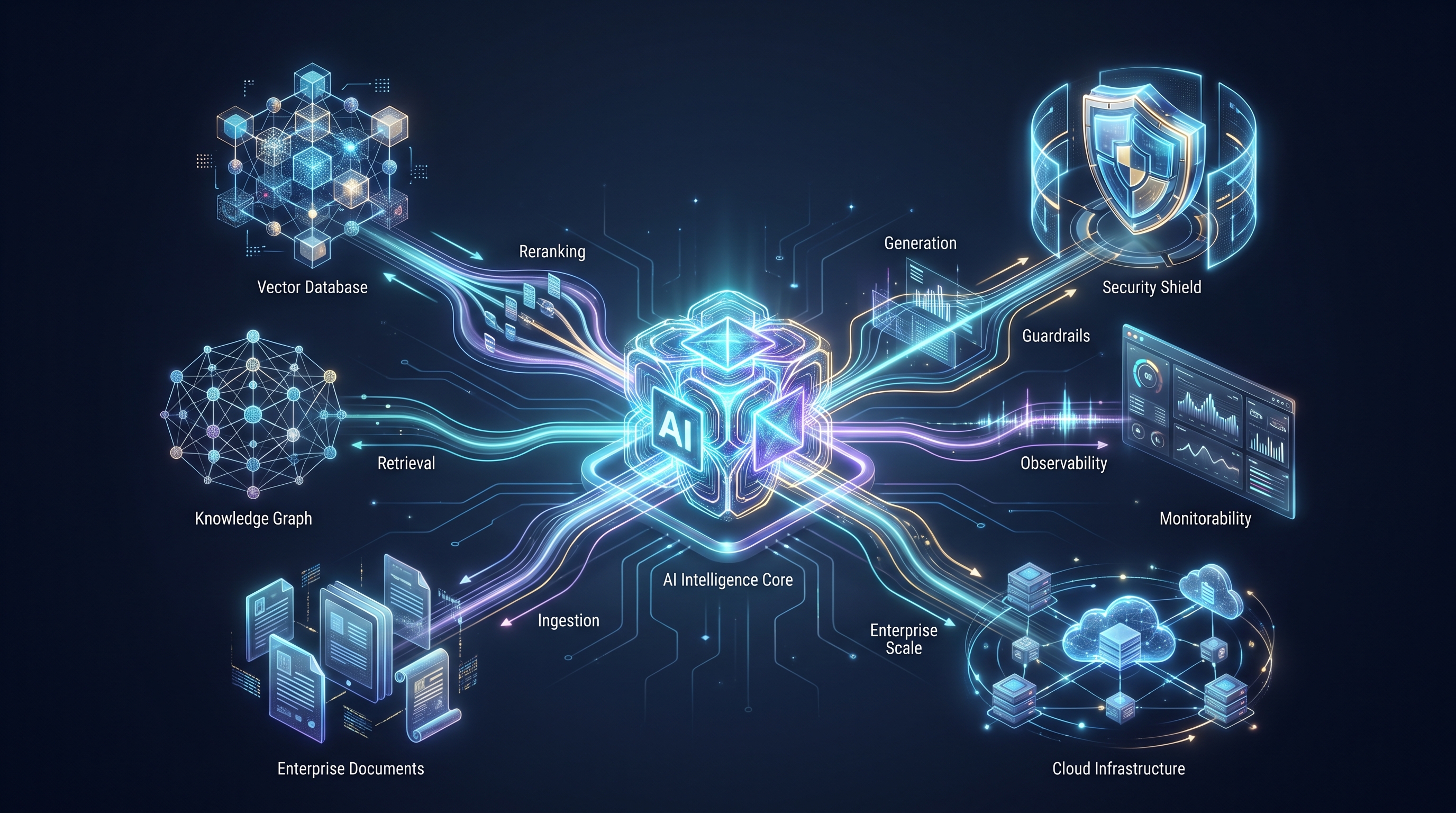
The modern RAG pipeline consists of seven distinct layers:[techment]
1. Query Understanding Layer
The entry point where user input is parsed, validated, and prepared:
-
Intent classification: LLM analyzes query complexity and determines retrieval strategy (simple lookup vs. multi-hop reasoning)
-
Query transformation: Rewrites vague queries into specific, retrievable forms (covered in-depth later)
-
Language detection: For multilingual systems, identifies query language to route appropriately
-
Input guardrails: Validates queries for toxicity, PII, adversarial patterns before processing
2. Retrieval Layer (Hybrid Architecture)
The intelligence hub that fetches relevant context:
-
Hybrid search: Combines sparse retrieval (BM25 keyword matching) with dense retrieval (vector semantic similarity)[mlpills.substack]
-
Vector database: Stores document embeddings for fast similarity search (Pinecone, Qdrant, Weaviate)
-
Metadata filtering: Pre-filters by access permissions, document type, date range before semantic search[azumo]
-
Multi-source retrieval: Agentic RAG accesses multiple databases, APIs, SharePoint, knowledge graphs in parallel[learn.microsoft]
3. Re-Ranking Layer
Critical for accuracy—narrows retrieved candidates to highest-quality matches:
-
Cross-encoder models: Process query + document together for nuanced relevance scoring[eyka]
-
Performance impact: +33% average accuracy, +47% for multi-hop queries, +52% for complex queries[app.ailog]
-
Latency trade-off: Adds ~120ms but delivers dramatic accuracy gains[app.ailog]
-
Optimal configuration: Retrieve 50-100 candidates with bi-encoder, rerank to top 5-10 with cross-encoder[app.ailog]
4. Context Augmentation Layer
Prepares retrieved information for generation:
-
Prompt construction: Combines user query + ranked chunks + instructions into structured prompt
-
Citation management: Tracks source documents for each chunk to enable response attribution
-
Context windowing: Ensures total tokens (query + retrieved context + response space) fit within model limits
5. Generation Layer
The LLM produces the final response:
-
Model selection: GPT-4, Claude 3.5, Gemini 2.0, or open-source alternatives (Llama 3, Mixtral)
-
Temperature/sampling: Lower temperature (0.1-0.3) for factual responses, higher for creative tasks
-
Streaming: For better UX, stream tokens as generated rather than waiting for complete response
6. Output Validation Layer (Guardrails)
Critical safety net before responses reach users:
-
Hallucination detection: LLM-based or similarity-based checks verify response matches retrieved context[machinelearningmastery]
-
Toxicity filtering: Blocks harmful, biased, or inappropriate content[nb-data]
-
PII redaction: Masks sensitive information like names, SSNs, financial data[github]
-
Citation verification: Ensures all claims link to source documents
-
Compliance checks: Validates responses meet regulatory requirements (GDPR, HIPAA)[stack-ai]
7. Monitoring & Observability Layer
Production systems require continuous oversight:
-
Retrieval quality metrics: Precision@k, recall@k, MRR tracking[meilisearch]
-
Generation metrics: Faithfulness, relevance, hallucination rate[getmaxim]
-
System metrics: Latency, throughput, error rates[linkedin]
-
Distributed tracing: OpenTelemetry tracks requests across all components[community.intel]
-
Alerting: Semantic-aware alerts trigger when quality degrades[linkedin]
Workflow: A Query's Journey
Let's trace how a query flows through this architecture:
User query: "What are the cost implications of scaling our RAG system from 10K to 100K queries/day?"
-
Query Understanding: Intent classifier identifies this as a complex cost analysis query requiring multi-source retrieval
-
Query Transformation: Rewrites to "RAG infrastructure costs at scale" + "vector database pricing 100K queries" + "LLM API cost calculator"
-
Hybrid Retrieval: Searches vector DB for semantic matches + keyword search for exact terms like "100K queries"
-
Candidate Set: Returns top 100 chunks from: pricing documentation, case studies, architectural guides
-
Re-Ranking: Cross-encoder scores query-document pairs, narrows to top 10 most relevant chunks
-
Context Assembly: Constructs prompt with query + 10 ranked chunks (~3,000 tokens) + generation instructions
-
Generation: GPT-4 synthesizes answer: "Scaling from 10K to 100K queries/day impacts three cost centers: vector DB queries increase 10x (Pinecone: $50 → $500/month), LLM inference costs rise to $2,000-3,000/month based on context size, and reranking compute adds $200/month. Mitigation strategies include caching frequent queries (30-40% cost reduction)..." with citations to each source
-
Validation: Hallucination detector verifies all cost figures appear in retrieved documents, PII filter confirms no sensitive data leaked
-
Response Delivery: User receives comprehensive answer with clickable source citations
-
Monitoring: System logs retrieval quality (precision: 0.92), generation faithfulness (0.88), latency (2.3s), and user feedback
This entire pipeline executes in 2-4 seconds at scale.
Data Ingestion & Preprocessing: Building the Knowledge Foundation
Your RAG system is only as good as the data it retrieves from. Production-grade data ingestion handles millions of documents while maintaining quality, freshness, and searchability.
The ETL Pipeline for RAG
RAG data ingestion follows a structured Extract-Transform-Load (ETL) process:[crossml]
Extract: Collect data from diverse sources
-
Databases (PostgreSQL, MongoDB, data warehouses)
-
Document stores (SharePoint, Confluence, Google Drive)
-
APIs (Salesforce, HubSpot, internal microservices)
-
File systems (PDFs, Word docs, presentations, code repositories)
-
Web scraping (public documentation, knowledge bases)
Transform: Convert raw data into searchable embeddings
-
Document parsing: Extract text from PDFs, Office docs, HTML using Unstructured, Apache Tika
-
Chunking: Split documents into semantically meaningful pieces (detailed next section)
-
Embedding generation: Convert text chunks to vectors using embedding models
-
Metadata extraction: Capture title, author, date, permissions, document type
-
Deduplication: Remove redundant content to reduce storage and improve retrieval
Load: Store in vector database with indexes
-
Vector storage: Insert embeddings into Pinecone, Qdrant, Weaviate, Milvus
-
Metadata storage: Link vectors to rich metadata for filtering
-
Index creation: Build HNSW, IVF-PQ indexes for fast approximate nearest neighbor search[coralogix]
-
Access control mapping: Tag vectors with permissions for row-level security
Large-Scale Ingestion Architecture
Handling millions of documents requires distributed processing:[aws.amazon]
Technology stack for scale:
-
Ray: Distributed Python framework parallelizes embedding generation across multiple GPUs[linkedin]
-
Apache Spark: For massive batch processing of structured data
-
Kafka/Kinesis: Streaming ingestion for real-time updates[crossml]
-
Parquet: Columnar storage format minimizes I/O overhead for large datasets[linkedin]
Example: AWS architecture for 10M+ documents:[aws.amazon]
1. S3 → Ray Cluster (embedding generation parallelized across 10 GPUs)
2. Ray → Amazon OpenSearch (vector storage with k-NN)
3. Ray → Amazon RDS PostgreSQL + pgvector (alternative vector store)
4. Lambda → Incremental updates trigger re-indexing for changed docs
Performance benchmarks:[linkedin]
-
Sequential processing: 100 documents/minute on single CPU
-
Ray distributed (10 GPUs): 50,000 documents/minute
-
500x speedup through parallelization
Ingestion Strategies
Different use cases demand different ingestion patterns:[crossml]
Batch Ingestion
-
When: Initial corpus load, scheduled updates (nightly, weekly)
-
Best for: Historical data, archival documents, periodic reports
-
Implementation: Spark/Ray job processes millions of docs, loads into vector DB
Incremental/CDC Ingestion
-
When: Documents change frequently but not constantly
-
Best for: Wikis, documentation sites, CRM data
-
Implementation: Change Data Capture detects modified docs, re-embeds only changed content[learn.microsoft]
Real-Time Streaming Ingestion
-
When: Sub-second freshness required
-
Best for: Customer support tickets, live chat transcripts, breaking news
-
Implementation: Kafka stream → embedding service → vector DB with millisecond latency[crossml]
Bell Telecom case study: Built modular embedding pipelines supporting both batch and incremental updates. When documents are added/removed from source (SharePoint), automatic index updates maintain freshness without full re-indexing.[evidentlyai]
Index Management & Refresh Strategies
Static indexes become stale. Production systems implement refresh policies:[learn.microsoft]
Hierarchical Refresh:[learn.microsoft]
-
Hot tier: Last 30 days of documents, refreshed hourly
-
Warm tier: Last 6 months, refreshed daily
-
Cold tier: Historical archive, refreshed monthly
Optimization techniques:
-
Incremental updates: Re-index only changed documents (efficient for small changes)
-
Full reindex: For major schema changes or embedding model upgrades
-
Batch processing: Group changes and apply together to reduce overhead
-
Blue-green indexing: Build new index in parallel, swap atomically to avoid downtime
Best practice from 2026 implementations: Frequent index refresh cycles are now standard—daily for dynamic content (product catalogs, compliance docs), hourly for real-time use cases (customer support, news).[techment]
Chunking Strategies: The Foundation of Retrieval Quality
Chunking—splitting documents into smaller pieces—is the most underestimated lever for RAG performance. Poor chunking torpedoes retrieval accuracy no matter how sophisticated your reranking or generation layers are.
Why Chunking Matters
The core problem: Documents are too long to fit in LLM context windows, and semantic search works better on focused chunks than entire documents. A 50-page technical manual embedded as one vector loses granularity—when a user asks about a specific feature, the retriever can't distinguish between pages 5 and 35.
The trade-off:
-
Too small (50 tokens): Breaks semantic coherence, loses context
-
Too large (2,000 tokens): Dilutes relevance signal, increases noise
-
Just right (400-512 tokens): Balances semantic unity with retrieval precision
Proven Chunking Strategies for 2026
Research across multiple benchmarks identified optimal approaches:[firecrawl]
1. Page-Level Chunking
How it works: Treat each document page as a chunk, preserving natural document structure.
Performance: Highest accuracy (0.648) in NVIDIA benchmarks, lowest variance across document types[developer.nvidia]
When to use:
-
PDFs with natural page breaks (research papers, reports, manuals)
-
Documents where page context matters (legal contracts, presentations)
Limitations: Pages might be too large for some contexts, doesn't work for unstructured text
2. Recursive Character Splitting (The Default Choice)
How it works: Splits text by recursively dividing based on separators (paragraphs, sentences, words) until target chunk size reached. Preserves structure by respecting natural boundaries.
Performance: 85-90% recall with 400-512 tokens in Chroma benchmarks, default choice for 80% of RAG applications[firecrawl]
When to use:
-
Technical documentation, blog posts, articles
-
Most general-purpose RAG systems
-
When you need reliable baseline performance
Implementation:
from langchain.text_splitter import RecursiveCharacterTextSplitter

splitter = RecursiveCharacterTextSplitter(
    chunk_size=512,  # target size in tokens
    chunk_overlap=51,  # 10% overlap to prevent fragmentation
    separators=["\n\n", "\n", ". ", " ", ""]  # priority order
)
chunks = splitter.split_documents(documents)
Why it works: Respects document structure—headers stay with their content, sections break at natural boundaries instead of mid-sentence.
3. Semantic Chunking
How it works: Uses embedding similarity to identify semantic boundaries. Splits occur where sentence embeddings diverge significantly (topic shifts).
Performance: +9% recall improvement over simpler fixed-size methods[firecrawl]
When to use:
-
Long-form content where topics shift unpredictably
-
High-value content justifying computational cost
-
When you need maximum retrieval quality
Trade-off: Computationally expensive (must embed all sentences), slower to process
4. Fixed-Size Chunking (Token-Based)
How it works: Split every N tokens, with overlap between chunks.
Performance: Fast and simple, but frequently breaks sentences mid-thought
When to use:
-
When speed/simplicity critical
-
Uniform documents (e.g., chat logs, tweets)
-
Prototyping before optimizing
Recommended baseline: 512 tokens, 50-100 tokens overlap (10-20%)[weaviate]
Chunking Strategy Decision Matrix
| Use Case | Recommended Strategy | Rationale |
|---|---|---|
| Technical docs, research papers | Recursive Character Splitting | Respects structure, 80% of cases |
| PDFs with natural pages | Page-Level Chunking | Highest accuracy in NVIDIA tests |
| Code repositories | Recursive with code separators | Respects function/class boundaries |
| Short content (Q&A, tweets) | Sentence-Based | Preserves complete thoughts |
| High-value experimental | Semantic or LLM-Based | Context-aware, adapts dynamically |
| Budget/speed constrained | Fixed-Size Token-Based | Fastest implementation |
Pro tip: Many production systems use hybrid approaches—route PDFs to page-level chunking, web pages to recursive splitting, code to code-aware separators based on content type.[firecrawl]
Advanced Chunking Considerations
Overlap is critical: 10-20% overlap between consecutive chunks ensures that if a key sentence falls at a chunk boundary, it appears fully in at least one chunk. For 500-token chunks, use 50-100 tokens of overlap.[firecrawl]
Metadata enrichment: Tag chunks with:
-
Document title, author, date
-
Section/subsection headers
-
Page number, paragraph index
-
Access permissions for security filtering
Domain-specific tuning:[azumo]
-
Medical texts: Respect clinical section boundaries (Symptoms, Diagnosis, Treatment)
-
Legal documents: Chunk by clause or section number
-
Code: Split at function/class definitions, preserve complete functions
Multi-language handling: Semantic boundary detection works differently across languages. German has compound words, Japanese lacks spaces, Arabic reads right-to-left. Use language-aware tokenizers and adjust chunk sizes accordingly.[linkedin]
Embedding Models & Vector Databases: The Retrieval Engine
Retrieval quality depends on two choices: the embedding model that converts text to vectors, and the vector database that stores and searches those embeddings at scale.
Choosing Embedding Models
Embedding models map text to high-dimensional vectors (~384 to 3,072 dimensions) where semantically similar texts cluster together. Quality varies dramatically.
Top Embedding Models for 2026
Open-Source Leaders:[modal]
1. BGE-M3 (BAAI General Embedding)
-
Accuracy: 59.25% retrieval rate, 92.5% on long questions[tigerdata]
-
Dimensions: 1,024
-
Best for: Multilingual RAG, fine-tuning on custom data, enterprises wanting on-premise control
-
Why choose it: Tops MTEB benchmarks, strong across 100+ languages, flexible architecture
2. E5-Large-V2 (Google Research via Hugging Face)
-
Training: Contrastive learning on web-scale datasets
-
Best for: General-purpose RAG, English + multilingual, question answering
-
Why choose it: De facto standard for open-source RAG pipelines, solid balance of quality and speed
3. Mistral Embed (Mistral AI)
-
Best for: Real-time RAG applications, high-throughput scenarios
-
Why choose it: Lightweight, high-speed embedding generation, good semantic representation
-
Latency: Sub-50ms per query on CPU
Proprietary/API-Based:[greennode]
1. OpenAI text-embedding-3-large
-
Accuracy: 80.5% (highest in benchmarks)[tigerdata]
-
Dimensions: 3,072
-
Best for: Production systems prioritizing stability, ease of integration, uptime
-
Cost: ~$0.13 per 1M tokens
-
Why choose it: Managed service, consistent latency, strong MTEB performance, no infrastructure management
2. OpenAI text-embedding-3-small
-
Accuracy: 75.8%[tigerdata]
-
Cost: ~$0.02 per 1M tokens (7x cheaper than large)
-
Best for: Cost-sensitive applications with acceptable accuracy trade-off
3. Cohere Embed v3
-
Best for: Longer context windows, high recall scenarios
-
Why choose it: Optimized for retrieval tasks, competitive with OpenAI
Key Selection Criteria
1. Retrieval Accuracy[greennode]
Measured on benchmarks like MTEB (Massive Text Embedding Benchmark) and BEIR. Track Recall@k, Precision@k, nDCG.
2. Latency & Throughput[greennode]
Production systems need <50-100ms embedding generation per query. Larger models (BGE-M3, OpenAI-large) are more accurate but slower. Optimize with:
-
TensorRT, ONNX Runtime: Accelerate inference 2-5x
-
vLLM framework: Optimized serving for embedding models
-
Batching: Group queries to amortize overhead
3. Domain Fit[greennode]
General-purpose models (E5, OpenAI) work across domains. Specialized models excel in niches:
-
BioBERT: Medical texts, clinical notes
-
Legal-BERT: Legal documents, contracts
-
CodeBERT: Source code, technical docs
If your RAG focuses on a specific domain, fine-tuning E5 or BGE on proprietary data (using LoRA, PEFT) boosts relevance by 10-20%.
4. Multilingual Support[arxiv]
For global deployments, multilingual embeddings map queries and documents in any language to the same vector space. Cross-lingual retrieval lets a Spanish query retrieve English documents.
Models with strong multilingual support:
-
BGE-M3: 100+ languages
-
multilingual-e5-large: Supports major languages
-
XLM-RoBERTa: 100 languages, proven cross-lingual performance[linkedin]
Practical example: A German engineer queries "Fehlercode 4302 beheben" (fix error code 4302). Multilingual embeddings retrieve English documentation about error 4302 and generate a response in German—no separate translation step needed.[linkedin]
Vector Database Selection
Vector databases store embeddings and perform fast approximate nearest neighbor (ANN) search to find similar vectors. Your choice impacts cost, performance, and scalability.
Top Vector Databases for 2026
| Database | Type | Best For | Pricing | Key Features |
|---|---|---|---|---|
| Pinecone | Managed | Production enterprise scale | $50-70/month min | Fully managed, auto-scaling, excellent docs |
| Qdrant | Open-source/Managed | High performance, cost control | Free self-hosted | Rust-based speed, filtering, hybrid search |
| Weaviate | Open-source/Managed | Semantic search, GraphQL | $25-40/month cloud | Schema flexibility, ML integrations |
| Milvus/Zilliz | Open-source/Managed | Billion-scale deployments | Custom pricing | Distributed, ANNS algorithms, GPU support |
| pgvector | PostgreSQL extension | Existing Postgres users | Infra cost only | Familiar SQL, relational + vector |
| Chroma | Open-source | Rapid prototyping, dev | Free | Easy setup, great DX |
Cost comparison for 300K queries/month, 10K vectors:[dev]
-
Cloudflare Workers solution: $8-10/month (DIY minimal infrastructure)
-
Qdrant self-hosted: $40-60/month (server + maintenance)
-
Weaviate Serverless: $25-40/month
-
Pinecone Standard: $50-70/month
-
Self-hosted pgvector: $40-60/month
GraphRAG alternative: Knowledge graphs can replace or augment vector databases. GraphRAG with ArangoDB: $1,825/year vs vector DB RAG $3,650/year for 10K queries/day—50% cost reduction while improving accuracy.[arango]
Selection Criteria
1. Scale Requirements
-
<1M vectors: Any solution works; Chroma, pgvector for simplicity
-
1-10M vectors: Qdrant, Weaviate, Pinecone all scale efficiently
-
10M-1B+ vectors: Milvus distributed architecture, Pinecone enterprise
2. Query Latency[research.aimultiple]
Benchmark using 1M vectors, 768 dimensions:
-
Qdrant: ~50ms per query (P99)
-
Weaviate: ~60ms
-
Milvus: ~70ms
-
Pinecone: ~80ms (managed overhead, but auto-scales)
GPU acceleration: Cross-encoder reranking benefits massively from GPUs:[app.ailog]
-
CPU: ~200ms for 100 query-doc pairs
-
GPU (T4): ~40ms (5x faster)
-
GPU (A100): ~15ms (13x faster)
3. Hybrid Search Support[premai]
Modern RAG needs both vector (semantic) and keyword (sparse) search. Databases supporting hybrid search natively:
-
Weaviate: Built-in BM25 + vector hybrid
-
Qdrant: Native hybrid search with RRF (Reciprocal Rank Fusion)
-
Milvus: Supports hybrid via plugins
-
Elasticsearch: Vector extension on top of strong full-text search
Hybrid search formula:[apxml]
Hybrid_Score = (1 - α) × Keyword_Score + α × Vector_Score
Where α (typically 0.5-0.7) balances sparse vs dense contributions.
Performance boost: Hybrid search handles queries with specific terminology (product codes, technical jargon) that pure semantic search misses, improving accuracy by 15-25% on domain-specific corpora.[mlpills.substack]
4. Metadata Filtering
Enterprise RAG requires pre-filtering by permissions, date range, document type before vector search:[azumo]
# Pseudocode: Filter by department before semantic search
results = vector_db.query(
    vector=query_embedding,
    filter={"department": "engineering", "date": {"$gte": "2025-01-01"}},
    top_k=50
)
Databases with strong filtering: Pinecone, Qdrant, Weaviate all support complex metadata filters.
5. Multi-Tenancy[customgpt]
For SaaS applications serving multiple customers:
-
Index-level isolation: Separate vector namespace per tenant (secure, but higher overhead)
-
Metadata-based isolation: Single index, filter by tenant_id at query time (efficient, requires careful access control)
Best pattern: Logical separation via tenant prefixes in vector IDs + query-time filtering. Provides tenant isolation while allowing resource sharing.[customgpt]
Index Optimization Strategies
Fast retrieval at scale requires optimized indexing algorithms:[coralogix]
HNSW (Hierarchical Navigable Small World)[coralogix]
-
Best for: Speed-optimized retrieval, real-time applications
-
Trade-off: Higher memory usage, excellent query latency (<50ms)
-
Use when: Latency critical (chatbots, interactive search)
IVF-PQ (Inverted File with Product Quantization)[coralogix]
-
Best for: Large-scale deployments (100M+ vectors), memory-constrained environments
-
Trade-off: Slightly lower accuracy, dramatically lower memory footprint
-
Use when: Billion-scale corpora, cost optimization priority
Flat Index
-
Best for: Highest accuracy, small datasets (<100K vectors)
-
Trade-off: Slow (exact k-NN search), doesn't scale
-
Use when: Benchmarking, accuracy baseline
Recommended: Start with HNSW for sub-10M vectors, move to IVF-PQ or distributed Milvus beyond that.
Hybrid Retrieval & Re-Ranking: Maximizing Accuracy
The retrieval phase determines what information the LLM has to work with. Get retrieval wrong, and even GPT-4 can't generate a good answer. Two techniques dramatically improve retrieval quality: hybrid search and cross-encoder reranking.
Hybrid Search: Best of Both Worlds
Pure vector search excels at semantic similarity but misses exact matches. Pure keyword search finds exact terms but misses synonyms and contextual variations. Hybrid search combines both.[premai]
How hybrid search works:
-
Dense retrieval (vector search): Query embedding → find semantically similar document embeddings
-
Sparse retrieval (keyword search): BM25 algorithm finds documents with high term frequency for query keywords
-
Fusion: Combine and rerank results using weighted sum or Reciprocal Rank Fusion
Reciprocal Rank Fusion (RRF):[mlpills.substack]
For each document d:
    RRF_score(d) = Σ (1 / (k + rank_in_result_i))

Where rank_in_result_i is the rank of document d in each result list
RRF elegantly handles score normalization without needing to calibrate weights between sparse and dense retrievers.
When hybrid search matters:[apxml]
Example scenario: Financial RAG application. User asks: "What are the implications of regulation XYZ on Q3 earnings for tech companies?"
-
Dense retriever: Finds documents discussing earnings and tech companies generally
-
Sparse retriever: Ensures documents explicitly mentioning "regulation XYZ" are surfaced
-
Hybrid: Prioritizes documents satisfying both semantic context AND exact regulatory reference
Performance gains: 15-25% accuracy improvement on domain-specific queries with exact terminology (product SKUs, legal statutes, technical error codes, chemical compounds).[mlpills.substack]
Implementation complexity: Moderate. Most modern vector DBs (Qdrant, Weaviate) support hybrid search natively. For others, run both retrievers in parallel and fuse results at application level.
Cross-Encoder Re-Ranking: The Accuracy Multiplier
Bi-encoder embeddings (used in vector search) process query and document independently, then compare their vectors. Cross-encoders process query + document together, allowing the model to assess their interaction directly—far more accurate but computationally expensive.[cloudthat]
Why reranking is critical:
Initial retrieval (bi-encoder + keyword) returns top-100 candidates quickly but imprecisely. Cross-encoder reranks these 100 to identify the true top-10, dramatically improving relevance.[app.ailog]
Performance improvements from MIT study:[app.ailog]
| Configuration | Retrieval Phase | Rerank Phase | MRR@10 | Latency | Verdict |
|---|---|---|---|---|---|
| Vector only | 20 | None | 0.612 | 80ms | Too few candidates |
| Vector + rerank | 50 | 10 | 0.683 | 105ms | ❌… Good balance |
| Vector + rerank | 100 | 10 | 0.695 | 125ms | ❌… Best accuracy |
| Vector + rerank | 200 | 10 | 0.698 | 180ms | Diminishing returns |
Key findings:[app.ailog]
-
+33% average accuracy improvement across benchmarks
-
Query-type variance: Simple fact lookup (+18%), multi-hop queries (+47%), complex queries (+52%), ambiguous queries (+41%)
-
Latency: +120ms average for reranking 100 docs
-
GPU acceleration: CPU 200ms → GPU T4 40ms → A100 15ms (5-13x faster)
Recommended configuration:[app.ailog]
-
Initial retrieval: Top-100 candidates with bi-encoder (fast)
-
Reranking: Narrow to top-10 with cross-encoder (accurate)
-
Final context: Use reranked top-10 for generation
Best cross-encoder models:[eyka]
-
ms-marco-MiniLM-L6-v2: Default choice, good accuracy/speed balance
-
BGE-Large: Higher accuracy, slower
-
RankGPT: LLM-based reranker, cutting-edge but expensive
Implementation:
from sentence_transformers import CrossEncoder

# Initial retrieval: top-100 with bi-encoder
candidates = vector_db.similarity_search(query_embedding, k=100)

# Reranking: score query + each candidate jointly
reranker = CrossEncoder('cross-encoder/ms-marco-MiniLM-L-6-v2')
scores = reranker.predict([(query, doc.text) for doc in candidates])

# Sort by reranker scores, take top-10
ranked = sorted(zip(candidates, scores), key=lambda x: x[1], reverse=True)
top_10 = [doc for doc, score in ranked[:10]]
When to rerank:[app.ailog]
Always rerank for:
-
Complex queries requiring nuanced understanding
-
High-value applications where accuracy justifies cost (medical, legal, financial)
-
Multi-hop reasoning tasks
Skip reranking for:
-
Simple fact lookup where initial retrieval suffices
-
Latency-critical applications with <200ms budget
-
High-QPS systems where cost-per-query matters more than accuracy
Cost optimization: Some systems use conditional reranking—only rerank if top candidate score is below threshold (indicating uncertain initial retrieval), saving compute on confident queries.[app.ailog]
Advanced Retrieval Techniques
Beyond hybrid search and reranking, cutting-edge RAG systems employ sophisticated retrieval strategies.
Query Transformation: Rewriting for Better Retrieval
User queries are often vague, ambiguous, or poorly phrased for retrieval. Query transformation rewrites them into forms that retrieve better results.[oreoluwa]
Three core techniques:
1. Query Rewriting[datacamp]
Goal: Make queries more specific and detailed.
Example:
-
Original: "impacts of AI on jobs"
-
Rewritten: "economic impacts of artificial intelligence on job automation rates across manufacturing, services, and knowledge work sectors, including displacement estimates and workforce reskilling requirements"
Implementation: Pass query through LLM with instruction: "Rewrite this query to be more specific and detailed, including relevant terms and concepts for accurate information retrieval."
When useful: Vague user queries, broad questions needing refinement
2. Step-Back Prompting[oreoluwa]
Goal: Generate broader, higher-level queries to retrieve contextual information.
Example:
-
Original: "What are the side effects of Drug X for patients with Condition Y?"
-
Step-back: "What are general drug interaction principles for Condition Y? What drug classes is Drug X part of?"
Why it works: Sometimes you need background context before drilling into specifics. Step-back retrieves foundational information that improves final answer quality.
When useful: Complex domain-specific questions, queries requiring background knowledge
3. Sub-Query Decomposition[dev]
Goal: Break complex queries into simpler, focused sub-queries.
Example:
-
Original: "Compare the cost, performance, and scalability of Pinecone vs Weaviate for RAG systems handling 10M vectors"
-
Sub-queries:
-
"Pinecone pricing for 10M vectors"
-
"Weaviate pricing for 10M vectors"
-
"Pinecone query latency benchmarks"
-
"Weaviate query latency benchmarks"
-
"Pinecone horizontal scaling architecture"
-
"Weaviate horizontal scaling architecture"
-
Each sub-query retrieves focused results, then the LLM synthesizes across all retrieved contexts.
When useful: Comparison questions, multi-faceted queries, questions requiring information from multiple sources
Integrated workflow:[dev]
-
Step-back to understand problem context
-
Decompose into focused sub-problems
-
Rewrite each sub-query for precision
-
Retrieve for each rewritten sub-query
-
Synthesize final answer across all retrievals
HyDE (Hypothetical Document Embeddings)[datacamp]
Advanced technique: Instead of embedding the query, the LLM generates a hypothetical answer, embeds that answer, and retrieves documents similar to the hypothetical answer. Works when the embedding space represents answers better than questions.
GraphRAG: Knowledge Graphs for Complex Reasoning
Vector-only RAG struggles with multi-hop reasoning, complex relationships, and queries requiring synthesis across disparate data. GraphRAG augments or replaces vector search with structured knowledge graphs.[flur]
How GraphRAG works:[linkedin]
-
Knowledge graph construction: Extract entities (people, companies, concepts) and relationships from documents, store in graph database (Neo4j, ArangoDB, Memgraph)
-
Query understanding: Parse user query to identify relevant entities
-
Graph traversal: Navigate relationships to find connected information (e.g., "Company A → acquired → Company B → employs → Person C")
-
Relevance expansion: Vector search finds initial nodes, graph traversal uncovers multi-hop connections
-
Context assembly: Combine graph-retrieved structured facts with vector-retrieved passages
-
Generation: LLM synthesizes answer grounded in both graph relationships and document text
Key advantages:[memgraph]
-
Multi-hop reasoning: "Who funded the startup that developed the algorithm used by Company X?" requires chaining multiple relationships—vectors struggle, graphs excel
-
Reduced hallucinations: Structured facts constrain generation, preventing fabrication
-
Explainability: Graph paths show exactly how the answer was derived
-
Hierarchical context: Understanding cause-and-effect, dependencies, sequences
When GraphRAG outperforms vector RAG:[linkedin]
-
Complex queries requiring synthesis across multiple documents
-
Relationship-heavy domains: Supply chains, organizational structures, citation networks, medical pathways
-
High-accuracy requirements where explainability matters (legal, compliance, healthcare)
-
Multi-step reasoning: Queries that would require multiple sequential retrievals in traditional RAG
Trade-offs:[linkedin]
-
Complexity: Building and maintaining knowledge graphs requires schema design, entity extraction pipelines, ongoing updates
-
Overhead: Graph construction is expensive upfront
-
When not to use: Simple fact lookup, documents with minimal interconnections, rapid prototyping where setup cost outweighs benefits
Cost comparison:[arango]
-
Vector DB RAG: $3,650/year for 10K queries/day
-
GraphRAG with ArangoDB: $1,825/year (50% cheaper)
-
Why cheaper: No embedding generation/maintenance costs, more efficient storage
Performance:[ankursnewsletter]
Benchmark comparison (Microsoft):
-
GraphRAG (Cognitive Search + GPT-4): 72.36% accuracy
-
Best vector RAG (LangChain + Pinecone): 69.02% accuracy
-
GraphRAG response time: <0.6 seconds (matching fast vector methods)
Production examples:
-
LinkedIn: GraphRAG reduced issue resolution time by 28.6%[evidentlyai]
-
Constructs knowledge graph from issue tickets, capturing issue structure and inter-issue relations
-
Microsoft: Azure AI Search offers agentic retrieval with graph-based reasoning[learn.microsoft]
Implementation pattern: Many systems use hybrid Graph + Vector RAG—vector search for initial candidates, graph traversal for relationship expansion, combining strengths of both approaches.
Security, Compliance & Guardrails
Enterprise RAG handles sensitive data and generates content seen by users and customers. Robust security and guardrails aren't optional—they're table stakes.
Enterprise Security Requirements
Zero-Trust Architecture[signitysolutions]
Assume every component is untrusted, verify continuously:
-
Identity-based access control for all data flow stages (ingestion, retrieval, generation)
-
Constant verification at every pipeline step
-
Principle of least privilege: Grant minimum permissions necessary
Access Control Implementation[yobix]
Role-Based Access Control (RBAC):
-
Restrict data access based on user roles (engineer, manager, customer)
-
Implement at vector DB level—tag embeddings with access permissions
-
Filter retrieval results by user permissions before showing to LLM
Granular permissions:[yobix]
-
Document-level: User can access entire documents in category X
-
Field-level: User sees only certain fields within documents
-
Attribute-level: User accesses documents with specific metadata (department=Sales)
Real-time synchronization: RAG access controls must sync with enterprise IAM (Okta, Azure AD, Auth0) in real-time. When an employee leaves or changes roles, access permissions update immediately across RAG system.[yobix]
Example: Engineer queries "latest product roadmap." RAG:
-
Authenticates user identity
-
Checks user role = Engineer
-
Filters vector search: only retrieve docs where
access_permissions contains "Engineering" -
Returns roadmap items visible to Engineering team
-
If user had left company, authentication fails—zero access
Pre-retrieval vs post-retrieval filtering:[yobix]
-
Pre-retrieval (preferred): Filter vector DB query by permissions—only search authorized docs
-
Post-retrieval: Retrieve all results, filter after—less efficient, risk of leaking metadata
Data Protection[stack-ai]
Encryption:
-
At rest: Encrypt vector DB and document stores (AES-256)
-
In transit: TLS 1.3 for all API calls between components
PII Detection & Masking:[guardrailsai]
-
Scan inputs for personally identifiable information (SSNs, credit cards, names, emails)
-
Redact before processing or reject query
-
Scan outputs before delivery to user
-
Use NLP tools (Presidio, Hugging Face transformers) for PII detection
Multi-Factor Authentication:[signitysolutions]
-
Require MFA for accessing sensitive RAG components
-
Especially critical for admin functions (ingestion pipeline, model updates, permission management)
Compliance Frameworks[stack-ai]
Enterprise RAG must comply with regulations:
GDPR (EU):
-
Right to erasure: Ability to delete user data from vector DB
-
Data minimization: Only retrieve and process necessary information
-
Audit trails: Log all data access and processing
HIPAA (Healthcare):
-
PHI protection: Encrypt medical records, restrict access by role
-
Audit logs: Track who accessed which patient data
-
Minimum necessary standard: Retrieve only required patient information
SOC 2:
-
Security controls: Documented policies for data protection
-
Monitoring: Continuous logging and alerting
-
Availability: Uptime guarantees, disaster recovery
Implementation:[techment]
-
Air-gapped deployments: For maximum-security scenarios (defense, finance), RAG runs entirely on-premise with no external API calls
-
Compliance-aligned retrieval: Tag documents with compliance metadata, filter by regulation requirements
-
Audit trails: Log every retrieval event with user, query, documents accessed, timestamp for forensic analysis[ragaboutit]
Guardrails: Input & Output Validation
Guardrails are runtime controls that validate inputs and outputs against security, safety, and compliance policies.[openlayer]
Input Guardrails[guardrailsai]
Validate user queries before processing:
Toxicity detection:
-
Block queries containing hate speech, profanity, violent content
-
Use models like Perspective API, OpenAI Moderation API[github]
Adversarial query detection:[nb-data]
-
Identify prompt injection attempts ("Ignore previous instructions and...")
-
Jailbreak patterns trying to bypass system rules
-
Reject suspicious queries, log for security review
PII in inputs:[guardrailsai]
-
Detect if user accidentally includes SSN, credit card in query
-
Either reject query or mask PII before processing
Query validation:[github]
-
Well-formed: Ensure query isn't empty, isn't gibberish
-
Token limits: Reject queries exceeding max length
-
Language detection: Ensure language is supported
-
Sanitization: Remove potentially harmful characters
Example:
def validate_input(query):
    # Toxicity check
    if toxicity_detector.is_toxic(query):
        raise ValueError("Query contains inappropriate content")

    # PII check
    if pii_detector.contains_pii(query):
        query = pii_detector.mask(query)

    # Length check
    if len(query) > MAX_QUERY_LENGTH:
        raise ValueError("Query exceeds maximum length")

    return query
Output Guardrails[nb-data]
Validate generated responses before showing to user:
Hallucination detection:[aws.amazon]
-
Verify LLM response matches retrieved context
-
LLM-based detector: Pass response + context to evaluator LLM, ask "Does response accurately reflect context?"
-
Semantic similarity: Compare response embeddings to source document embeddings, flag high divergence
-
Token overlap: Check lexical overlap between response and sources
Performance: LLM-based detector achieves >75% accuracy, best trade-off between accuracy and cost. Combine token similarity filter (fast, catches obvious hallucinations) with LLM detector (slower, catches subtle fabrications).[aws.amazon]
Toxicity filtering:[nb-data]
-
Block generated responses containing harmful, biased, offensive content
-
Even if query was innocent, LLM might generate problematic text
PII redaction:[github]
-
Mask sensitive information in generated responses
-
Example: Retrieved document mentions patient name, but response should say "the patient" not actual name
Length limits:[nb-data]
-
Enforce max response length to prevent runaway generation
-
Ensure responses fit within UI/UX constraints
Content filtering:[github]
-
Brand guidelines: Ensure responses align with company voice/values
-
Regulatory compliance: Verify responses don't make unauthorized medical/financial claims
-
Citation requirements: Ensure all factual claims have source citations
Example:
def validate_output(response, retrieved_context):
    # Hallucination check
    if not hallucination_detector.is_grounded(response, retrieved_context):
        return "I don't have enough reliable information to answer that."

    # PII redaction
    response = pii_detector.mask(response)

    # Toxicity filter
    if toxicity_detector.is_toxic(response):
        return "I apologize, I can't generate that response."

    # Citation verification
    if not citation_verifier.all_claims_cited(response, retrieved_context):
        response = citation_adder.add_missing_citations(response, retrieved_context)

    return response
Guardrails tools:[github]
-
LangChain: Built-in validation and post-processing
-
Guardrails.ai: Framework for enforcing LLM output rules with declarative validators
-
OpenAI Moderation API: Detects harmful content
-
Pydantic: Input schema validation
Best practice: Implement layered guardrails—multiple validation checks rather than single gate. If one fails, others catch issues.
Evaluation & Monitoring in Production
"You can't manage what you don't measure." Production RAG requires comprehensive evaluation during development and continuous monitoring post-deployment.[community.intel]
Key Evaluation Metrics
RAG evaluation spans three components: retrieval quality, generation quality, and end-to-end performance.[labelyourdata]
Retrieval Metrics[orq]
Precision@k: Of the k documents retrieved, what percentage are relevant?
-
Formula: (# relevant docs in top-k) / k
-
Target: >0.8 for production systems
Recall@k: Of all relevant documents in corpus, what percentage are in top-k?
-
Formula: (# relevant docs in top-k) / (total # relevant docs)
-
Target: >0.7
Mean Reciprocal Rank (MRR):[dev]
-
Formula: Average of (1 / rank of first relevant doc) across queries
-
Target: >0.6 (below 0.4 means relevant results buried too deep)
nDCG (Normalized Discounted Cumulative Gain):[getmaxim]
-
Measures ranking quality—rewards relevant docs ranked higher
-
Accounts for graded relevance (some docs more relevant than others)
-
Target: >0.7
Context Precision: Are the right documents being retrieved? Measures specificity.[getmaxim]
Context Recall: What percentage of all relevant information was captured?[getmaxim]
Generation Metrics[labelyourdata]
Faithfulness: Does the generated response accurately reflect the retrieved context? Critical for preventing hallucinations.[getmaxim]
-
Measurement: LLM-as-judge evaluates if response is grounded in sources
-
Target: >0.9 for high-stakes applications
Answer Relevancy: Is the response relevant to user's query?[getmaxim]
-
Measurement: Semantic similarity between query and response
-
Target: >0.85
Groundedness: Are all factual claims in response supported by retrieved documents?[labelyourdata]
-
Measurement: Claim-by-claim verification against sources
-
Target: 100% for medical, legal, financial use cases
Citation Coverage: Percentage of claims with source citations.[labelyourdata]
Hallucination Rate: Percentage of responses containing fabricated information.[labelyourdata]
-
Target: <5% for general use, <1% for high-stakes domains
End-to-End Metrics[labelyourdata]
Correctness: Overall answer accuracy (requires ground-truth test set)
Factuality: Percentage of factually accurate statements
Latency:[milvus]
-
Target: <3-5 seconds for interactive applications
-
Breakdown: Retrieval <500ms, generation 1-3s, total <5s
Cost: Per-query cost (embedding + retrieval + LLM inference + reranking)
Safety: Percentage of responses passing toxicity/PII/compliance checks
Evaluation Frameworks & Tools
Top RAG Evaluation Tools 2026:[getmaxim]
1. Ragas (Research-backed metrics framework)
-
Core metrics: context precision, context recall, faithfulness, answer relevancy[getmaxim]
-
Synthetic test generation: Automatically generates evaluation datasets (90% reduction in manual work)[getmaxim]
-
LLM-as-judge: Uses LLMs to evaluate retrieval and generation quality
-
Integration: Seamless with LangChain, LlamaIndex
2. Maxim AI: End-to-end evaluation and observability platform
3. LangSmith: LangChain-native tracing and evaluation
4. Arize Phoenix: Open-source observability focused on ML monitoring
5. DeepEval: pytest-style testing framework for RAG systems
Building test sets:[evidentlyai]
Golden dataset approach:
-
Curate 100-500 representative queries
-
For each query, manually identify correct answers and relevant source documents
-
Run RAG system on queries
-
Evaluate: Compare generated answers to ground truth, check retrieved docs match expected sources
-
Iterate: Fix retrieval/generation issues, re-evaluate
Synthetic test generation:[getmaxim]
-
Use LLM to generate questions from document corpus
-
Automatically creates query-document-answer triplets
-
Scales test coverage without manual annotation
-
Ragas evolution-based paradigm generates diverse test cases
Production Monitoring
Development evaluation catches issues before launch. Production monitoring catches issues in real-world traffic.[devilsdev.github]
Essential monitoring infrastructure:[linkedin]
Structured Logging:
-
Log every query: text, user ID, timestamp
-
Log retrieval: documents retrieved, similarity scores, filters applied
-
Log generation: prompt sent to LLM, response received, latency
-
Store in searchable format (Elasticsearch, Splunk, Loki) for historical analysis
Distributed Tracing:[community.intel]
-
Use OpenTelemetry to trace requests across pipeline components
-
Visualize: Query → Embedding → Vector DB → Reranker → LLM → Guardrails → Response
-
Identify bottlenecks: "95% of latency is in reranker, need GPU acceleration"
Real-time Dashboards:[community.intel]
-
Grafana: Visualize metrics over time
-
Track: query volume, latency percentiles (P50, P95, P99), error rates
-
Monitor retrieval quality: average similarity scores, percentage of queries with no results
-
Monitor generation quality: hallucination rate (sample-based), average response length, citation coverage
Alerting:[linkedin]
-
Semantic-aware alerts: Trigger when average similarity score drops below threshold (indicates retrieval quality degradation)
-
Latency alerts: P95 latency exceeds SLA (e.g., >5 seconds)
-
Error rate alerts: Spike in failed queries (API errors, timeout, guardrail rejections)
-
Quality alerts: Hallucination rate increases, user feedback turns negative
Observability stack (Intel RAG Telemetry):[community.intel]
-
Prometheus: Metrics collection (latency, throughput, error rates)
-
Loki: Centralized logging (query logs, system logs)
-
Tempo: Distributed tracing (request flows across components)
-
OpenTelemetry Collectors: Unified instrumentation
-
Grafana: Dashboards and visualization
Debug mode vs telemetry:[community.intel]
-
Debug mode: Detailed trace of single query (why did this specific query fail?)
-
Telemetry: Aggregate metrics over time (how is the system performing overall?)
Monitoring each pipeline stage:[community.intel]
-
Retriever metrics: Query throughput, search latency, index size
-
Reranker metrics: Reranking latency, GPU utilization, batch size
-
Generator metrics (VLLM): Token throughput (tokens/sec), time to first token, time per output token
-
Track independently to isolate bottlenecks
User feedback loops:[intelliarts]
-
Thumbs up/down on responses
-
Explicit issue reports
-
Analyze feedback to identify failure patterns
-
Continuously refine: retrain rerankers, update prompts, improve chunking
A/B testing:
-
Test retrieval strategies (hybrid vs vector-only)
-
Test chunking parameters (512 vs 1024 tokens)
-
Test reranker models (MiniLM vs BGE-Large)
-
Measure impact on quality metrics before full rollout
Performance Optimization & Latency Reduction
User experience demands fast responses. Enterprise RAG targets <3-5 seconds end-to-end for interactive applications. Achieving this at scale requires deliberate optimization.[milvus]
Latency Breakdown
Understanding where time is spent enables targeted optimization:[arxiv]
Typical RAG pipeline latency contributors:
-
Query embedding: 50-200ms (depends on model size, CPU/GPU)
-
Vector search: 100-300ms (depends on corpus size, index type)
-
Reranking: 120ms average (100 docs on CPU)[app.ailog]
-
LLM generation: 1,000-3,000ms (largest bottleneck, depends on output length)
-
Post-processing: 50-100ms (guardrails, citation formatting)
Total: 1,320-3,770ms baseline, often exceeding 5s without optimization.
Optimization Strategies
1. Caching at Multiple Levels[apxml]
Avoid redundant computation by caching frequently accessed data:
Embedding cache:
-
Cache embeddings for common queries ("What is RAG?")
-
Impact: 50-200ms saved per cached query
-
Use Redis or in-memory cache
Retrieval cache:
-
Cache top-k results for frequent queries
-
Impact: 100-300ms saved (entire vector search skipped)
-
Invalidate when documents update
LLM response cache:
-
For identical queries, return cached response
-
Impact: 1,000-3,000ms saved (entire generation skipped)
-
Semantic caching: Cache similar queries (e.g., "What is RAG?" ≈ "Explain RAG")
Real-world impact: 30-40% cost reduction from caching in production systems.[aws.amazon]
2. Parallel Processing[galileo]
Sequential retrieval (query vector DB, wait, then rerank, wait, then generate) is slow. Parallelize wherever possible:
Multi-threaded retrieval:
-
If using sub-query decomposition, retrieve all sub-queries in parallel
-
Fetch multiple chunks simultaneously
Asynchronous operations:[apxml]
-
Start LLM generation as soon as first relevant chunk retrieved
-
Don't wait for all retrieval/reranking to complete
-
Stream tokens to user while pipeline still processing
Batch processing:[arxiv]
-
Group multiple user queries, process embeddings in batches (amortizes overhead)
-
Optimal batch size: 32 for GPU inference[app.ailog]
Impact: RAGServe's parallel execution achieves 1.64-2.54× lower latency vs sequential processing.[arxiv]
3. GPU Acceleration[milvus]
GPUs dramatically accelerate inference:
Cross-encoder reranking:[app.ailog]
-
CPU: 200ms for 100 query-doc pairs
-
GPU (T4): 40ms (5× faster)
-
GPU (A100): 15ms (13× faster)
LLM generation:[milvus]
-
Frameworks: Use TensorRT-LLM, vLLM for optimized GPU serving
-
Batching: Process multiple generation requests simultaneously on GPU
-
Quantization: INT8 or INT4 quantization reduces memory, increases throughput
Cost trade-off: GPU inference is more expensive per hour, but higher throughput reduces per-query cost at scale.
4. Model Optimization
Smaller embedding models:
-
E5-small (220M params) vs E5-large (335M params): 2× faster, 5-10% accuracy loss
-
Distilled models: MiniLM-L6 (22M params) retains 95% quality at 10× speed
Efficient rerankers:
-
MiniLM-L6 reranker: Fast, good balance
-
Custom fine-tuned rerankers: Train smaller model on your domain
Streaming generation:
-
Don't wait for complete LLM response—stream tokens as generated
-
UX improvement: User sees partial answer in 200-500ms, feels faster even if total time unchanged
5. Index & Database Optimization[apxml]
HNSW indexes:
-
Faster queries (<50ms) at cost of slightly higher memory
-
Optimal for latency-critical applications
Sharding & replication:[coralogix]
-
Distribute vector DB across multiple nodes
-
Horizontal scaling: Query throughput increases linearly
-
Replication: Fault tolerance, load balancing
In-memory caching:[coralogix]
-
Redis stores frequently accessed vectors in memory
-
Reduces load on vector DB
6. Adaptive Configuration per Query[arxiv]
Not all queries need the same processing. RAGServe demonstrates dramatic gains by adapting per query:
Simple query ("What is RAG?"):
-
Retrieve top-5 chunks
-
Skip reranking
-
Generate with smaller model (GPT-3.5)
-
Latency: 800ms
Complex query ("Compare cost implications of Pinecone vs Weaviate for 10M vector deployments"):
-
Retrieve top-100 chunks
-
Rerank to top-10
-
Generate with GPT-4
-
Latency: 2,500ms (but necessary for quality)
RAGServe results:[arxiv]
-
1.64-2.54× lower latency without sacrificing quality
-
1.8-4.5× higher throughput vs fixed configurations
Implementation: Query classifier (small LLM or heuristic) determines complexity, routes to appropriate pipeline configuration.
7. Network & Infrastructure[coralogix]
Multi-region deployment:
-
Deploy vector DB close to users (US-East, EU-West, Asia-Pacific)
-
Reduces network latency by 50-200ms
CDN for embeddings:
-
Cache common embeddings at edge locations
Kubernetes auto-scaling:[galileo]
-
Scale RAG components dynamically based on load
-
Handle traffic spikes without over-provisioning
Acceptable Latency Targets
Interactive chatbots / search:[learn.microsoft]
-
Retrieval phase: <300-500ms
-
Generation phase: 1-3 seconds
-
Total: <3-5 seconds
Batch processing (document analysis, report generation):
-
Minutes per document acceptable if quality high
Real-time applications (voice assistants, live support):
-
<1 second critical for conversational flow
Multilingual RAG: Breaking Language Barriers
Global enterprises need RAG systems that work across languages. Multilingual RAG enables users to query in any language and retrieve relevant information regardless of document language.[coreon]
Multilingual RAG Architecture
Core principle: Use multilingual embeddings that map text in all languages to the same vector space. A German query "Fehlercode 4302 beheben" retrieves English documentation about error 4302.[linkedin]
How it works:[arxiv]
-
Multilingual embedding model: Models trained on 100+ languages (BGE-M3, multilingual-e5, XLM-RoBERTa) create universal semantic space
-
Cross-lingual retrieval: Query in any language → retrieve documents in any language
-
Multilingual LLM: GPT-4, Claude, Gemini natively support 50+ languages for generation
-
Language-aware response: Generate answer in user's query language
Example flow:[linkedin]
-
User query (Spanish): "¿Cuáles son los síntomas del COVID-19?"
-
Embedding: Multilingual model converts query to vector
-
Retrieval: Finds semantically similar documents in English, Spanish, French medical databases
-
Generation: Multilingual LLM synthesizes answer in Spanish, citing sources in original languages
-
Response: "Los síntomas principales del COVID-19 incluyen..." [with English/Spanish source citations]
Key Challenges & Solutions
Challenge 1: Cross-lingual retrieval accuracy[arxiv]
Traditional embeddings don't transfer well across languages. Solution: Use models trained explicitly for cross-lingual tasks.
Best models:[arxiv]
-
mE5 (multilingual E5): 100+ languages, strong cross-lingual accuracy
-
BGE-M3: Excellent multilingual performance, 1,024 dimensions
-
XLM-RoBERTa: Research-proven, 100 languages
Performance: Multilingual RAG achieves ~83.5% cross-modal and cross-lingual retrieval accuracy in zero-shot settings (Indonesian query → English/French/Tagalog docs).[linkedin]
Challenge 2: Language-specific prompt engineering[arxiv]
LLM prompts must be crafted differently across languages for optimal results. "Retrieve relevant documents" translates literally but idiomatically differs.
Solution: Maintain language-specific prompt templates, or use LLM to translate prompts culturally.
Challenge 3: Chunking across languages[linkedin]
Different languages have different characteristics:
-
German: Compound words (Donaudampfschifffahrtsgesellschaft = Danube steamship company)
-
Japanese: No spaces between words, character-based chunking
-
Arabic: Right-to-left text
Solution: Use language-aware tokenizers (e.g., SentencePiece) that handle linguistic diversity, adjust chunk sizes per language.
Challenge 4: Low-resource languages[linkedin]
Models perform worse on languages with limited training data (Swahili, Tagalog, regional dialects).
Solution:[linkedin]
-
Fallback strategies: If Swahili query fails, fall back to English retrieval
-
Fine-tune embeddings on proprietary low-resource data
-
Graceful degradation: Inform user accuracy may be lower
Real-World Multilingual RAG Applications
Legal AI assistant (multilingual jurisdictions):[linkedin]
-
System handles 18 languages across multiple countries
-
Accuracy: 96.5% in document generation, F1-score 0.94
-
Latency: <700ms average
-
Impact: Rural areas access legal guidance in native language (Hindi, Portuguese, etc.)
Healthcare RAG:[linkedin]
-
Brazilian patient queries in Portuguese
-
Retrieves English medical research + Portuguese clinical guidelines
-
Generates treatment recommendation in Portuguese
-
Critical capability: Emergency care can't wait for translation
Machine translation with cultural nuance (KG-MT):[linkedin]
-
Integrates multilingual knowledge graphs for entity translation
-
Performance: 129% improvement over NLLB-200, 62% improvement over GPT-4 for culturally-nuanced names
-
Example: "Beijing" (English) → "Pékin" (French), "Peking" (German)—culturally appropriate translations
Implementation Considerations
Geographic adoption:[linkedin]
-
Asia-Pacific: 47% of global AI software revenue by 2030 (driven by multilingual RAG for diverse Asian languages)
-
Highest adoption: Healthcare, legal services, financial services
Evaluation for multilingual RAG:[arxiv]
-
Cross-lingual tests: Verify German queries retrieve English docs when appropriate
-
Language-specific metrics: Measure quality per language, not just aggregate
-
Named entity variance: Account for spelling variations (Beijing/Pékin/Peking) in evaluation
Frameworks:[linkedin]
-
LangChain: Supports multilingual workflows, UnstructuredDocument loaders handle any language
-
LlamaIndex: Chunking strategies configurable per-language
Example code (LangChain):[linkedin]
from langchain.embeddings import OpenAIEmbeddings
from langchain.vectorstores import Chroma
from langchain.llms import OpenAI

# Multilingual embeddings (OpenAI supports 100+ languages)
embeddings = OpenAIEmbeddings(model="text-embedding-3-large")

# Load documents in any language
docs = load_documents(["es_article.pdf", "en_manual.pdf", "de_report.pdf"])

# Create vector store
vectorstore = Chroma.from_documents(docs, embeddings)

# Query in any language
query = "¿Cómo funciona el sistema?" # Spanish
results = vectorstore.similarity_search(query, k=5)

# Generate response in query language
llm = OpenAI(model="gpt-4", temperature=0.1)
response = llm.generate(f"Based on: {results}\n\nAnswer in Spanish: {query}")
System automatically embeds Spanish query, retrieves relevant docs regardless of language, generates Spanish response.
Deployment & Production Readiness
Moving from prototype to production demands robust deployment patterns, scalability, and operational excellence.
Implementation Timeline & Costs
Realistic timelines for enterprise RAG:[agenixhub]
Phase 1: Assessment & Planning (2-4 weeks)
-
Define business objectives, success metrics
-
Data source inventory
-
Security and compliance requirements
-
Architecture design
-
Cost: $15K-$50K
Phase 2: Data Preparation (4-8 weeks)
-
Document parsing, cleaning, deduplication
-
Chunking strategy implementation
-
Metadata extraction
-
Initial embeddings generation
-
Cost: $30K-$100K
Phase 3: Infrastructure Setup (2-4 weeks)
-
Vector database deployment (Pinecone, Weaviate, Milvus)
-
Embedding model selection (OpenAI, Cohere, self-hosted)
-
LLM integration (GPT-4, Claude, on-premise)
-
API layer development
-
Cost: $20K-$75K
Phase 4: Security Implementation (3-6 weeks)
-
RBAC implementation
-
Encryption (at rest, in transit)
-
Audit logging
-
Compliance frameworks (GDPR, HIPAA, SOC 2)
-
Penetration testing
-
Cost: $25K-$80K
Phase 5: Testing & Validation (3-4 weeks)
-
Accuracy testing (90%+ target for documented knowledge)
-
Performance testing (load testing, latency benchmarks)
-
Security testing (unauthorized access attempts)
-
User acceptance testing
-
Cost: $15K-$50K
Phase 6: Deployment & Training (2-3 weeks)
-
Pilot rollout (early adopters)
-
Monitoring setup (Grafana, Prometheus)
-
User training (how to query effectively)
-
Gradual expansion to full organization
-
Cost: $10K-$40K
Total implementation:[visioneerit]
-
Timeline: 4-6 months (small pilots 6-8 weeks, complex systems 9-12 months)
-
Cost: $50K-$100K (pilots), $150K-$400K (medium deployments), $500K+ (large-scale)
-
Ongoing operational: 20-40% of initial investment annually
ROI expectations:[agenixhub]
| Timeframe | Results |
|---|---|
| Month 1-3 | Early productivity gains, 10-20% efficiency improvement |
| Month 4-6 | Increased adoption, 30-40% efficiency gains, support ticket reduction |
| Month 7-12 | Full impact, 300-500% ROI, sustained improvements |
Success metrics:[agenixhub]
-
Accuracy: 90%+ for documented knowledge
-
Latency: <3 seconds response time
-
User satisfaction: 4.0+/5.0
-
Adoption rate: >60% of target users actively using system within 6 months
Deployment Patterns
1. Hub-and-Spoke Pattern[ragaboutit]
Architecture: Central master agent coordinates, specialized agents operate independently.
Best for:
-
Diverse data sources (SharePoint, databases, APIs, documents)
-
Multiple use cases (support, sales, analytics)
-
Organizations needing governance and control
Implementation:
-
Hub maintains conversation context, authentication, compliance checks
-
Spokes are specialized retrievers (one for HR docs, one for product manuals, one for CRM)
-
Hub routes query to appropriate spoke(s), aggregates results, generates response
Advantages: Clear governance, flexible, scales across departments
2. Multi-Deployment Architecture[customgpt]
Architecture: Single codebase supports multiple deployment modes.
Deployment options:
-
Cloud-based: Fully managed (AWS, Azure, GCP)
-
On-premise: Air-gapped for maximum security
-
Hybrid: Sensitive data on-premise, public data in cloud
Best for: Enterprises with varying security requirements across departments
3. Multi-Tenant SaaS RAG[customgpt]
Challenge: Serve multiple customers from single RAG infrastructure while ensuring data isolation.
Implementation patterns:
-
Index-level isolation: Separate vector namespace per tenant (highest security, higher overhead)
-
Metadata-based isolation: Single index, filter by tenant_id at query time (efficient, requires careful access control)
Recommended approach: Logical separation via tenant prefixes + query-time filtering. Balance security and efficiency.[customgpt]
Scaling Strategies
Horizontal Scaling:[customgpt]
-
Vector DB: Shard across multiple nodes (Milvus distributed mode, Pinecone auto-scales)
-
LLM inference: Deploy multiple GPU instances behind load balancer
-
Retrieval pipeline: Kubernetes pods auto-scale based on query load
Vertical Scaling:[customgpt]
-
More powerful machines: Higher-memory instances for larger vector indexes
-
GPU upgrades: A100 vs T4 for faster inference
-
Optimization: Better utilization of existing resources (batching, caching)
Containerization:[kairntech]
-
Docker: Package RAG components (embedding service, retriever, generator) as containers
-
Kubernetes: Orchestrate containers, handle auto-scaling, rolling updates, health checks
-
Benefits: Rapid deployment, consistent environments, easy scaling
Deployment strategies:[galileo]
-
Blue-green deployment: Run two identical environments, switch traffic instantly (zero downtime)
-
Canary releases: Gradually route traffic to new version (5% → 20% → 50% → 100%)
-
A/B testing: Split traffic to compare performance of different RAG configurations
Operational Excellence
Monitoring dashboards:[community.intel]
-
Query volume over time
-
Latency percentiles (P50, P95, P99)
-
Error rates by error type
-
Retrieval quality metrics
-
Cost tracking (LLM API spend, vector DB queries)
Alerting runbooks:[customgpt]
-
High latency: Check for DB connection pool exhaustion, LLM API throttling, reranker GPU saturation
-
High error rate: Check authentication service, vector DB health, LLM API status
-
Quality degradation: Check if documents updated without re-indexing, embedding model changed, prompt drift
Disaster recovery:[kairntech]
-
Regular backups: Vector DB snapshots, document corpus backups
-
Multi-region redundancy: Deploy RAG in multiple geographic regions
-
Failover procedures: Automatic switch to backup region if primary fails
-
RTO/RPO targets: Recovery Time Objective <1 hour, Recovery Point Objective <24 hours (acceptable data loss)
Security audits:[galileo]
-
Quarterly penetration testing
-
Annual compliance audits (SOC 2, HIPAA)
-
Continuous vulnerability scanning
-
Access log reviews
Managed vs Self-Hosted
Fully Managed (e.g., CustomGPT.ai):[customgpt]
Advantages:
-
Automatic scaling
-
Built-in redundancy and failover
-
SOC 2 Type II compliance out-of-box
-
Global CDN for low latency
-
No infrastructure team needed
Best for: Teams wanting to deploy quickly without building infrastructure, enterprises with limited ML engineering resources
Cost: Higher per-query cost, but no infrastructure team salaries
Self-Hosted (Build Your Own):[customgpt]
Advantages:
-
Full control over every component
-
Data stays on-premise (air-gapped for security)
-
Customize every piece of pipeline
-
Potentially lower cost at massive scale
Best for: Enterprises with strict data residency requirements, teams with ML engineering expertise, organizations needing maximum customization
Cost: Lower per-query cost, but requires infrastructure team (4-10 engineers), GPU clusters, DevOps overhead
Hybrid: Use managed LLMs (OpenAI API) but self-host vector DB and retriever for data control.
Cost Management & Optimization
Understanding and optimizing RAG costs is critical for sustainable production deployments. Costs span multiple dimensions: embedding generation, vector storage, retrieval, LLM inference, and infrastructure.[zilliz]
RAG Cost Components
1. Embedding Generation[zilliz]
One-time: Vectorizing initial document corpus
-
10M documents × 500 tokens avg × $0.0001/1K tokens (OpenAI) = $500
Recurring: New document embeddings
-
If 10K new docs/day, $5/day = $150/month
Self-hosted alternative: Fine-tuned E5-Large on GPU
-
Cost: GPU instance ($1-2/hour), no per-token fees
-
Break-even: ~50M tokens/month (~$50 at API pricing vs GPU instance)
2. Vector Database[dev]
Storage costs:
-
Pinecone: $0.096/GB/month (includes queries)
-
Weaviate Cloud: $25-40/month base + usage
-
Self-hosted Qdrant: Server cost + negligible storage (~$0.01/GB on S3)
Query costs:
-
Pinecone Standard: Included in $70/month base (1M queries), then $0.10/1K additional
-
Weaviate: Usage-based, ~$0.001-0.005/query depending on plan
-
Self-hosted: Only compute cost (negligible per query)
Example: 300K queries/month, 10K vectors (768 dims)
-
Pinecone: $50-70/month
-
Weaviate Cloud: $25-40/month
-
Self-hosted pgvector: $40-60/month (server cost)
-
Cloudflare Workers (DIY minimal): $8-10/month[dev]
3. LLM Inference (Largest Cost)[zilliz]
Per-query calculation:
-
Input tokens: Query (50 tokens) + retrieved context (3,000 tokens) + system prompt (200 tokens) = 3,250 tokens
-
Output tokens: ~300 tokens average response
GPT-4 Turbo pricing:
-
Input: $10/1M tokens → $0.0325 per query
-
Output: $30/1M tokens → $0.009 per query
-
Total: $0.0415 per query
300K queries/month: $12,450/month ($149,400/year)
Cost optimization:
-
Use GPT-3.5 Turbo for simple queries: $0.0015 input, $0.002 output → $0.0055/query (87% cheaper)
-
Self-hosted Llama 3 70B: GPU cost ~$2-3/hour, handle ~500 queries/hour → $0.005/query at scale
-
Break-even: ~100K queries/month favors self-hosted
4. Reranking[zilliz]
Cross-encoder reranking:
-
Self-hosted: Negligible cost (ms-marco-MiniLM runs on CPU)
-
API-based (Cohere Rerank): ~$0.002 per query
5. Infrastructure[zilliz]
Compute:
-
Embedding service: 1-2 CPU instances or GPU instance ($50-200/month)
-
API gateway: $20-50/month
-
Monitoring (Grafana Cloud): $50-100/month
Network transfer:
-
Data egress from cloud (S3 → retriever → LLM): ~$0.09/GB
-
Negligible unless massive scale
Total monthly costs example (300K queries):
| Component | Cost |
|---|---|
| Embeddings (10K new docs/day) | $150 |
| Vector DB (Pinecone) | $70 |
| LLM inference (GPT-4 Turbo) | $12,450 |
| Reranking | $600 |
| Infrastructure | $300 |
| Total | $13,570/month |
Largest lever: LLM choice. GPT-4 → GPT-3.5 for non-critical queries saves $10,000+/month.
Cost Optimization Strategies
1. Tiered Model Routing[zilliz]
Not all queries need GPT-4. Use classifier to route:
-
Simple queries → GPT-3.5 Turbo (cheap)
-
Complex queries → GPT-4 Turbo (expensive but necessary)
Impact: If 70% of queries are simple, cost drops to $4,500/month (GPT-3.5) + $3,735/month (GPT-4 for 30%) = $8,235/month (39% savings)
2. Caching[apxml]
Cache responses for identical or semantically similar queries:
-
Hit rate: 30-40% typical for FAQ-style use cases
-
Savings: 30-40% reduction in LLM API costs
Implementation: Redis cache with 1-hour TTL, semantic similarity threshold (0.95) for cache hits
3. Reduce Retrieved Context[zilliz]
Fewer chunks → fewer input tokens → lower cost:
-
Retrieve top-5 instead of top-10: 1,500 tokens vs 3,000 tokens per query
-
Savings: 23% reduction in input tokens
-
Trade-off: Slight accuracy decrease (test before deploying)
4. Batch Processing[zilliz]
Amortize overhead by processing multiple requests together:
-
Embedding generation: Batch 100 documents → 5x faster
-
LLM inference: Some providers offer batch API at 50% discount (non-real-time)
5. Prompt Compression[zilliz]
Use LLM to summarize retrieved context before generation:
-
Retrieve 10 chunks (3,000 tokens) → summarize to 1,000 tokens → pass to generator
-
Savings: 67% reduction in input tokens
-
Trade-off: Adds summarization cost + latency, only worthwhile for very long contexts
6. Open-Source Models for Non-Critical Paths
-
Self-host Llama 3 70B or Mixtral 8x7B for generation
-
Break-even: >50K queries/month favors self-hosted (GPU amortized)
-
Challenge: Requires ML infrastructure team, GPU cluster management
7. GraphRAG Cost Advantage[arango]
Knowledge graphs eliminate embedding generation and maintenance:
-
Vector DB RAG: $3,650/year
-
GraphRAG with ArangoDB: $1,825/year
-
50% cost reduction while improving accuracy
8. Vector DB Optimization
-
Compress embeddings: Quantize from float32 to int8 (4x storage reduction, <2% accuracy loss)
-
PQ (Product Quantization): Further compress vectors (10-100x storage reduction)
-
Dimensionality reduction: Some embeddings support 512 dims instead of 1,024 (cheaper storage)
9. Monitor & Alert on Cost Anomalies
Set up cost dashboards:
-
Daily API spend
-
Cost per query trend over time
-
Alert if cost spikes (e.g., runaway query loop, API pricing change)
Cost calculator tools: Zilliz RAG Cost Calculator estimates based on dataset size, chunk size, embedding model—use for planning.[zilliz]
The Future of RAG: 2026 and Beyond
RAG systems are evolving rapidly. Trends shaping the next generation:
Agentic RAG
Traditional RAG: User query → retrieve → generate (single-shot).
Agentic RAG: LLM-powered agents that plan, execute multi-step workflows, choose retrieval strategies dynamically.[developer.nvidia]
How it works:[learn.microsoft]
-
LLM query planner decomposes complex query into retrieval sub-tasks
-
Multi-source access: Agents query vector DB, SQL databases, APIs, knowledge graphs in parallel
-
Adaptive retrieval: Chooses retrieval mode per sub-task (vector, keyword, graph traversal)
-
Parallel execution: Sub-queries run simultaneously (not sequential)
-
Structured response: Agent synthesizes findings into coherent answer
Example (Azure AI Search agentic retrieval):[learn.microsoft]
User query: "Analyze Q3 earnings impact from regulation XYZ on tech companies"
Agent workflow:
-
Sub-task 1: Query financial database for Q3 earnings (SQL)
-
Sub-task 2: Retrieve regulation XYZ full text (vector search on legal docs)
-
Sub-task 3: Find tech companies affected (knowledge graph traversal)
-
Sub-task 4: Fetch analyst reports mentioning regulation (hybrid search)
All execute in parallel, results merged, LLM generates synthesis.
Advantages:
-
Complex reasoning: Handles multi-step queries traditional RAG can't
-
Speed: Parallel execution vs sequential
-
Flexibility: Adapts strategy per query
2026 status: Azure AI Search, LangChain Agents, LlamaIndex Agents all support agentic RAG patterns.
Multimodal RAG
Text-only RAG is limiting. Modern systems retrieve and reason over images, PDFs, videos, audio.[linkedin]
Multimodal retrieval:[linkedin]
-
OCR + embeddings: Extract text from images/PDFs, embed for search
-
Visual embeddings: CLIP model maps images and text to same vector space (search images with text queries)
-
Video retrieval: Chunk by scenes + transcript embeddings, retrieve relevant segments
Example: User uploads equipment manual (PDF with diagrams), asks "How do I replace the filter?"
-
System retrieves text explaining procedure + retrieves diagram showing filter location
-
LLM generates response with inline image reference
2026 adoption: Gemini 1.5, GPT-4 Vision, Claude 3 all support multimodal inputs natively.
On-Device + Cloud Hybrid
Privacy and latency concerns drive split architectures: lightweight models run on-device, complex reasoning in cloud.[linkedin]
Pattern:
-
On-device: Embedding generation, simple retrieval, query classification
-
Cloud: Heavy LLM inference, large-scale vector search
Led by Apple Intelligence, Google Gemini Nano, Meta's edge AI initiatives.
Knowledge Graph Integration
GraphRAG emerging as default for complex reasoning, relationship-heavy domains.[flur]
Convergence: Vector + Graph hybrid architectures—use vector search for initial retrieval, graph traversal for multi-hop expansion.
Automatic graph construction: LLMs extract entities and relationships from documents, build knowledge graphs programmatically (reducing manual schema design).
Continuous Learning
RAG systems with feedback loops that improve over time:
-
User feedback (thumbs up/down) fine-tunes rerankers
-
Retrieval failures trigger document corpus gaps, automatic acquisition
-
Query patterns inform embedding model fine-tuning
Key Takeaways: Your Production RAG Checklist
Building production RAG isn't about copying a tutorial—it's architectural decisions that compound into reliability at scale.
Architecture:
-
❌… Implement hybrid search (BM25 + vector) + cross-encoder reranking for best accuracy
-
❌… Use chunking strategy matched to content type (recursive 512 tokens for most cases)
-
❌… Choose vector DB based on scale and budget (Qdrant/Pinecone for production)
Retrieval Quality:
-
❌… Select embedding model for your domain (BGE-M3 for multilingual, OpenAI for stability)
-
❌… Implement query transformation (rewriting, decomposition) for complex queries
-
❌… Consider GraphRAG for multi-hop reasoning, relationship-heavy use cases
Security & Compliance:
-
❌… Implement RBAC with access filtering at retrieval stage
-
❌… Deploy input guardrails (PII, toxicity, adversarial detection)
-
❌… Deploy output guardrails (hallucination detection, PII redaction, citation verification)
-
❌… Maintain audit logs for all retrievals (GDPR, HIPAA, SOC 2 compliance)
Performance:
-
❌… Target <3-5s end-to-end latency for interactive use
-
❌… Implement multi-level caching (embeddings, retrieval, responses)
-
❌… Use GPU acceleration for reranking and LLM inference at scale
-
❌… Parallelize retrieval, start generation before all chunks retrieved
Monitoring:
-
❌… Track retrieval metrics (precision@k, recall@k, MRR)
-
❌… Track generation metrics (faithfulness, relevance, hallucination rate)
-
❌… Implement distributed tracing (OpenTelemetry) across pipeline
-
❌… Set up semantic-aware alerts for quality degradation
Cost Optimization:
-
❌… Route simple queries to cheaper models (GPT-3.5), complex to GPT-4
-
❌… Cache frequent queries (30-40% cost reduction)
-
❌… Consider self-hosted embeddings and LLMs at >50K queries/month
-
❌… Monitor cost per query, set budget alerts
Deployment:
-
❌… Use containerization (Docker, Kubernetes) for scalability
-
❌… Implement blue-green deployment or canary releases for zero-downtime updates
-
❌… Build disaster recovery plan (backups, multi-region failover)
-
❌… Start with pilot (6-8 weeks), expand gradually
Timeline Expectations:
-
Small pilot: 6-8 weeks, $50K-$100K
-
Enterprise deployment: 4-6 months, $150K-$400K
-
ROI target: 300-500% within 12 months
The bottom line: Production RAG demands treating it as critical infrastructure, not an experiment. The gap between prototype and production is security, monitoring, cost control, and iterative optimization. Organizations that invest in robust architecture, comprehensive evaluation, and operational excellence build RAG systems that don't just work—they scale reliably to millions of users while maintaining accuracy, safety, and compliance.
The enterprises winning with RAG in 2026—DoorDash reducing support time, LinkedIn cutting resolution by 28.6%, Bloomberg delivering real-time market insights—all follow the patterns outlined here. They didn't deploy quickly and hope for the best. They architected deliberately, monitored continuously, and optimized relentlessly.
Your RAG system will be judged not by whether it answers questions, but by whether it answers them accurately, safely, and cost-effectively at scale. This guide provides the blueprint. Execution determines success.